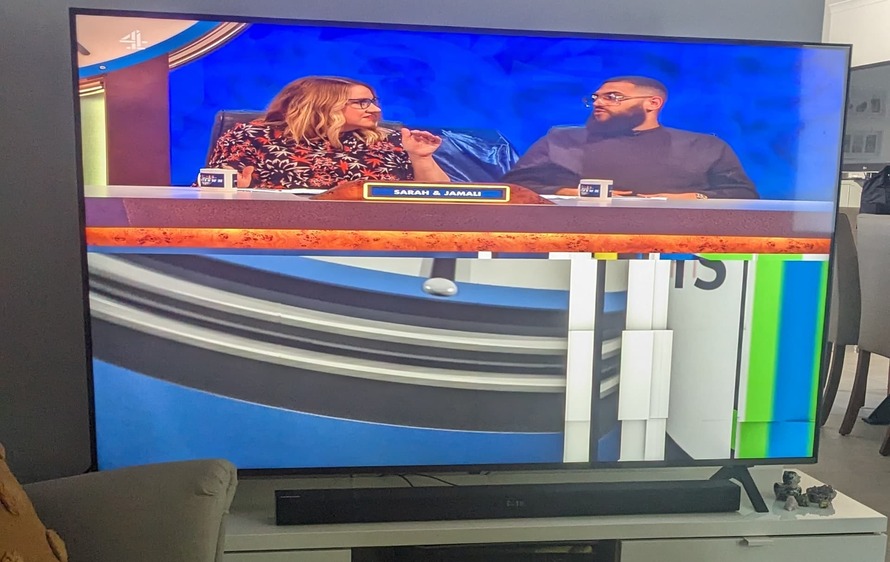
Photo attached to illustrate - but certain (not all) content will sometimes play, but the bottom half of the screen seems to get stuck and not update. The top half of the screen will play normally (although squished). Seems to occur with most UK TV content, other shows/movies do not have the same issue.
The files all play correctly in the web player on desktop, and on a NVIDIA shield on a different TV.
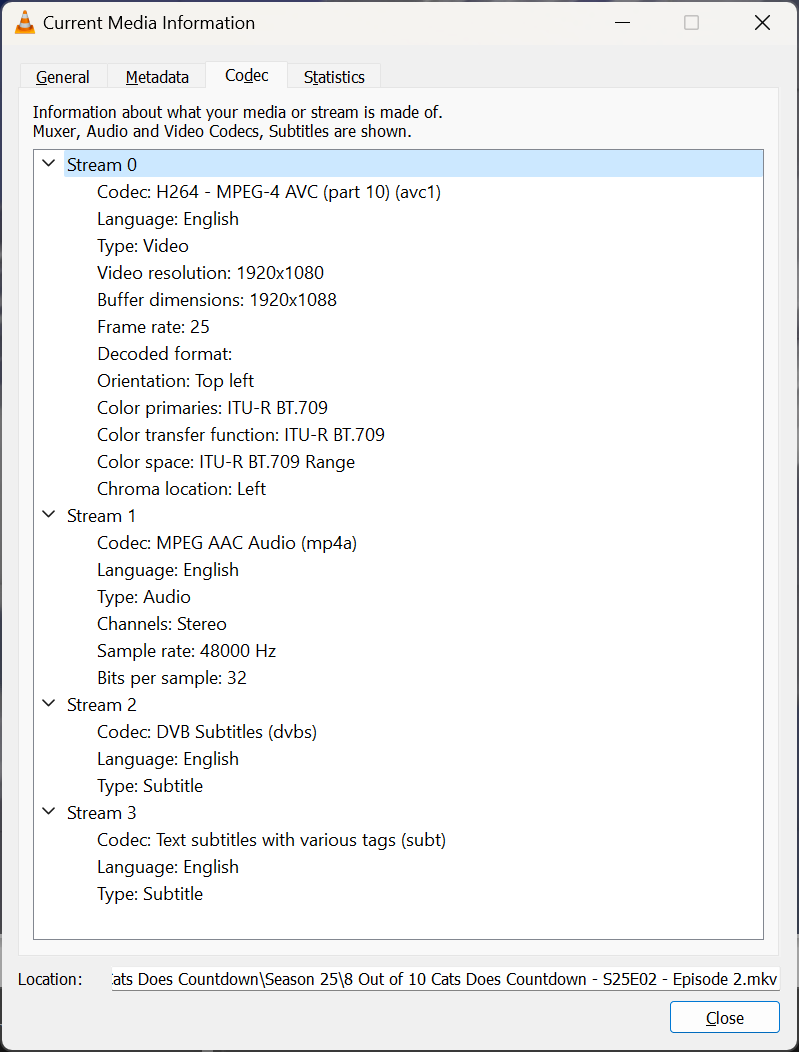
Filename from the photo:
8 Out of 10 Cats Does Countdown - S25E02 - Episode 2.mkv
General
Unique ID                                : 0 (0x0)
Complete name                            : Z:\tvshows\8 Out of 10 Cats Does Countdown\Season 25\8 Out of 10 Cats Does Countdown - S25E02 - Episode 2.mkv
Format                                   : Matroska
Format version                           : Version 4
File size                                : 1.28 GiB
Duration                                 : 46 min 45 s
Overall bit rate                         : 3 910 kb/s
Frame rate                               : 25.000 FPS
Writing application                      : https://www.youtube.com/watch?v=xAChgvtPspo
Writing library                          : Sakura Gakuin - Ganbatte ne

Video
ID                                       : 1
Format                                   : AVC
Format/Info                              : Advanced Video Codec
Format profile                           : High@L4
Format settings                          : CABAC / 4 Ref Frames
Format settings, CABAC                   : Yes
Format settings, Reference frames        : 4 frames
Codec ID                                 : V_MPEG4/ISO/AVC
Duration                                 : 46 min 45 s
Width                                    : 1 920 pixels
Height                                   : 1 080 pixels
Display aspect ratio                     : 16:9
Active Format Description                : Letterbox 16:9 image
Frame rate mode                          : Constant
Frame rate                               : 25.000 FPS
Color space                              : YUV
Chroma subsampling                       : 4:2:0
Bit depth                                : 8 bits
Scan type                                : Progressive
Language                                 : English
Default                                  : Yes
Forced                                   : No
Color range                              : Limited
Color primaries                          : BT.709
Transfer characteristics                 : BT.709
Matrix coefficients                      : BT.709

Audio
ID                                       : 2
Format                                   : AAC LC
Format/Info                              : Advanced Audio Codec Low Complexity
Codec ID                                 : A_AAC-2
Duration                                 : 46 min 45 s
Channel(s)                               : 2 channels
Channel layout                           : L R
Sampling rate                            : 48.0 kHz
Frame rate                               : 46.875 FPS (1024 SPF)
Compression mode                         : Lossy
Language                                 : English
Default                                  : Yes
Forced                                   : No

Text #1
ID                                       : 3
Format                                   : DVB Subtitle
Codec ID                                 : S_DVBSUB
Codec ID/Info                            : Picture based subtitle format used on DVBs
Language                                 : English
Default                                  : No
Forced                                   : No

Text #2
ID                                       : 4
Format                                   : UTF-8
Codec ID                                 : S_TEXT/UTF8
Codec ID/Info                            : UTF-8 Plain Text
Language                                 : English
Default                                  : No
Forced                                   : No

Menu
00:00:00.000                             : en:PART_01
00:23:19.000                             : en:PART_02
00:32:18.000                             : en:PART_03
00:41:17.000                             : en:PART_04
That looks all pretty regular.
Are you watching with these embedded DVB subtitles enabled? If so, try the other ones (those in SRT format). Or without subs.
What hardware platform are you running your server on?
Without subtitles. Server is running on Ubuntu 22.04.3 LTS.
Not sure how much hardware info would be helpful, but it’s an i7-7700K with 16gb ram and an old Geforce GTX 1070.
Your subtitles question got me - I tried enabling the subtitles and two things changed - Instead of direct play I see Video - 1080p (H.264) (hw) - 1080P (H264)—Transcode (hw), and it fixed the issue, the file played normally.
That would mean the Plex transcoder can decode the file without error, but the decoder in your TV cannot.
Then I’d say it is an issue with the original file, or rather with how it was produced/encoded.
The Plex player is just handing over the video to the TV’s built-in player engine.
It doesn’t bring its own player engine, like VLC or Kodi do.