ok, I turned off the pod, started a new debian pod with the volume from plex:
          Plex Media Server user credential reset and reclaim tool (User-Defined)

This utility will reset the server's credentials.
It will next reclaim the server for you using a Plex Claim token you provide from https://plex.tv/claim

Using given Preferences path:  '/mnt/ssd/static-pv/plex-config/Library/Application Support/Plex Media Server/Preferences.xml'
ERROR:  PMS is running.  Please stop PMS and try again
root@chronos:~# bash ./reset.sh -p /mnt/ssd/static-pv/plex-config/Library/Application\ Support/Plex\ Media\ Server/Preferences.xml

          Plex Media Server user credential reset and reclaim tool (User-Defined)

This utility will reset the server's credentials.
It will next reclaim the server for you using a Plex Claim token you provide from https://plex.tv/claim

Using given Preferences path:  '/mnt/ssd/static-pv/plex-config/Library/Application Support/Plex Media Server/Preferences.xml'
Please enter Plex Claim Token copied from http://plex.tv/claim : claim-xxxxxxxxxxxxx
Clearing Preferences.xml
Getting new credentials from Plex.tv
Claim completed without errors.
 Username: menem
 Email:    mark@snipped

Complete.  You may restart PMS.
Afterwards, started the plex pod again with it’s volume. But nothing. Still empty website I’m afraid.
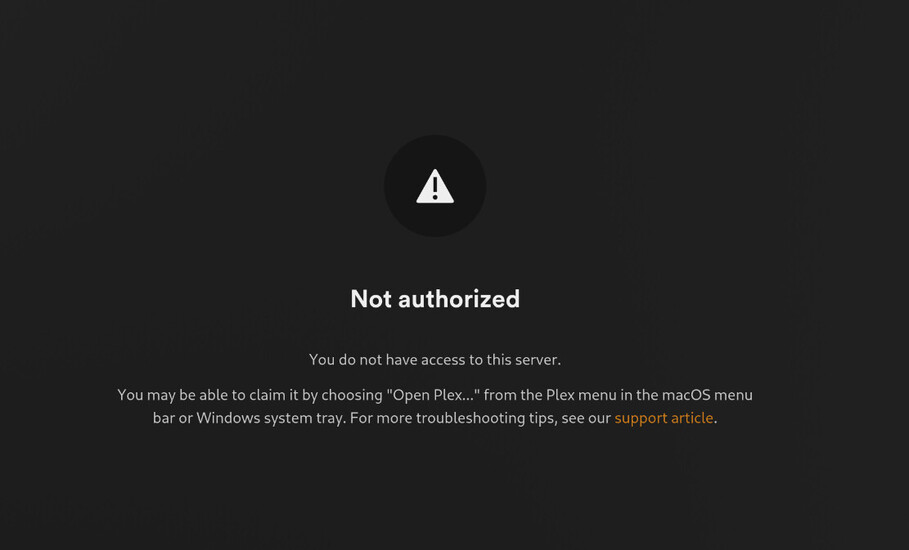
Oh no, something changed, I logged in but it claims I have no rights to this server?
root@plex-7496c7b7bf-mmnj6:/config# ./reset.sh

          Plex Media Server user credential reset and reclaim tool (Docker)

This utility will reset the server's credentials.
It will next reclaim the server for you using a Plex Claim token you provide from https://plex.tv/claim

Please enter Plex Claim Token copied from http://plex.tv/claim : claim-kvFFUQ2t1YEUT69zuZFK
Stopping PMS
./reset.sh: 330: /plex_service.sh: not found
Unable to stop Plex.  Error code 127.
Aborting.
I’m guessing linuxserver’s version does not have that plex_service.sh script.
Plus, if it would shut down, the pod would also be stopped by kubernetes, as the program is no longer running and needs to be stopped and started (According to the kubelet scheduler)
But I can stop the pod, mount the volume somewhere and execute it this way:
root@chronos:/mnt/ssd/static-pv/plex-config# ./reset.sh -p Library/Application\ Support/Plex\ Media\ Server/Preferences.xml

          Plex Media Server user credential reset and reclaim tool (User-Defined)

This utility will reset the server's credentials.
It will next reclaim the server for you using a Plex Claim token you provide from https://plex.tv/claim

Using given Preferences path:  'Library/Application Support/Plex Media Server/Preferences.xml'
Please enter Plex Claim Token copied from http://plex.tv/claim : claim-m1vY_bec-XXXXXX
Clearing Preferences.xml
Getting new credentials from Plex.tv
Claim completed without errors.
 Username: menem
 Email:    mark@maas-martin.nl

Complete.  You may restart PMS.
But alas. Even after this second try nothing.
The docker logs do say it is claimed though:
[migrations] started
[migrations] no migrations found
───────────────────────────────────────

      ██╗     ███████╗██╗ ██████╗
      ██║     ██╔════╝██║██╔═══██╗
      ██║     ███████╗██║██║   ██║
      ██║     ╚════██║██║██║   ██║
      ███████╗███████║██║╚██████╔╝
      ╚══════╝╚══════╝╚═╝ ╚═════╝

   Brought to you by linuxserver.io
───────────────────────────────────────

To support LSIO projects visit:
https://www.linuxserver.io/donate/

───────────────────────────────────────
GID/UID
───────────────────────────────────────

User UID:    1000
User GID:    1000
───────────────────────────────────────
Linuxserver.io version: 1.41.6.9685-d301f511a-ls263
Build-date: 2025-04-21T09:28:33+00:00
───────────────────────────────────────

**** Server already claimed ****
Attempting to upgrade to: 1.41.7.9717-fa0101728
2025-04-26 21:38:13 URL:https://downloads.plex.tv/plex-media-server-new/1.41.7.9717-fa0101728/debian/plexmediaserver_1.41.7.9717-fa0101728_amd64.deb [82091430/82091430] -> "/tmp/plexmediaserver_1.41.7.9717-fa0101728_amd64.deb" [1]
(Reading database ... 9538 files and directories currently installed.)
Preparing to unpack .../plexmediaserver_1.41.7.9717-fa0101728_amd64.deb ...
PlexMediaServer install: Pre-installation Validation.
PlexMediaServer install: Custom environment detected.  Skipping preinstallation validation.
Unpacking plexmediaserver (1.41.7.9717-fa0101728) over (1.41.6.9685-d301f511a) ...
Setting up plexmediaserver (1.41.7.9717-fa0101728) ...
PlexMediaServer install: Custom environment detected.  Skipping postinstallation tasks. Continuing.
[custom-init] No custom files found, skipping...
Starting Plex Media Server. . . (you can ignore the libusb_init error)
Connection to localhost (::1) 32400 port [tcp/*] succeeded!
[ls.io-init] done.
Critical: libusb_init failed
Linuxserver image supports using a PLEX_CLAIM ENV to claim the server, only works, from memory, if there is no config data yet. You can find the information on their docs pages for the relevant image.
Say @ChuckPa did we not have more replies to each other in this thread? Where we talked about jellyfin/plex/linuxserver and I would switch to the helm chart?
So I’m not really understanding why this has changed so much since the last time I installed plex?
I also tried your script again:
root@plex-media-server-0:~# ./reset.sh

          Plex Media Server user credential reset and reclaim tool (Docker)

This utility will reset the server's credentials.
It will next reclaim the server for you using a Plex Claim token you provide from https://plex.tv/claim

Please enter Plex Claim Token copied from http://plex.tv/claim : claim-s75iXjTnUupzahLsyqHK
Stopping PMS
Clearing Preferences.xml
Getting new credentials from Plex.tv
Claim completed without errors.
 Username: menem
 Email:    mark@maas-martin.nl

Starting PMS
Complete.
Still nothing.
I then removed all servers from the Authorized Devices page and tried your script again.
and I can see the new server appearing in Authorized Devices:
Is the helm chart deploying the plex beta version as well? If so then try not using it as the base url redirect is broken and it might be the cause here assuming you were never served the server creation wizard.