Server Version#: 1.21.2.3943
Player Version#: Plex Web 4.51.1
Editing the summary for a collection results in all linefeeds being double spaced for that summary.
If i typed in the following looking like this:
This
Is
A Summary
Test
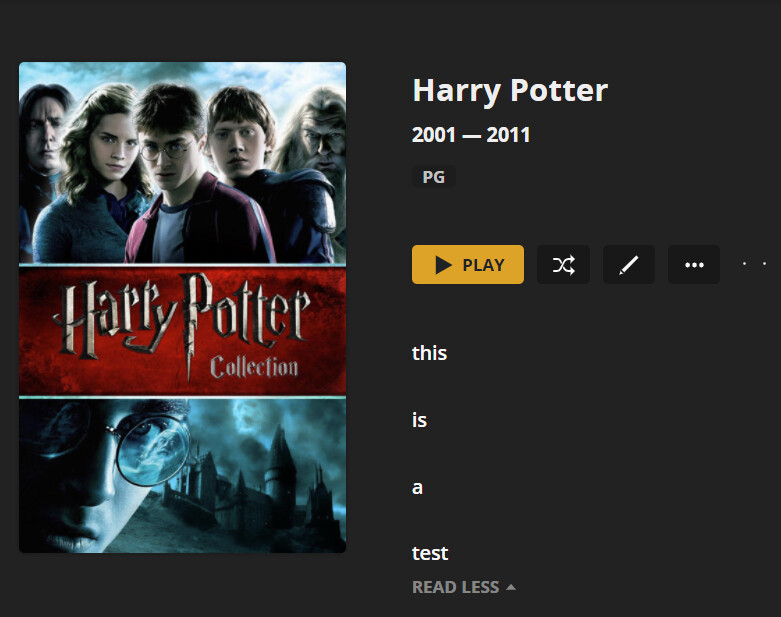
I would expect it to look like i typed it, but instead, It would show up like this:
This
Is
A Summary
Test
I have not tried this anywhere else, and i cannot find a way to prevent this double spacing other than finding a new way to type out what i want, such as letting the lines wrap automatically.
My goal was to take my collection of star wars movies, and list line by line the order in which they should be watched, but it becomes a mess when saved. It also doesn’t update after saving it, you have to leave the collection and go back into it to see your modification.
Looking at the HTML code in Google Chrome, i can see that each section where i started typing and ended with the enter key, those areas are wrapped in the paragraph tag < p>, essentially with what i’ve done, each line is wrapped in a paragraph tag. If this could be changed so the entire summary is wrapped in a single paragraph tag, and user entered line feeds (enter key) use < br> instead, this should resolve the issue.
There’s another post similar to this issue from 1 year ago (his involved playlists only), but the issue still exists and my suggestion may potentially fix it unless that causes it to break something else. That post is here: Double-spaced summary in Playlist