Server Version#: 4.47.3
Tuner Make/Model: Hauppage WinTV-quadHD
Using XMLTV?: Plex default
Channel: WKMG CBS Orlando/Daytona Beach
Since the last update when the new EPG was rolled out and I had to re-enable the tuner and rebuild by recording schedule, the commercial skip has not worked at all. I’ve scoured the forums and there doesn’t seem to be anything recent. I’ve tried the other remedies, like restarting the server, reinstalling the server, etc. but nothing works. I’ve attached the logs from this evening, tried recording the CBS News to test and nothing happened.
I have it running with an AMD Radeon Pro WX 2100 and a Core i5 Workstation, so there is plenty of horsepower (and like I said, it worked beautifully before the EPG change). I’d just like the commercial skipping function back, one of the reasons I subscribed in the first place! :slightly_smiling_face
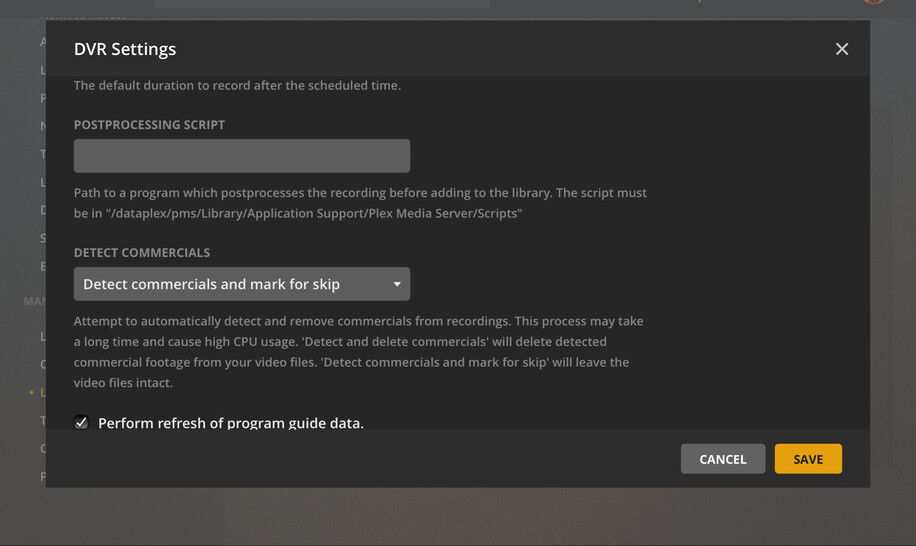
Well to update, I think I found what is probably a bug. After setting the tuner back up after the EPG update, I set the default to Skip commercials and then rebuilt my recording schedule (as I could because everything is on hiatus for the holidays).
The default Skip setting doesn’t apply (Delete either, also tried that). However, if I go into the settings for each program/series, it sets itself to not Skip/Delete. Changing the setting at that level seems to do the trick.
A shame that I have to manually do it every time I add a show to the recording schedule, but beats not working at all.
Thanks, but as stated that is set, first thing I did after redoing the tuner after the EPG update. Doesn’t stick, I can only get the settings to take effect if I manually do it for each program.
Edit: sorry, don’t mean for that to sound snarky, I was one handing wrangling a kid.
I had that set to Recorded Shows, but just updated to All Items lie you suggested. Hopefully that does the trick.
I came from NextPVR so am used to doing a lot manually so if I have to double check when adding the series it’s not the end of the world (and hey, commercials skip without having to run through MCE Buddy!)
Make sure you have the maintenance start/stop times set with a long enough time period to allow processing, it can take awhile to work through all the media and may take days/weeks to catch up.
Thanks for your post, I had exactly the same issue as you described, under the same circumstances.
I think there was a bug in an earlier PMS version, which prevented the global “detect commercials” setting from being correctly included in new recording events. I think this bug was fixed in a later version. But, if you had scheduled recording events using the earlier, buggy version, those existing events were not updated with your global setting. So I, too, had to edit all those events manually, as you described.
I’m currently running PMS 1.21.1.3876. I can confirm that when I schedule a new DVR recording event, “DETECT COMMERCIALS” does include the correct global setting.
You can confirm the bug is now fixed (for new recordings) by starting the process of scheduling a new recording, then clicking “Show Advanced” in the Record Options window. Scroll down to “DETECT COMMERCIALS,” which should show the correct (global) setting.
I think there was a bug, since corrected. Thanks to the bug fix, new recording events accurately use the global setting.
But, like the OP, I had old events, created using the older, buggy version, which had DETECT COMMERCIALS = disabled. I, too, had to update those manually.
My commercials aren’t getting deleted either… despite the global and show-specific settings saying they should be deleted. This used to work not too long ago, but have since updated Plex at least once or twice. Any suggestions welcome not already mentioned earlier?


 . Hopefully it’s a thing of the past now, and I did take the most recent update so knock on wood.