I have my Scheduled Tasks set to run at 2am and stop at 6am. However, library scans are happening continuously and I cannot get them to stop. To clarify, the scans start and complete successfully. After a few minutes it simply begins scanning the next library without being prompted.
It uses a lot of resources when scanning, so my workaround for the past week is to simply shut down Plex Media Server when I am not watching something. I need to keep it running though, has anyone else had this issue?
I believe that is disabled as seen in my screenshot. However, I wonder if “Scan my library periodically” might be the culprit, even though it’s set to only run every 12hrs.
This shouldn’t be necessary if I already include my library scans as part of my Scheduled Tasks, right? I’ll give this a try and see if I notice a change.
I wonder if this is a beta bug? In which case it would be good for the Plex team to be aware of. Surely I wouldn’t be the only with the issue in that case though. Other factors I can think of is the latest macOS update (again more people would have this issue), or maybe the size(s) of my library/ies.
I would imagine “Scanning periodically” would be a feature worth enabling.
What was your reasoning for disabling?
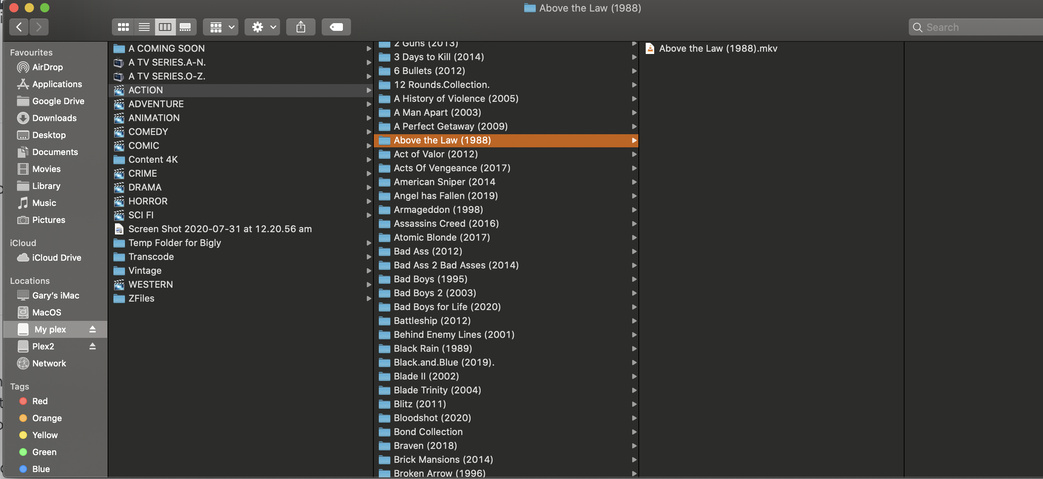
Jumping in here, my MacOS Catalina setup does not exhibit this problem. I use auto and Partial Scans. My question would be, do you have your library contents in there separate folders? When using folders the scan will skip folders that have not changed, making scan much faster.
Example:
Drive name
/Movies
/Above the Law (1988)
/ Above the Law (1988).mkv
This is interesting, thanks! I do in fact have my libraries in separate directories. The thing I wasn’t aware of is the ability to remove data manually. As a follow up though, my options don’t match yours. Curious why not? Or if I’m looking in the wrong place…
I’ve been experiencing this same problem in the past couple of weeks. I’ve been using PMS for well over a year - all good - all working as I’d expect. However, in the past couple of weeks this constant media scanning has plagued my Mac. I have a larger than most music library (7000+ albums - 137,000+ tracks). I use iTunes. I rip CDs and add new music almost daily. Before this problem cropped up, I would often drop a folder containing a dozen or more albums into iTunes with no issues. All the albums would appear properly in iTunes, the PMS “scanning library” notification would then appear and in seconds the new albums would appear in Plex. Now, that same process can take all day. The “scanning library” notification appears, one album appears in Plex, scanning the whole library occurs, then the next album appears in Plex and the whole process repeats - over and and over and over again - one album added per scan.
I took the advice of disabling Spotlight for my media drives. We’ll see if this changes anything. Fingers crossed. There was a recent macOS update (I’m running Mojave 10.14.6 (18G6020) and PMS version 1.19.5.3112).
On a side note, I’m curious why PMS even needs to scan entire libraries repeatedly. If the media is matched, the metadata downloaded, the metadata loaded - why is it necessary to do that again if no change has been made to the media? It makes no sense. It uses CPU. It uses disk activity. It uses bandwidth. It’s unnecessary, redundant, and a total waist of resources. Surely the PMS database keeps record of successful matching, metadata downloads, and metadata loading. Why ever do it again if no changes have occurred with the media? I have always had “Scan my library automatically” and “Run a partial scan when changes are detected” checked. I have never had “Scan my library periodically” checked - I have that happen in “Scheduled Tasks” at 2AM everyday.