Server Version#:1.22.2.4282
Server#: Nvidia Shield TV Pro
Player Version#: 4.56.4
Hi,
I am sorry if this topic has already been addressed however I was not able to find it. I would like to assign custom posters for several of my Collections. Both for the automatically created (i.e.: Hellboy Collection) as well as manual ones (i.e.: MCU). Is there a way how to do this on Shield TV? I have those posters stored locally in the first movie (by date of release) of each collection but the web player interface does not display them in the menu.
I am using Plex Movie scanner and Plex Movie agent for the library, Local assets and Local metadate settings are both enabled.
Any advice will be greatly appreaciated.
All curation of media has to be done via the web client (https://app.plex.tv/desktop), which will allow you to select posters for your collections.
And here’s a website where you can great collection posters (free account) https://theposterdb.com/
Hi,
Thank you both for the answers. I am aware I have to perform the changes in web client. I have changed several posters for individual movies. However when I browse the same menu for any of my Collections I do not see the custom posters I have saved locally. I am not sure where exactly I should I save the Collection wallpapers in my media drive. Can anyone help?
Collection posters have to be manually uploaded via app.plex.tv/desktop, there is no place to put them in the directory structure for them to be selected
Hi,
Thank you very much. Make sense I got confused because I have one collection with a single movie and for that movie I have a locally stored custom poster which I can see in the collection poster menu. And once I upload local collection poster it is saved somewhere in server data?
Anyway, I side question. Is there a simple way to temporarily turn off all online poster sources? So that I can see which custom poster I have assigned across my whole library? Preferably without removing all other online metadata.
No, that isn’t possible, I’m afraid
I see, so there is no way to discern which poster is pulled online and which is from local storage when I am in poster selection menu?
And the user assigned collection posters are stored within the server configuration? Can I backup them together with the rest of the settings easily?
And one last question regarding collections. Is there a list of all existing ones? For example I was expecing a collection of Marvel Cinematic Universe to be created automatically but it was not. I can create it but such approach requires me to pull all other info manually which I would rather avoid.
I don’t recall the specific folder where posters are stored, but if you are backing up everything under the main plex folder, custom posters will be backed up as well.
Plex, unless the support docs are out of date, get their list of collections from themoviedb
see: https://support.plex.tv/articles/201273953-collections/
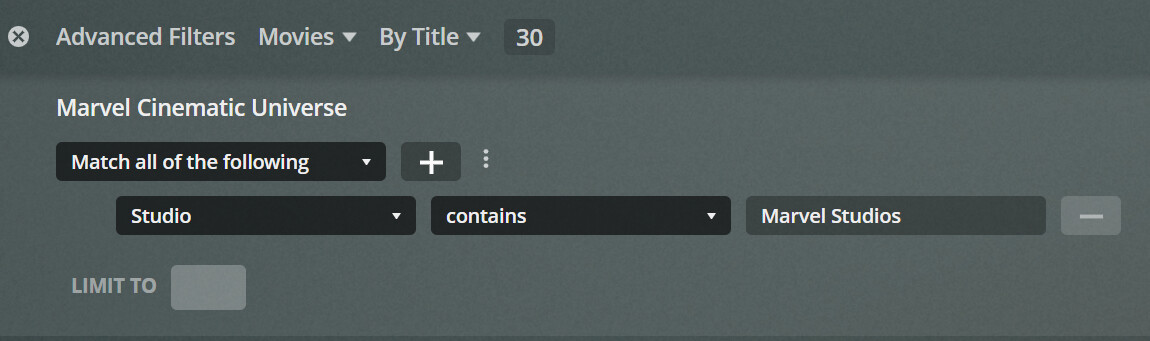
Also, if you have started using Smart Collections you can generate the MCE with one filter
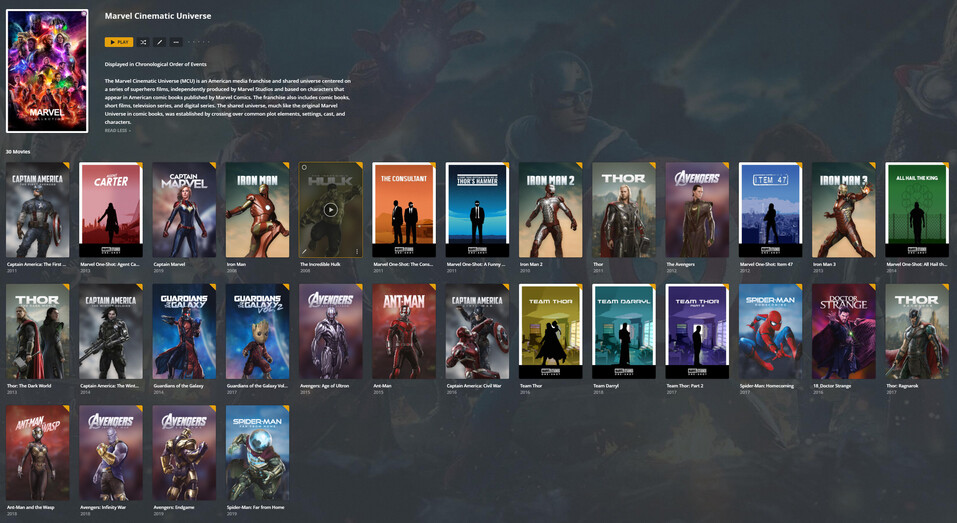
Which will give you -
Minus the custom sort order
Smart collections?! Wow, havent heard about this feature before it seems splendid. Now I just need to wait for 1.23 update for my Shield Pro. Thanks a lot for the tip.
@hthighway I have just found an update for Plex Server on Google Play and I created a MCU smart colletion right away as you adviced me. However I end up with collection without any description (please see attached screenshot).
Do you have any suggestion? Filter setup is following.
Thanks anyone in advance for any hints.
if you want a description on a collection you made click the edit button and add one.
if you want the server to automatically create collections for you based on online data with descriptions and such then enable that in the libraries settings
Hi,
Thank you for response. I know I can fill in descriptions manually however the automatization is the main reason I pay for Plex.
The minimum treshold for automatic Collection is set to 1 and I have multiple automatically created collections. However the MCU collection is never created automatically. Therefore I followed the steps from @hthighway in hope that Smart collections feature will help.
Are there any other settings I should pay attention?
Because TMDB where auto collections come from only treat sequels as collections as per their rules. Overview - Collection Bible — The Movie Database (TMDB)
and the description I used for MCU came from theposterdb, and it was manually pasted into the Smart Collection
… and soon, perhaps, our guests will be able to see what’s in a TV Show Smart Collection…
I’ve manually created hundreds of Vanilla Collections and could really use some Smart Ones - if ya know what I mean…lol
Hi,
Thank you, I actually read those some time ago but never realized the implications for MCU or DCEU or Monsterverse universe. Any details about Universe feature the article mentions? And its possible implementation in Plex?
I see, I thought the Smart collection should load those automatically. Now I understand. Thanks again.