Hi,
I have PLEX server installed on my QNAP NAS
Supposing I make a change on PLEX server on my QNAP NAS (new playlist PL1 for example)
On Plex server itself all is fine
A Few seconds after via WINSCP, I copy the SQLITE file main database
I perform a select SQL on metadata_items type 15
Can’t see my new playlist PL1 !!!
If I do the same operation on PLEX server but this time I wait a while (15 minutes) before using WINSCP then this time the database transferred shows me my PL1 playlist
If I do the same operation on PLEX server but this time I perform immediately a DATABASE optimization then use WINSCP then this time the database transferred shows me my PL1 playlist
Looks like main SQLITE database on PLEX server is not updated immediately, either I have to wait a long while or I have to do DATABASE optimization.
Is there a way to commit changes immediately without the need to wait and/or to perform optimization operation.
Hope I am not too confusing. Thanks
Player Version#:
There is no mechanism to force the main file to update.
What you’re seeing is because you’re bypassing the WAL and SHM.
Restructure your opening of the DB to use the WAL & SHM.
Please do understand, this level of access is out of scope.
We cannot support this level of access to the DB.
Oops,
I just found that I was missing to copydb-shm and db-wal . Now I got the change immediately on SQLITE studio.
Sorry for disturbing
Hola, Many many thanks ChuckPa
I just found about WAL and SHM before reading your reply. Nevertheless, you are very kind. Yes you are absolutely right, this is out of scope. In fact what I do is :
From my client windows I run a tool that copy the database just to perform only a select to check if songs are there then I build URL’s to create playlist with items.
In fact, I do this because I did not find any way to perform a remote select (RDBMS) onto the Plex server database being on my QNAP.
If you have an idea it will help. However, once again thanks for having to take care of my post.
you should never copy the database files while plex is running, your copies can easily be corrupted during the middle of the copy if the original changes
from your qnap command line, you should be able to access sqlite and send queries (not updates) to the database even while plex is running
sqlite3 /path/to/database.db "select blah blah blah"
obviously, this is not supported by plex, so ensure you have adequate backups.
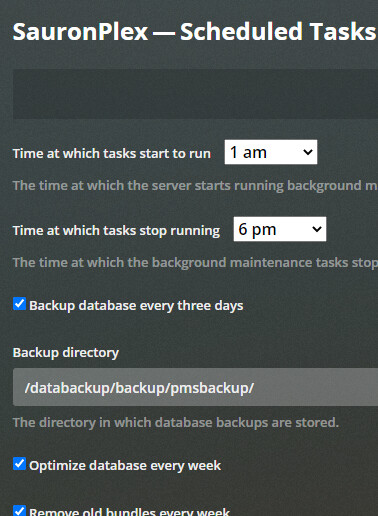
plex does automatic db backups every 3 days, if enabled
also, if you are into programming, you may want to research how to access plex via API, check out ‘tautulli’ or ‘export tools’ for some ideas
Hi, Many thanks
You’re right, this is why I perform a Plex shutdown before, copy the bases then restart Plex.
Well not sure that I follow you regarding "sqlite3 /path/to/database.db “select blah blah blah”
I am running a powershell on my windows client. Qnap path /share/CACHEDEV1_DATA/.qpkg/PlexMediaServer/Library/Plex Media Server/Plug-in Support/Databases where is located the DB is not share and cannot be accessed unless I miss something around. Have you a solution ?
Thanks
I mean if you remote into your QNAP (ie via SSH) so you can get a linux command line prompt, you could then query the database, without having to stop/backup/restart.
if you are not familiar with linux or how to SSH, then I would suggest researching through google, if that is something you want to pursue.
there is no remote access to the database, other than indirectly through plex API.
so either continue to stop/backup/copy/restart and work on the files while on windows, or learn how to carefully access linux and use sqlite3 directly via linux command line, or learn how to use plex API to get information from plex over http/https.
edit, one other way to more easily get the database, without having to stop plex
open Plex Web > settings > troubleshooting (scroll down bottom left side) > download database
Hi Tekno,
Yes you’re right. A shell command via ssh will do. Just to work around the return result. I will give it a go and let you know. Once again many thanks for sharing ideas and help. I really appreciate.
Hi all,
Special thanks to ChuckPa & TeknoJunky.
I follow your recommendations and I made a new process to access Plex DB in remote (SSH commands).
I succeed collecting information via DML select statements however I was not able to delete/insert playlists regarding a “natural sort” index problem. I did few checks and I can confirm that my PLEX DB is not corrupted. Nevertheless, I use URI post method instead. It is even better regarding internal integrity.
In summary :
Select to collect information
URI to delete and create playlists
Many many thanks
