Thanks, sounds like my estimate of every few months was about right. Guess it really depends on the amount of content added so thanks for confirming that,
I did see that suggestion from TeknoJunky. Makes sense especially if going forward this would become a somewhat semi regular maintenance tasks for server admins.
That certainly makes a lot of sense.
BTW… wonder if its worth adding the version info (v0.6.1) to the top of the script to match the release in git ? Within here …
#########################################################################
# Plex Media Server database check and repair utility script.           #
# Maintainer: ChuckPa                                                   #
#########################################################################
That way when we have a local copy of the script we can quickly know if there is a later version. Just a suggestion …
@ChuckPa Hey, so I was working with you a few weeks ago to get this script working in unraid with Binhex plex. I used THIS script in the past. It’s a collection of scripts to do various things if you use the binhex template.
Do you mind taking a peek at it and telling me if it does what your script does?
Do you place tar in the hidden docker folder? Or the appdata folder? (I’m on Unraid, if that matters which doesnt expose the docker folder, just the appdata folder.
If you can’t put it in your /config, try putting it at the top of one of your media directories
Once you get into the container, you can move it to wherever you want.
When I create containers, I specify where I want /config stored in the file system.
Docker can create its screwy UUIDs but I want easy access to /config which is also persistent between container instances.
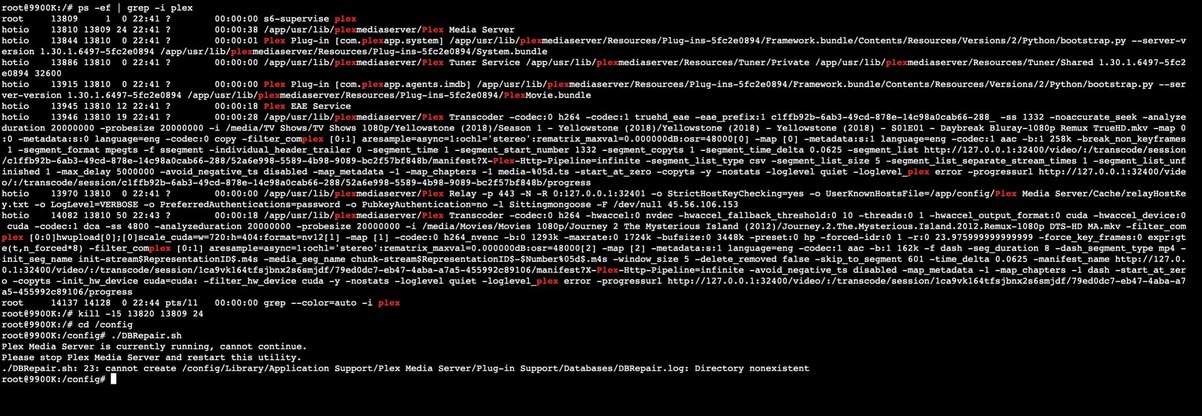
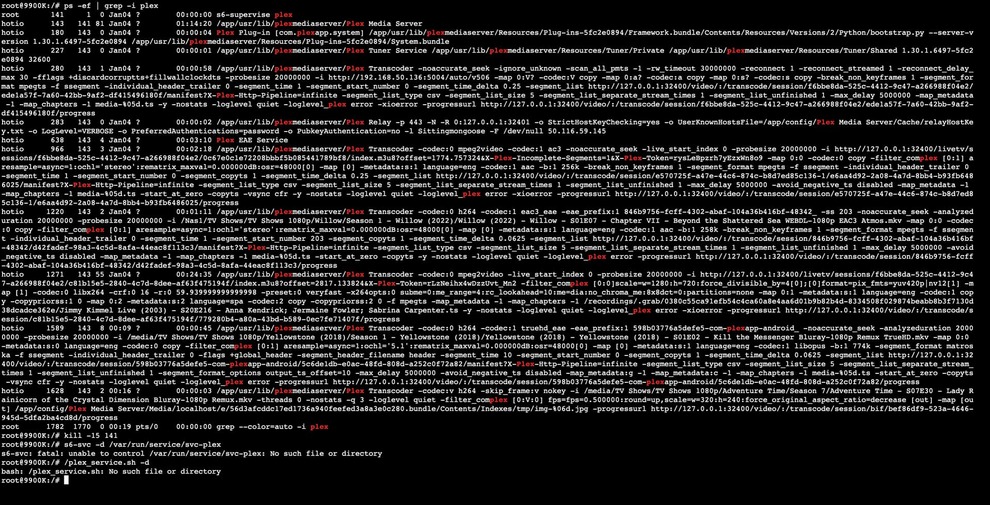
I am getting close!! The only thing I cant figure out is how to kill plex. My normal methods kill the bash into the docker. And the command on your git is producing weird results.
See the s6-supervise ? You’ll have to shut down the service.
As I show in the README on Github
To launch in a Docker container:
        sudo docker exec -it plex /bin/bash

        # Stop Plex when using official Plex,inc image
        /plex_service.sh -d
--or--
        # Stop Plex when using Linuxserver.io Plex image
        s6-svc -d /var/run/service/svc-plex
--or--
        # Stop Plex in binhex containers
        kill -15 $(pidof 'Plex Media Server')


        tar xf PlexDBRepair-0.6.1.tar.gz
        cd PlexDBRepair-0.6.1
        chmod +x DBRepair.sh
        ./DBRepair.sh
So I have a friend helping me, got the service to die, but realized I wrote Binhex to you and not Hotio. I am using Hotio which has a very different folder structure.