This is likely out of the scope of this tool but it’s the best place I could think to ask and maybe someone knows of a tool or how to safely do this.
My DB still contains a bunch of items from an old deleted library. I currently have library IDs 1-5 and 9 in active use but in the DB itself, there’s still a lot of stuff with library ID 7.
I imagine I could delete the things that are listed with the ID directly but I’m sure there’s stuff elsewhere that would relate to it without the library ID. Is there a tool that can scrub that information from the DB properly or is there a known best way to do so?
What you currently see there is the Linux “Auto” mode.
The initial cut is based on the perceived desire of most Windows users (as I’ve seen) to “Click it, watch it run, and be done”, it seemed most logical to make “one size fits all” (preset ‘auto’ mode).
If anyone wants to help and/or show HOW to do menus and branching in Windows BAT files, I’m up for learning
This step (v0.7) is where the menus get better and I put in the underpinning for improving automation (auto mode is step 1)
Next step (v0.8),
– consider persistent settings for utility.
– consider controlling script behavior based on ‘settings’
– consider add new command ‘backup’ with backup saved to user-specified location.
– consider restore external backups if PMS backups fail based on user settings
#2 here is potentially messy and out of scope for a shell tool like this.
It might be time for python but that’s a whole new dependency I hadn’t planned on.
Also is the SH/BASH issue. Most have bash default now but some do have /bin/sh limitations. What’s best for everyone here?
[chuck@glockner ~.2005]$ sudo ./DBRepair-beta.sh  stop auto start exit


      Plex Media Server Database Repair Utility (Ubuntu 20.04.5 LTS)
                       Version v1.0.0 - development


[19.36.06] Stopping PMS.
[19.36.06] Stopped PMS.

[19.36.06]
[19.36.06] Checking the PMS databases
[19.36.45] Check complete.  PMS main database is OK.
[19.36.45] Check complete.  PMS blobs database is OK.
[19.36.45]
[19.36.45] Exporting current databases using timestamp: 2023-02-25_19.36.06
[19.36.45] Exporting Main DB
[19.37.19] Exporting Blobs DB
[19.37.22] Successfully exported the main and blobs databases.  Proceeding to import into new databases.
[19.37.22] Importing Main DB.
[19.39.06] Importing Blobs DB.
[19.39.06] Successfully imported data from SQL files.
[19.39.06] Verifying databases integrity after importing.
[19.39.44] Verification complete.  PMS main database is OK.
[19.39.44] Verification complete.  PMS blobs database is OK.
[19.39.44] Saving current databases with '-BKUP-2023-02-25_19.36.06'
[19.39.44] Making imported databases active
[19.39.44] Import complete. Please check your library settings and contents for completeness.
[19.39.44] Recommend:  Scan Files and Refresh all metadata for each library section.
[19.39.44]
[19.39.44] Backing up of databases
[19.39.44] Backup current databases with '-BKUP-2023-02-25_19.39.44' timestamp.
[19.39.45] Reindexing main database
[19.40.57] Reindexing main database successful.
[19.40.57] Reindexing blobs database
[19.40.57] Reindexing blobs database successful.
[19.40.57] Reindex complete.
[19.40.57] Automatic Check,Repair/optimize,Index successful.

[19.40.57] Starting PMS.
[19.40.57] Started PMS

[chuck@glockner ~.2006]$
As I was curious yesterday I ran the following test …
setup a new test plex server and added my movies, tv and music libraries turning off all heavy cpu scheduled tasks
these libraries consist of 3,652 movies, 31,683 episodes and 79,570 tracks
after initial scan, second force refresh of metadata, analyse of media and optimise of db the plex db was 501mb in size
Ran your tool and it took the db down to 459mb. 2023-02-25 11.05.04 - Repair - Verify main database - PASS (Size: 501MB/459MB).
So reduction of 8% just from a standing still starting point. Awesome
One piece of feedback. Inside the DBRepair.log you use 2023-02-25 11.05.04 as the timestamp but on the console you use time [11.05.04]. Would you consider using the date & time also on console [2023-02-25 11.05.04]. I personally like seeing the full timestamp.
This thing is getting all professional and stuff. Nifty!
@ChuckPa PM me (and @anon5074910 if he wants to chat too) I want to talk about a couple SQLite details with you. Wondering about the order of operations here.
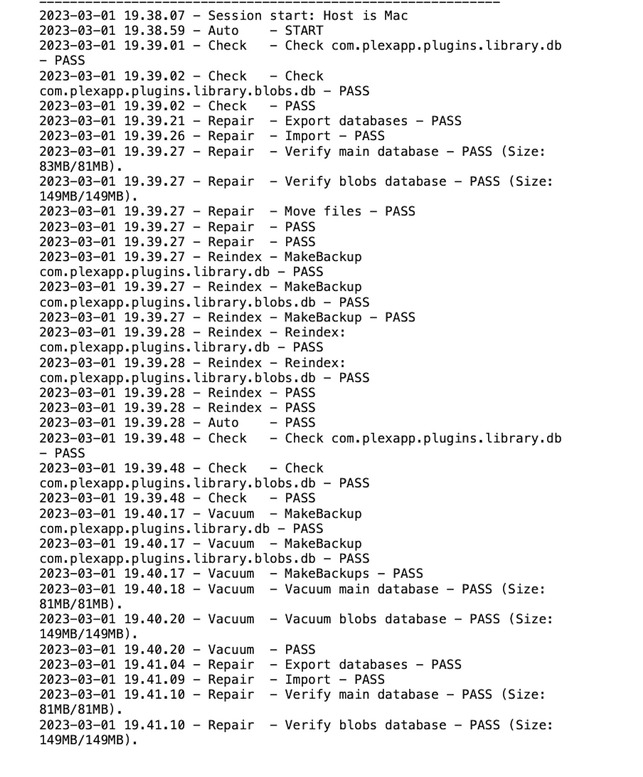
I’m trying to run this on the Mac Mini and I’m pretty much tearing out my remaining hair. I’m getting “no such directory” in Terminal. That, and enabling administrator, which is not going as I expect.
Ran into a similar problem on Windows when the Plex media server data directory was moved to a non-default location.
See below for where DBRepair is looking for things on a Mac.
Any chance you have PMS installed somewhere other than Applications?
Do the settings for AppSuppDir and DBDIR match up with your system?
    # Where is the software
    PLEX_SQLITE="/Applications/Plex Media Server.app/Contents/MacOS/Plex SQLite"
    AppSuppDir="$HOME/Library/Application Support"
    DBDIR="$AppSuppDir/Plex Media Server/Plug-in Support/Databases"
    PID_FILE="$DBDIR/dbtmp/plexmediaserver.pid"
    LOGFILE="$DBDIR/DBRepair.log"
    LOG_TOOL="logger"
I finally gave up. Moved the database files elsewhere, started over. I was a bit baffled, to be honest — the main files were ~2.3Gb, which is about what the database files averaged in the far smaller server.
No issues starting the Mac server, either. So…my guess is that something screwed up the files. I should take a look at the TM backups and see how big they are.
 LOL
LOL