You like that ?
A lot, thanks Chuck. It’s seems to be working well.
How is the new UI and the functions ?
Have you tried command line mode?
./DBRepair.sh stop auto start exit ?
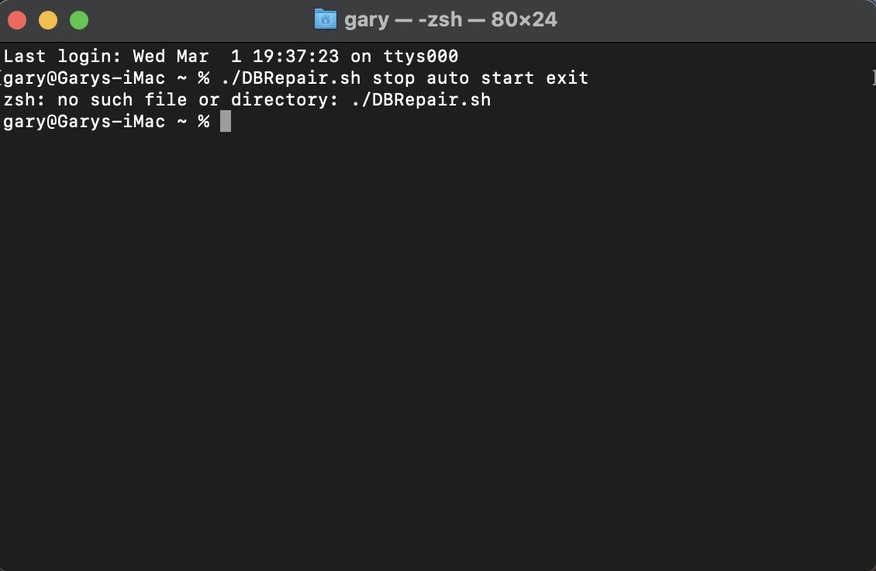
take DBRepair.sh, however you invoke it on the command line, then add ’ stop auto start exit’ as command line arguments.
I see you’re using ZSH shell. The ‘no such file or directory’ bothers me. Typo?
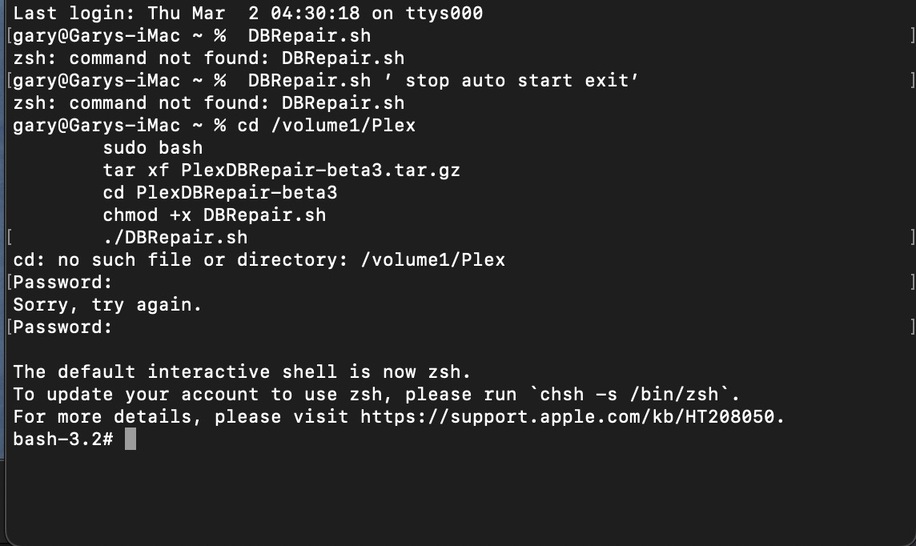
You around to help here please ?

I’m concerned / asking because you show “/volume1/Plex”
That doesn’t exist on MacOS .

I’m using UNraid and got this working. Here is the grab of what I ran.
Any resolve Chuck?
Resolve ? I don’t know what the issue is with your Mac.
It’s working ok on my Mac mini with PMS in default location.
This is the actual test to identify a Mac
   elif [ -d "/Applications/Plex Media Server.app" ] && \
        [ -d "$HOME/Library/Application Support/Plex Media Server" ]; then
Maybe @nibbles has some advice?
I’m just doing documentation now.
The version 1.0.1 seems somehow borked here:
./DBRepair.sh: line 520: [-f: command not found
v0.6.5 works perfectly fine.
Using BINHEX container via UnRaid latest version.
Let me know if more info is required…
Cheers,
-jj-
My bad. I must have bumped it just before I pushed to github,.
Fixing
- My git tool was whacked up.
- It explains why the code didn’t get to github and why i had to fight with it when releasing 1.0
Code and release tags now corrected – v1.0.0
Now it works perfectly, thank you very much :-).
Cheers,
-jj-
How does it look / work for you? Easier to use?
