Server Version#: 4.67.1
Player Version#:
Tuner Make/Model: Roku Ultra
I delete TV shows once the shows are watched. However, the shows still show in the TV category and the Dashboard. I have read the other topic pertaining to this about a Source Directory being empty. But where is the source directory? I’m using Windows 10. I rescan the category - same results - the deleted shows are still there.
Please provide better detail procedures to get rid of these deleted shows would be helpful.
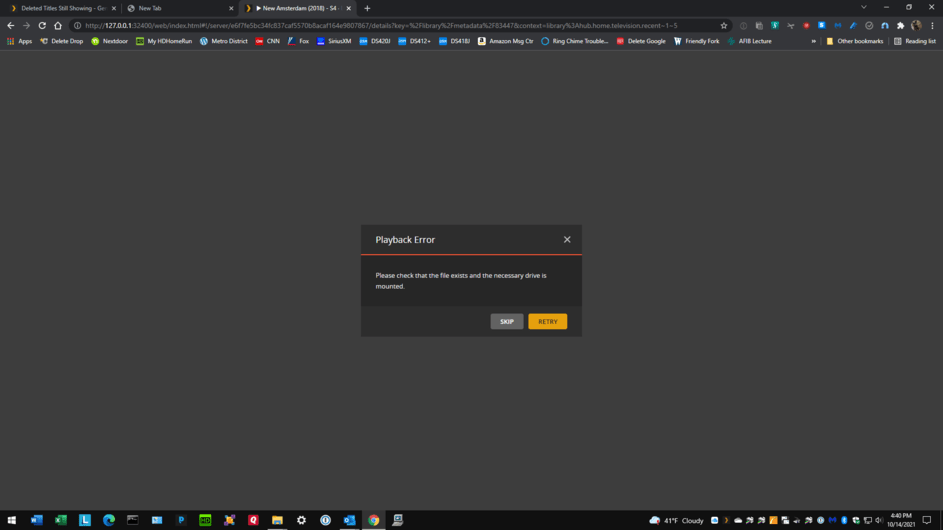
If you delete an item, can you still select the show and play it? If so, then it didn’t get deleted from the source folder at all.
Plex will not delete all the metadata and video entries associated with a show if the file gets deleted. This is to make sure that disconnecting an external drive that had the files doesn’t screw up your entire library. To permanently remove an item from the database once the source file is gone, you must empty the trash of the library itself (this is not the same thing as emptying recycle bin in your operating system itself). “Empty Trash”, if the file is gone, should remove all references to any missing item for good.
There is a Plex setting to “empty trash” during the server maintenance. There is an option to empty the trash immediately after a scan of the library occurs too. Go to Settings > Servername > Settings > Library (not Libraries), and see if the checkbox for empyting trash after a scan is enabled.
None of these work - I did the Empty Trash before I posted my question. I already had the box checked to empty trash automatically after every scan. Everything still shows on the Dashboard!
Regarding the dashboard. Even deleted watched items will remain on the dashboard as its something you have watched and is part of the stats the dashboard reports on.
Regarding the TV category. Could you get info on a item that is deleted to see what it’s reporting. I’d also check your logs for database corruption if items are not being deleted as you would expect.