While trying to resolve some metadata issues I found myself moving files in and out of the media path and rescanning. The problem is now resolved but in the course of it I found a question that I’ve not found a definitive answer to.
For Plex Server on a Windows PC I can right click the Plex icon in the system tray and “Update Libraries”. I can also go into the web interface, click the 3 dots next to the word library and select “Scan Library Files”. Do those end up doing the same thing or is there a difference? And if I select the three dots next to a specific library and “Scan Library Files” is that also the same except just for a single library?
Thanks for any insights!
-Jason
That’s correct, I think the terminology is just changing to “Scan Library Files” and maybe hasn’t been changed everywhere yet? Actually if it still shows that way in the system tray it probably classifies as a bug by this point and should be changed.
Thanks, good to know. Here’s what it looks like in my system tray:
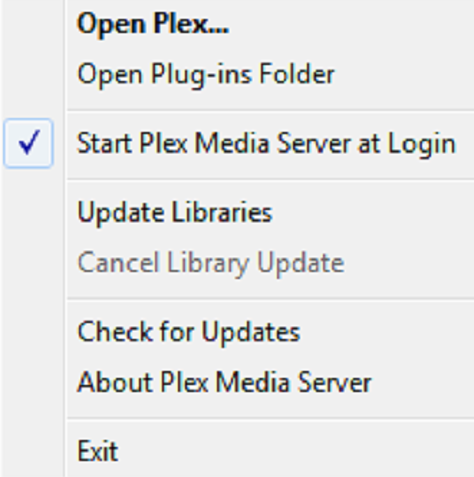
Though full disclosure I’m not on the latest Server. I’m running 1.14.0.5470. It may be fixed in the latest version.
Nope, FWIW the Mac menubar stays the same thing. I’ll bring it up as a bug.
Thanks for bringing this up, apparently it was already filed as an (old) bug and just needed some new attention. The terminology can certainly be confusing, but to confirm, both do the exact same thing.
