I’m trying to deactivate theme music from automatically playing (Android app v9.23.0.1746). Searching the internet it says to go into settings, select experience, and untick the “Play theme music” box. However this simply isn’t there for me.
Has this feature moved somewhere else or been removed? And if it has been removed, for the love of all that is holy… Why??
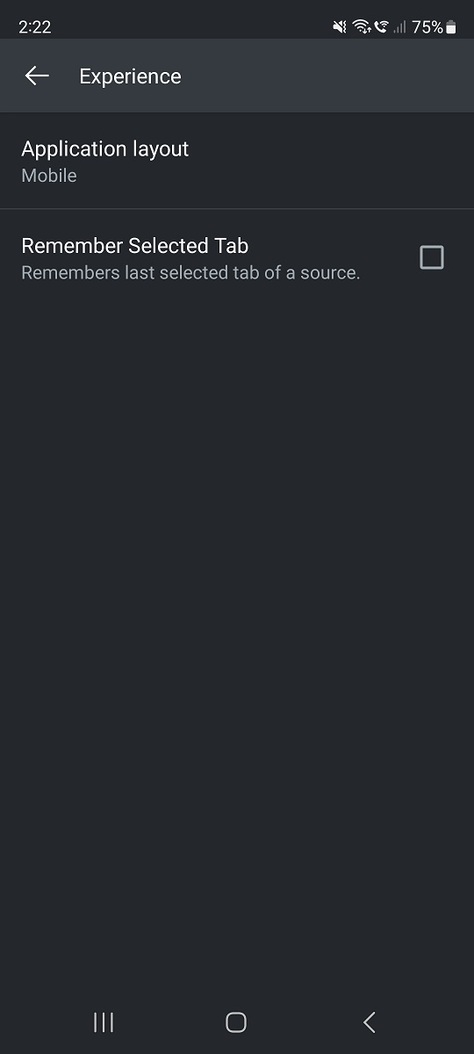
I don’t have a guess as to why it isn’t there, but it hasn’t been removed. I’m looking at the beta build right now, which is 9.24.0.1908 and the ‘Play theme music’ checkbox is there.
Hi Beckfield,
Thanks for your reply.
I’ve tried uninstalling and reinstalling but still getting the same as the above image. It’s weird because when I log onto the webpage through Chrome, the option is there, but it’s not there on my mobile.
I’ll wait and see if the update fixes the issue and then log back on and update.
Any idea when the next update will be released?
Looking back through the release notes, they seem to roll out every 7-10 days or so. The release notes for your build were just posted today, so…
I unfortunately cannot reproduce this. @WombatMan what version number of Plex Media Server do you have?
Hi BigWheel,
I’m not using Plex Media Server. I’m just using the Plex Android App v9.23.0.1746
Just looking at the items already existing on that selection.
When I created my account I ticked all the streaming services I currently use; AppleTV+, Netflix, Amazon Prime, etc.
