Server Version#: 1.22.3.4392
Player Version#: 7.16
Related to Music shuffle no longer works properly
I’ve turned off the smart shuffle option on the server, which has fixed my issues with the repetitive shuffle when streaming from the server, however this does not have any effect on shuffle while playing synced music offline. Can an option be added to the app to turn off smart shuffle locally?
1 Like
Playing synced content doesn’t use Smart Shuffle. It’s just a regular shuffle. If you don’t want any shuffle, there isn’t a way to turn this off. You can play all the tracks in sequence by using the menu and choosing to play next or add to queue. Either of those should just create a play queue with all tracks in sequential order.
This wasn’t an issue before, and I very much doubt that it’s pure coincidence the app is “shuffling” through the exact same albums the server was picking back when smart shuffle was enabled.
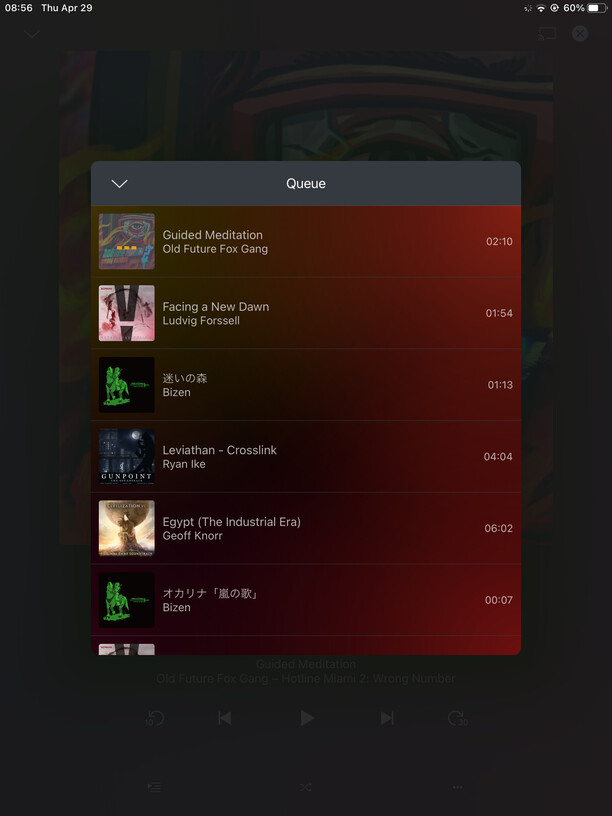
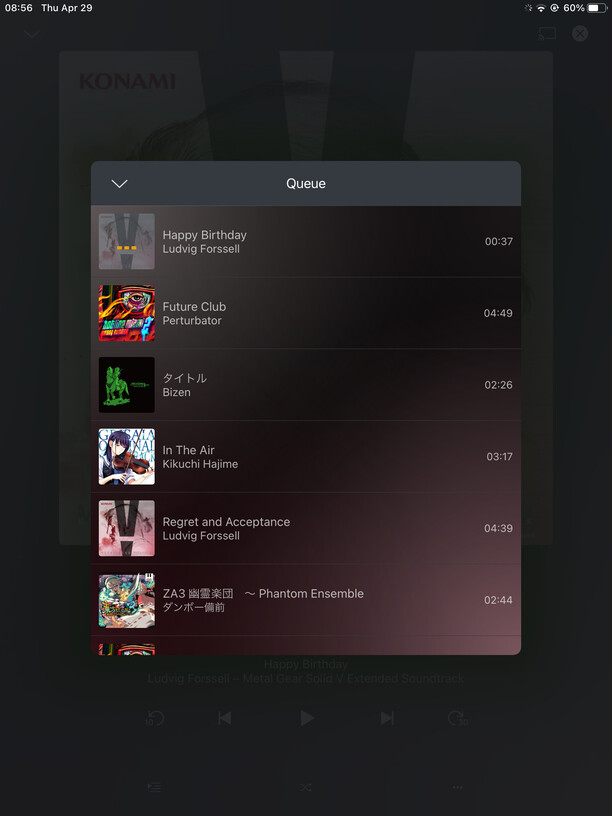
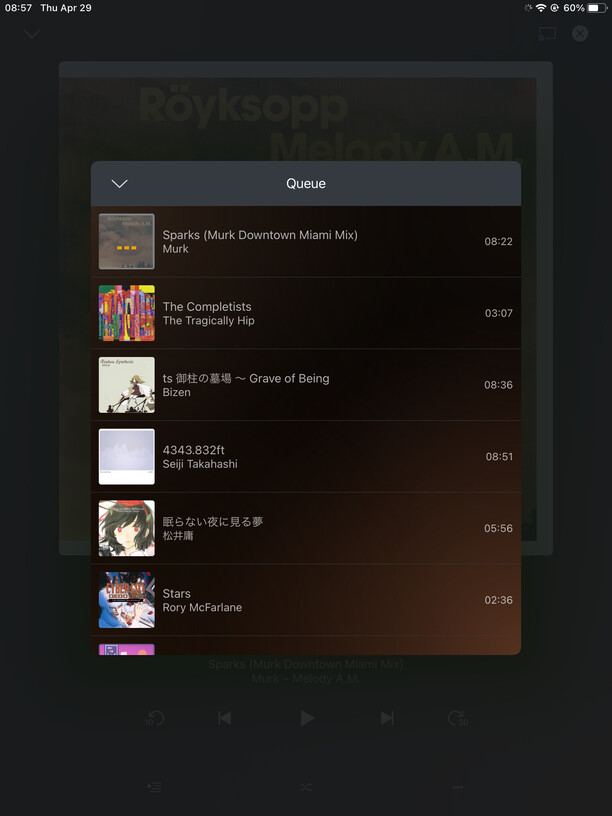
the first three of these shuffles are the synced library, the last one is from the server library with smart shuffle now disabled:

What screen are you on when you hit play?
The library tab with albums sorted by title a-z, no filters, and using the “shuffle all” option in the top right “…” menu.
If you have Smart Shuffle disabled on the server, then it isn’t using that. Keep in mind that Smart shuffle just gives a higher weight to certain content based on your usage. However, if none of those factors apply, you will get the same similar results to a regular shuffle.
Also note that it is not specifically picking synced content. It is using the content from your server, if they happen to also be synced to your device, they will get included and use the local version (if you have the “preferred synced content option enabled”).
If you exit playback and hit shuffle again, do you get the same choices appearing near the top? Shuffle is just random so it is possible to have same items appear at the top for multiple attempts. You’d have to try this 10-20 times to really determine if it is coincidence or there is a bias.
Put the iPad in airplane mode went to “downloads & sync” → Music (synced from x) → library (the view I described earlier) and gave it a good dozen shuffles or so. It’s still giving me the same results as those first three screenshots I posted. Considering there’s 1015 albums on here, I doubt it’s still random chance.
Ok, I get it. Your screen shots do show similar albums being chosen but the specific tracks appear random to me. I’m checking if there is something different with Sycned content.
Did you have any luck finding anything? It’s still an issue as of v7.20
I have filed an issue for this. It is being considered but there is other work going on with a little more priority. Please be patient.
will do, thanks for the update
This topic was automatically closed 90 days after the last reply. New replies are no longer allowed.
