Hi FordGuy61 and Divideby0
Guys, sorry for taken “a time” to reply to your replies, but as you can guess, life gets in the way.
Anyway, due to the lengths and complexity of your replies, I intend to go through Devideby0’s email first and get back to FordGuy61’s later on.
OK, Devideby0
Your first para “I started to suspect that the show was disappearing and reappearing…”
Well, that does not happen, the programs are just changed and I know this because the posters that I personally enter (main and individual programs) do not change. Therefore, my data (only) is not being automatically trashed, just changed.
Now, your two thoughts:-
-
Interesting thought but I use NAS drives to hold my entertainment databases, nothing is held on my PC, except pre-entry data, or any other external drives I may be experimenting with (not bad for a 70+ish man). And as you know, NAS drives are designed to be stable and long lasting.
-
Incorrect media labelling, as I said before, my directory/folder labels contain the shows name, the shows year and either the IMDB or TVDB index/ref number.
At this point, I must admit that before I started to use IMDB, TVDB or TMDB refs the “two-step” problem was worse, i.e. upto 20 or so percent of my TV program’s database. However, since I started to use those reference the “two-step” problem has largely been cured, as of now, there are only three hold-outs I’ve mentioned.
Your EDIT.
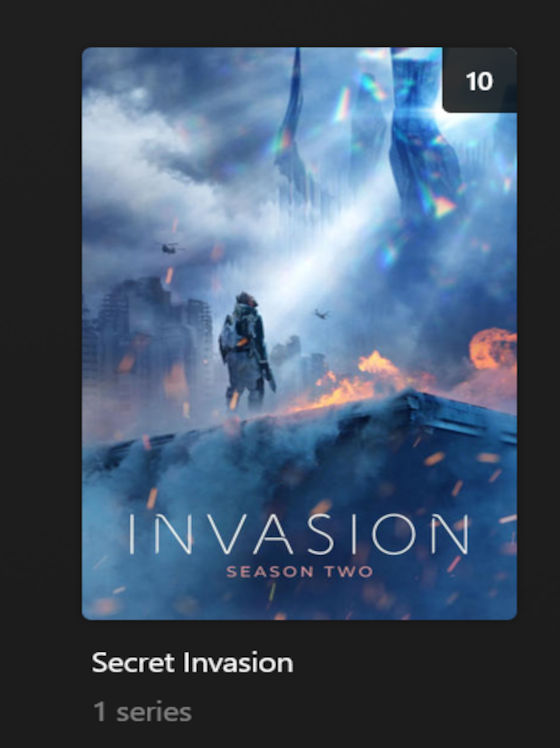
Yes it is interesting, season 1 of “Invasion” is not touched, only season 2. Another thing, why is season 7 of “Rick And Morty” changed to “Rick And Morty Anime” with the Japaness actors information, including pictures, added to that programs info. And where does “My Wednesday” comes from? Remember, all these programs have their IMDB and/or TVDB refs in their directory/folder names.
Just one final thing, I have been using Plex for 14 or so years now and this “two-step” problem has always been around but for the most part it is now under control (again, except for the three hold-outs).
I hope I have answered your questions and cleared up any queries you may still have, but if I have spawned any futher queries then “hit me up”. I may take a bit of time to answer but, if I can, I will eventually answer.
FordGuy61
Hi FG61, time is my enemy at the moment. I will get back to you with the screen prints you ask for as soon as I can.
Back soon.
UK Bob