I did get a specific error when testing with the LG Amaze Dolby Vision UHD 4K Demo “Playback was not possible: Cannot covert this item. Implementation for the video decoder ‘dvhe’ not found. So, staying true with what we thought above. Other known Dolby Vision content, plays perfectly, with amazing quality, but the display still isn’t switching to Dolby Vision (dame as above)
hi,
I hope if someone help me out with any solution. i have LG G7 oled and i have a small burn screen from one of my TV channel what i can do as my TV is already out of warranty ? i have tried refreshing the panel option but it doesn’t help.
Hey, I am running Shield Pro 2019 and I have been reading that the new version of Plex should support Dolby Vision however when playing these files its producing the wrong colours, particularly giving everything a purple hue… the tv is also not recognising dolby vision. No matter what I do it doesnt seem to make a difference. However if I use the built in plex app on the LG tv playing the same file it picks up the Dolby Vision and displays Dolby vision in the top right corner and plays fine… anyone else managed to get this working?
That sounds like your source is transcoding. If it transcodes, plex transcoder doesn’t tonemap causing washed out and casted colors… So you need to figure out what is making it transcode. Is it a stream limitation? Is it a container/audio issue? Is it subtitles? Etc. Figure that out, and it may work. Even though I know the new Shield Pro supports DV, it’s not been confirmed if it’s true (dual video stream) DV, or if it’s a transcoded DV (similar to what netflix sends out)
Thanks for the reply but I can confirm both video and audio are direct playing with no transcoding in play. No subs involved. Tested with 3 different videos and all the same results. Spoke to nvidia and according to them it’s full DV support so I’m guessing it’s something to do with this plex build
Hmm… The only other thing I can think of is HDCP 2.2 port? Some TV’s have a limited number? But if it’s definitely not transcoding, and you haven’t set any different color spaces in the TVs menu, then that’s the only other thing I can think of besides as you said, an issue with the plex build itself.
HDCP is showing connected in the details of the shield which it should be as the port supports it. I think I’ve checked everything I can. I’m guessing at this moment plex build currently available on shield doesn’t support it
If I was you, I would maybe post your own post in in the shield/android-tv sections and see if anyone else has any ideas, just in case.
I just purchased the 2019 Nvidia Shield TV. These files work, but will randomly crash the Plex app. Very encouraging, but a little too buggy to actually use. Hopefully once there is actual content that can be created, the Plex app and or the Nvidia Shield OS will resolve the crashes. What I was able to see looked amazing though.
UPDATE: The crashes appear to be caused by the “new player” option in the Nvidia Shield Plex options (Enable new video player: ON/OFF). I turned this option off and now I’ve played both files several times now and they are working great.
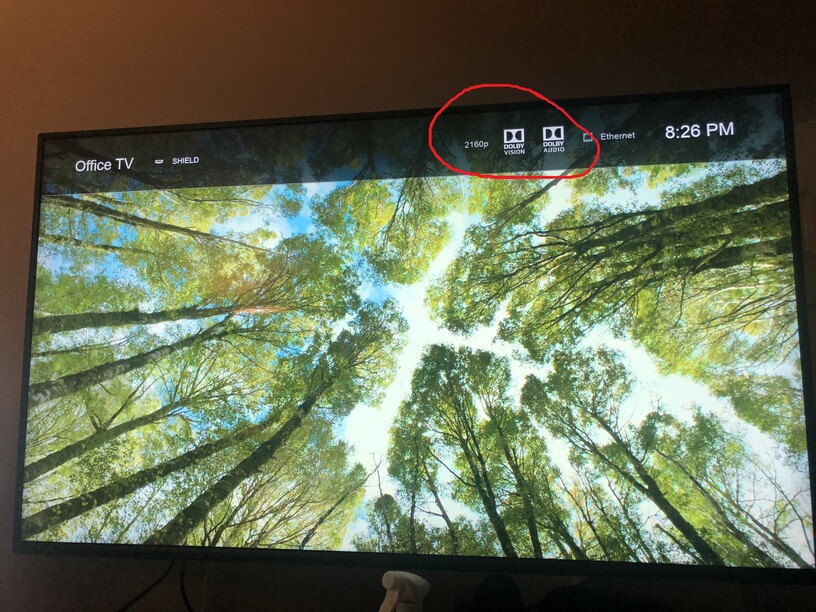
@ King_Family
which app version do you have? beta?
Not sure. Whatever installs by default on the Nvidia Shield TV 2019.
Hey, can we know what kind of file you have to get DV ?
maybe share the NFO
Thanks
Hey what do you exactly mean?
I have multiple Dolby Vision files, both in MKV and MP4,Single Layer and Dual Layer. Just don’t forget Dual Layer is not supported on the Shield TV or chromecast, you will need the plex app you can install on your tv, or a direct connection to your TV too play it,or a PC.
If you need more info on Dolby Vision just ask away
Please fix the refresh rate switching on Nvidia Shield 2019 with Dolby Vision contents. Nvidia fixed the freezing bug with latest firmware. Thanks!
I have weird experience with Dolby Vision for native Plex App on Sony X900F (Android TV)
Plex App (Android TV) v8.1.2.18135
Plex Server (QNAP) v1.16.6
MKV/MP4 files recognizable as Codec ID - DVHE, Main 10@L5.1 dvhe.05.09) play just fine.
MKV/MP4 files recognizable as HEVC Main 10 (Codec ID - 36, Main 10@L5 dvhe.04.06 play black and white at best using Plex app, sometime blank screen, sometimes flickering into some off-color pattern). Using internal media player and reading from USB the same file plays simply as SDR (but at least it has color).
It almost looks like Plex Android TV app plays dvhe.05.09 just fine but struggles with inferior dvhe.04.06 format/profile, not sure what/why is the difference.
I have tried several Dolby Vision files that were problematic on different Setups:
Plex Media Server on PC → Nvidia Shield Plex Player → LG C9 = Dolby Vision does not work (only HDR is shown in the top right corner) or the file does not even start to play.
Plex Media Server on PC → Nvidia Shield Kodi Player → LG C9 = Dolby Vision does not work (only HDR is shown in the top right corner) or the file does not even start to play.
Plex Media Server on PC → LG C9 Plex App = All Dolby Vision testvideos were just playing fine with the Dolby Vision logo showing up in the top right corner at the beginning! WTF?
So for what exactly have i bought an Nvidia Shield? Luckily i can still refund. But why is there such a different behavior anyways?
Also TrueHD is possible via the internal Plex App from LG C9. That also caused problems for at least one Movie, see this thread:
This also works on the internal Plex App on LG C9. So is the Nvidia Shield just crap or what (I got the latest pro version and everything updated)?
//Update:
I tested also some other mkv with HDR10 and the internal Plex App on LG C9 does not recognize the HDR on all files. Some are not showing the HDR logo in the top right corner when starting, this however works on the Plex Player on the Nvidia Shield.
I am new to 4k HDR (because of new TV) and i did not thought that it is such a trouble to play those files even with the investment on the nvidia shield not everything is working and i have to switch between different players. This is very disappointing. I normally would stream everything from my PC, but sadly there is also no way to play all files correctly on my TV with HDMI (Dolby Vision does not work on any software player for windows 10 and HDR only works with some modyfying on MPC-HC and that is way to complicated for me).
TrueHD transcodes when using the LG Plex app, correct?
What is shown in Plex Dashboard → Now Playing?
This shows for Akira, but sadly HDR does not work with the internal App:

This is just ridiculous, on Shield Plex the HDR does work but not with TrueHD 192khz and on internal LG Plex App the HDR does not work but the TrueHD Audio. I really dont care about those audioformats because i am using headphones, but i want it to play at least.
Also the internal LG App is not really an Option because i have at least a few seconds buffering when using fast forward or rewind.
//edit: it is also buffering during the normal play, so that is an absolute no go.
//edit2: If i switch to any other audio layer but TrueHD, it automatically enables HDR ?! WTF?
So this is still an TrueHD issue i think. That is really annoying. I mean i can switch to another audio source but for example in the movie Akira, the only original audio source (japanese) is in TrueHD, so this does only work with another Player like KODI. But what if i have a mkv that has TrueHD and Dolby Vision? Is there really no player that can handle this?
For Dolby Vision on the Shield the files currently have to be single layer they will be .ts files. If your files are mp4 format then they are restricted to LG TVs etc… notwithstanding @FordGuy61 comments below.
