Well I’m struggling as well. Downloads stopped working. I have a long flight ahead of me tomorrow, so I said forget it and went back to sync. Deleted the app from my iPad, unauthorized it on the server, rebooted the iPad, downloaded the player again and synced all my content. NONE of it would play with the stupid error of “ Couldn’t retrieve the play queue for this item. Please try again” - for both movies and TV shows.
Now I’m back to trying to download content again. But that puts me back in the issue of PIP not working for downloaded content. This is awful. @anon18523487 - I know you’ve been working on this in other threads - any progress? What logs can I provide? I’m running everything at the latest on iOS and Ubuntu based plex server.
This sounds like issue 2 or 3, can you check if those might be the issue.
How big are the files you are downloading? I’m thinking it might be issue 1.
Also sounds like issue 1.
Sounds like issue 3.
I haven’t seen any issues with downloading music. Will definitely need to see logs.
See issue 1.
But that puts me back in the issue of PIP not working for downloaded content.
It should work if you used the “maximum compatibility” mode before you downloaded the content and enabled the old video player. I’ve tested this and it works for me.
@dbirch So the download initially works, but later on the content isn’t shown? That right? If so, can you get me a log from the device when the things are missing.
@anon18523487 First off - thank you for the detailed update. VERY much appreciated.
Most of my issues got fixed by (temporarily) disabling DNS rebinding protection of my firewall. I’m sure you understand why doing this is a bad thing and will address on the next update.
As far as the PIP issue - it’s still broken. I do have “maximum compatibility” turned on, but if I turn on the old video player - the content won’t play at all - either in normal or PIP mode. I’m running the latest everything on both the server and client side. Client is iPadOS - also at the latest.
Thanks for your update. The DNS rebind point triggered me to use 1.1.1.1 as DNS server instead of pihole and then downloads works. Now I have to find how I can customize pihole for use with plex…
I tried with the new player and it doesn’t work at all. Just a spinning icon in the middle of the screen. I’ve also tried with shorter TV shows and longer movies. None of them will play at all with the old player and none of them do PIP with the new players.
Actually, I need to see what got downloaded but it’s not easy to get that info. Either the compatibility mode wasn’t applied when you downloaded the video or it chose a “not” compatible codec to include. The only way to check would be for you to
I’m having issues with Plex on iOS not downloading. Server is running ok, streaming is no problem but when I try downloading the download item queue is there, but nothing actually downloads to the device?
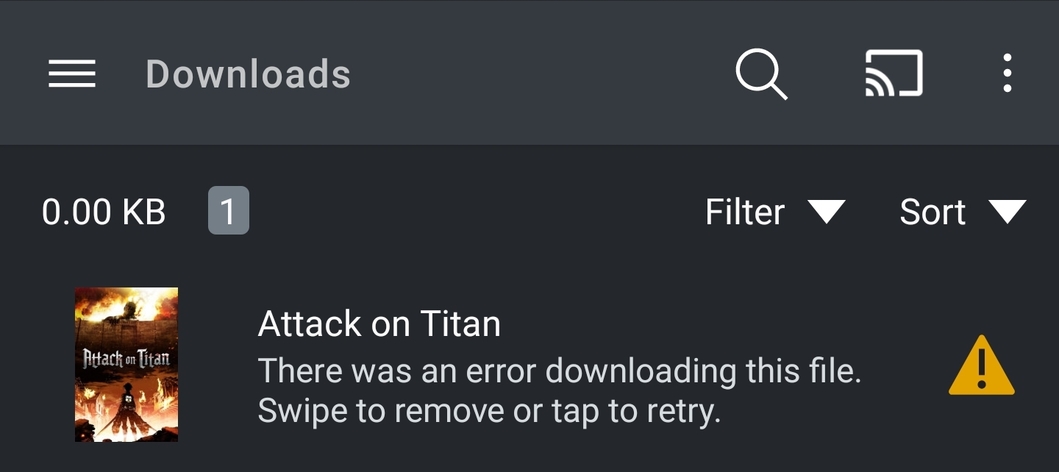
Download feature fails to start converting media(See attached screenshot on the mobile app). Have been using the downloads feature since it was released in beta which feels like its been at least a year and it has worked flawlessly until the last couple of weeks. Logs attached with the screenshot of the error. Thanks!
Manufacturer: samsung
Device: d2q
Model: SM-N975U1
Product: d2que
Version: 11
Server Version#: 1.25.3.5409
Player Version#: 8.28.0.30077 (241173d0) Plex Media Server Logs_2022-01-17_04-36-00.zip (1.7 MB)
This is the same error what I see when I try to download my music playlists at home where my server is. However, it downloads fine when I am using work’s or friend’s wifi which is quite puzzling.
I hate this new feature. After 4 hours it’s downloaded 5 episodes of a show. Sync worked so much better till they broke it, now I can’t even get that to work. I’m starting to reconsider even using plex going forward after this nonsense
Bloody hell, after all this time the download problem still has not been fixed. Previously Sync worked, now the new Download feature can’t even download a 1Gb TV Show on a 250MB fibre connection. I just downloaded the entire season of Drive to Survive in a couple of minutes using the Netflix app while Plex Download has not even budged when trying to downloading ONE episode. Every time I check on the progress of the Plex download, the circle goes back to showing zero progress.