Drive mount point not getting around permissions in ubuntu 18.10

Hello,
I am running ubuntu 18.10 with plex media server Version 1.14.0.5470.

A while back. Chuck PA told me a way to get around the permissions issue, I had mounted my drive with my movies to
/home/media/Video_drive
and it worked perfectly for about a year
-I had to reformat my drive, its ext4
I remounted it using the disks app as above

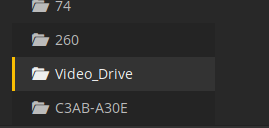
then when I went to plex I could view all of the drives contents. Plex just shows the drive not the sub folders in it.

Ideas? wrong mount point
Screenshot%20from%202018-11-28%2021-33-59
An input would be greatly appreciated

The /etc/fstab entry needs to be created. The app mounts the drive for your exclusive use, not system wide. This is why Plex can’t get to it.

Find out where it’s mounted currently.

df

With the drive unmounted

sudo chmod -R 755 /home/media

Now step through this procedure (i’ve cleaned it up) and you will have your drive back where you want it.

If internal, use the /dev/sdxx method. If USB, use the UUID= method

You can use the mount location you have instead of the one specified in the procedure

Hi Chuck,
The drive is currently mounted to
/dev/sdb1 960379920 153806092 757719404 17% /home/media/video_drive

I presume I use disks to unmount it.

I am a little grey as to what to do after that

My fstab file has an entry

/dev/disk/by-uuid/7f1539e9-4683-4173-896a-e384a55df2c6 /home/media/video_drive auto nosuid,nodev,nofail,x-gvfs-show 0 0

I tried unmounting my drive and running

sudo chmod -R 755 /home/media

then remounting my drive, to no avail


I got it I left it mounted then it worked!.... thank you so much, so my media folder was blocking the permissions

Ok… we will do it MY way :slight_smile:

See in the fstab entry x-gvfs-show ? That’s gnome . It blocked Plex. GVFS = Gnome Virtual File System.

please do this for me?

sudo umount /home/media/video_drive           <-- this unmounts it (provided nothing has it open 
sudo blkid /dev/sdb1                          <-- Get the format info from the drive

With that info, we can create the fstab entry

Hey Chuck,

Yes Steve ?

everythings working now since i did that chmod on the media folder.

but for sake of interest my blkid is in the text file

not sure if changing my fstab is nessary, im kinda scared of doing that but yea Gnome must not like it but we found a workaround. So i think were ok.blkid.txt (110 Bytes)

Is that drive an internal or a USB ?

internal drive

its all working now, I set up a library… I believe im good to go… thank you so much, I will check this post in the next few days in case.

Good.

  1. The permissions change is temporary. The next reboot, unless the fstab entry is made, will revert back to no-access
  2. The line for /etc/fstab is
/dev/sdb1       /home/media/video_drive       ext4   defaults,rw,auto  1 0

The other entry for that drive need to be removed. (no need to mount twice)

  1. After saving /etc/fstab
  2. sudo umount /dev/sdb1
  3. sudo chmod 755 /home/media/video_drive /home/media
  4. Test the new mount
  5. sudo mount /dev/sdb1
  6. df

the drive should be right where you want it.

Now check ls -la /home/media/video_drive. You should see nice perms for all user (left column) -rwxr-xr-x pattern.

Hello Chuck,
I did a few reboots and my plex is still able to see my drive sucessfully. So I think the prob is rectified. I will post over the next few days if theres an issue.

once runing chmod the directory permissions change regardless of reboot

Just so I entertain your idea correctly, can you give me step by step instructions on editing my fstab, as I have had no luck with this in the past.

Are you just asking I add this line for my drive, removing the old one

/dev/sdb1       /home/media/video_drive       ext4   defaults,rw,auto  1 0

Secondly, I ran las -la on my mountpoint and here is my output, is this correct.

steve@steve-desktop:~$ ls -la /home/media/video_drive
total 36
drwxr-xr-x 6 steve steve  4096 Nov 28 22:55 .
drwxr-xr-x 6 root  root   4096 Nov 28 21:10 ..
drwxr-xr-x 5 steve steve  4096 Nov 28 22:58 downloads_video_drive
drwxr-xr-x 2 root  root  16384 Nov 28 18:20 lost+found
drwx------ 4 steve steve  4096 Nov 28 22:44 .Trash-1000
drwxr-xr-x 5 steve root   4096 Nov 28 21:55 Videos
everything is working great over the past few days thank you very much for your help. This is solved.

This topic was automatically closed 90 days after the last reply. New replies are no longer allowed.
