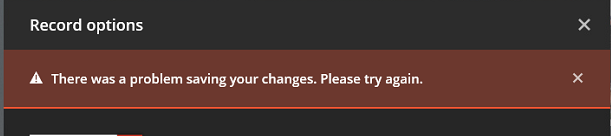
I get the following message when trying to schedule a recording, ever more frequently, and on locations I never had an issue with in the past
Could it be related to the length of the path, or the number of items in the location, I don’t see why but it’s the only thing I can see that is different with the specific locations.
I am having this issue constantly since version 1.10.1.4602. It shows the movie/show in the program guide and I either get this error, or, if it actually lets me save the recording, it doesn’t show in the Scheduler at all and it never does the recording. I tried updating to the latest beta build 1.11.0.4666 but it did not resolve this for me. Probably going to downgrade to a stable release like 1.9.7.4460 or 1.9.6.4429. If it works ill reply back on here.
I’m still not sure why this happens, but in case you still haven’t gotten it working, here’s what worked for me: I had to direct the recording to another library, then go back and modify the recording to point to the desired library. Then it worked. ???
@Mattaton said:
I’m still not sure why this happens, but in case you still haven’t gotten it working, here’s what worked for me: I had to direct the recording to another library, then go back and modify the recording to point to the desired library. Then it worked. ???
Thanks for posting this workaround. It seems to be working for me. Is there no way to change the default recording location anywhere so that this doesn’t have to happen every time? Quite annoying bug. Plex, please acknowledge and fix.
Same error trying to configure the DVR on PMS version 1.13.4.5251 installed on a NAS Terramaster, instead no problem for PMS version 1.13.5.5291 installed on Windows PC.
During then configuration of PMS installed on Windows, I noticed that trying to configure the DVR using Web interface remotely, I have not successfully completed the operation, while accessing directly from the browser of PMS PC, it worked properly, as if the problem was related to rights access required to save the configuration.
Try using a different web browser - I had the same problem with Internet Explorer but changed to Waterfox (a different version of Firefox) - Worked fine. Haven’t tried other Browsers but fairly confident that this is were the problem lies.