So, for the most part, Plex is working perfectly, showing most of subtitles that I have for both movies and series but there’s a few exceptions that are getting on my nerves as I don’t understand why it’s happening. This is happening on LG TV, Browser or even Android App.
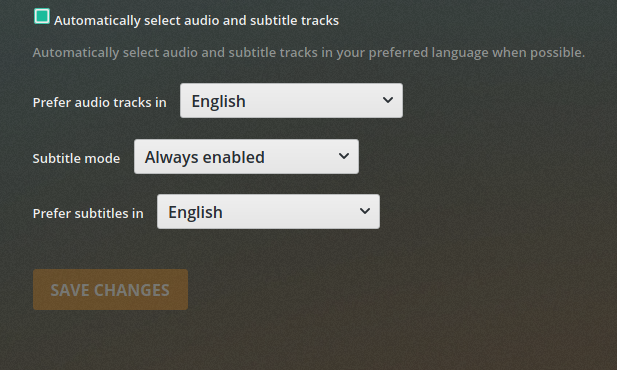
My server language settings should yield the results I want. English subtitles always, no matter the language.
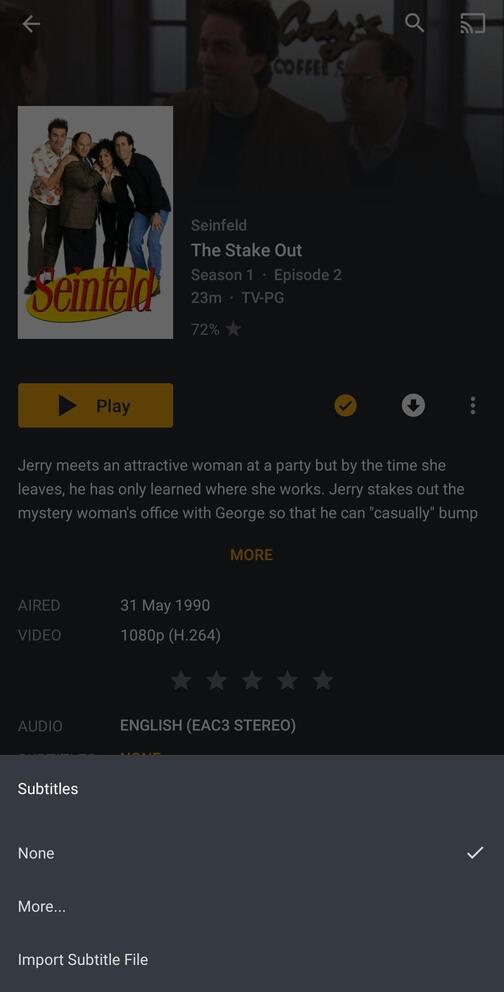
The audio is correctly identified as English in Plex, there’s subtitles in the folder but Plex doesn’t detect them, subsequent seasons are fine, except for this particular one for example.
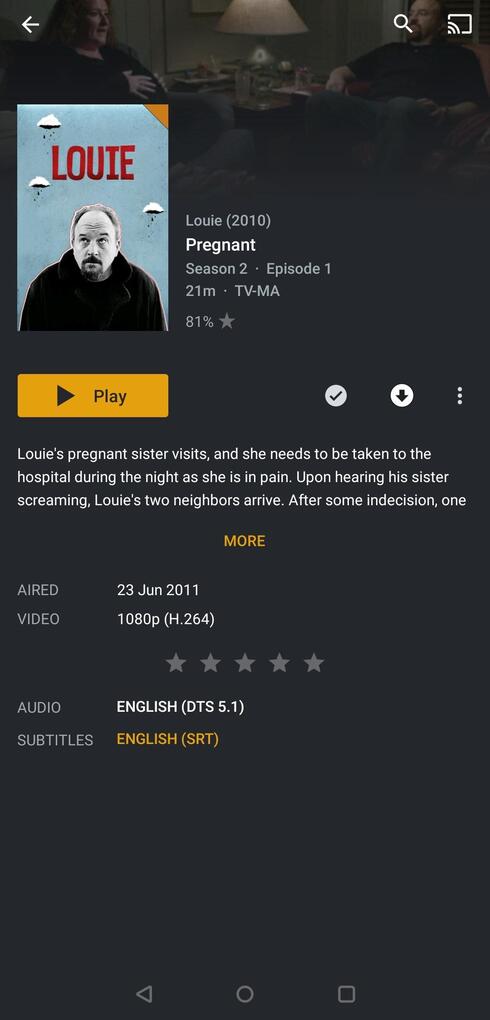
Audio is identified as Unknown even though it’s English but subtitles don’t show when I have them set for “Always Enabled” and even though the SRT subtitles are in the folder exactly as the first example.
Even though I can sort of understand why the second example isn’t working due to Unknown audio, it still should show them because I have them set for ALWAYS enabled but what’s even more baffling is the first example, when it shouldn’t happen…
Your first screenshot shows the server preference, which is only effective when the server is not signed into a plex account.
In all other cases, the Audio & Subtitle Settings in the user account will be used. https://app.plex.tv/desktop#!/settings/account
I understand it’s the server settings but the settings on LG app and browser are exactly the same, English, Always enabled, English.
Still the same thing happens:
So both of these situations are a known bug then?
And so I understand the server preference thing, if the server is not signed into a plex account? Don’t you need to have an account to be able to stream from it?
This situation with a totally missing subtitle does actually have nothing to do with the language preferences.
Please let me see the content of the file=" property from the Plex XML info of this episode.
And while you’re at it, the content of the guid= property as well.
Not necessarily. At least with some client types, which allow you to put the server’s local IP address into their preferences.
That’s a handy fallback for the case when internet is gone.
But as I said, not possible in all client types.
Use MKVToolNix and open the MKV files in the Header Editor.
Expand the track you need to make the modification to (video, audio and/or subtitle) and then click on the Language field. On the right side of the screen select the proper language from the drop down and then save the the file (CTRL+S on Windows). Do that for each track that is incorrect and then analyze the file in Plex (from the episode click the 3 dots and then click Analyze or you can do that at the season/show level depending on how many files you change).
What you are seeing as being displayed as unknown for Louie has nothing to do with any setting within Plex. That is related to the data in the header of the MKV file. I also think your issue with Seinfeld is either that there is no subtitle for that episode (if it is internal to the MKV file it would be picked up) or it is an external subtitle and it is not being recognized for some reason.
MKVToolNix does have Linux installs and it is doable command line. I have a CentOS server where I run Plex but have a shared folder that I access from Windows so I use the Windows GUI. I do have batch scripts though that will run on MKV files to update certain fields that I always set to specific values (language, title, video title, etc.,). I am pretty sure Linux would probably be similar to those command lines in Windows.
Regarding the subtitle for Seinfeld, I would need to see both filenames, for the MKV and the subtitle. If the subtitle file name is not correct then it will not show up.
For Louie, that setting will only work if the track is properly labeled for the language. If the language is unknown then Plex will not auto select it because it might be an incorrect language compared to your settings. That is why I always use MKVToolNix to update the language field for all tracks to make sure they are properly identified (this way I have no unknowns for my audio and subtitles and even my video since I set that language as well).
Thanks. Now I assume that the subtitle file is named and placed exactly like this, right? /tv/Seinfeld/Season 1/Seinfeld - S01E05 - The Stock Tip WEBDL-1080p.eng.srt
Settings - Server - Agents - TV Shows - TheTVDB
The line ‘Local Media Assets’ has a check mark?
Are the access permissions of the SRT file the same as those of the MKV file?