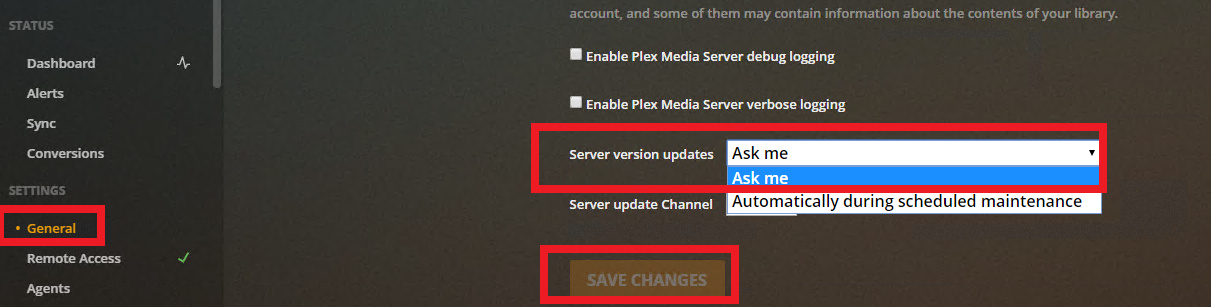
I have just changed my scan rate to Once per day. I will run this way through the weekend and see what happens.
With the current shelter-at-home, we are watching about 6 movies over Sat and Sun. So, this will be a good test to see if this works.
I have just changed my scan rate to Once per day. I will run this way through the weekend and see what happens.
With the current shelter-at-home, we are watching about 6 movies over Sat and Sun. So, this will be a good test to see if this works.
+1 here. Windows sever 2019 on latest version. Can provide any logs needed if it helps. Might be related to Plex script server using port 32400, but that’s a random educated guess
+1 here as well. opened my own ticket as i didn’t see this one first. Have followed everything in :this ticket but continue to have the issue. Have decreased scanning to 12 hours (was at 1hour than 2hours and it still happened).
Here are logs :
Plex Media Server Logs_2020-04-18_16-58-53.zip (6.3 MB)
windows 10 version 1909 (18363.720)
No security software installed
Thanks to anyone who has the time to look at it and stay safe!
@technaholic The error from the logs is below. This looks like the same error from this article, but the article says the error is due to MalwareBytes, and you say no security software installed.
If you have no additional security software installed, then is the default Windows Defender running? If so, just as a test perhaps try turning it off and see if the problem still exists? You would definitely want to turn Windows Defender back on - this would only be a brief test to see if that is what is causing the problem!
Apr 18, 2020 16:58:07.360 [12264] ERROR - [Transcoder] av_interleaved_write_frame(): Unknown error
Apr 18, 2020 16:58:07.379 [12264] ERROR - [Transcoder] Error writing trailer of media-%05d.ts: Invalid argument
Apr 18, 2020 16:58:07.379 [12264] DEBUG - Request: [127.0.0.1:62193 (Loopback)] PUT /video/:/transcode/session/81054217-90E8-402B-B912-BF8918316334/36208236-34ae-43fd-a879-0320bd29ba5d/progress?progress=33.8&size=-22&remaining=492&vdec_packets=564&vdec_sw_ok=548&speed=6.9&vdec_hw_status=0 (40 live) Signed-in Token (technaholic) (range: bytes=0-)
Apr 18, 2020 16:58:07.380 [2248] DEBUG - Completed: [127.0.0.1:62193] 206 PUT /video/:/transcode/session/81054217-90E8-402B-B912-BF8918316334/36208236-34ae-43fd-a879-0320bd29ba5d/progress?progress=33.8&size=-22&remaining=492&vdec_packets=564&vdec_sw_ok=548&speed=6.9&vdec_hw_status=0 (40 live) 0ms 355 bytes (pipelined: 16) (range: bytes=0-)
Apr 18, 2020 16:58:07.443 [9336] DEBUG - Jobs: ‘C:\Program Files (x86)\Plex\Plex Media Server\Plex Transcoder.exe’ exit code for process 7132 is 1 (failure)
Apr 18, 2020 16:58:07.443 [9392] DEBUG - Streaming Resource: Terminating session 0x5231d40:36371718-BD12-411E-A8E9-8B4CE5D2CC46 which is using 783kbps of WAN bandwidth. Used is now 7865kbps
Apr 18, 2020 16:58:07.444 [9392] DEBUG - Streaming Resource: Terminating session 0x5231d40:36371718-BD12-411E-A8E9-8B4CE5D2CC46 which is using transcoder slot. Used slots is now 5
Apr 18, 2020 16:58:07.444 [1256] DEBUG - Killing job.
Apr 18, 2020 16:58:07.444 [1256] DEBUG - Job was already killed, not killing again.
Apr 18, 2020 16:58:07.444 [1256] DEBUG - Stopping transcode session 81054217-90E8-402B-B912-BF8918316334
It looks like Windows has the two following now :
Windows Defender Firewall - turned off
Virus and Threat Protection (believe this used to be defender) - turned off now
I will keep an eye on it as it was apparently happening pretty regularly and I have several friends that watch my Plex Server, so I should have good logs and can search through them this evening.
If it is Virus and Threat protection, what do you suggest is the next step? I don’t really want to decrease my security by whitelisting anything and It never used to have these transcoder errors before about a week ago.
Thanks for you help in looking at all of this!
One item to look at is in Defender under “Virus and Threat Protection”, then “Protection History” to see if Defender has taken any actions recently that line up with the issue.
The article suggests a number of Plex ".exe"s to whitelist (for MalwareBytes), but if it does turn out to be standard Microsoft protection I’m thinking it would be good if we can get a Plex rep to look at this.
Before I turned it all off I looked at the protection history and all it had were the recommendations to turn on tamper protection, automatic sample submission, and cloud-delivered protectioon.
Also note that I had changed my scanning timeframe down from 1 hour to 2 hours (it happened again) and then to 12 hours. I have not had any reports (or had it happen to me) since then.
I am going to look at my logs here in a moment to see if anything else has happened that just didn’t get reported to me.
Thanks!
Bit of an update on my testing. So far, Plex hasn’t thrown the transcode error since I set the scan rate to a much less aggressive rate… I will keep monitoring for the error but this seems to be coinciding with scans, at least for me.
For the record I do not have malware bytes or any other AV that is running aggressively against Plex.
Hi
Just want to note that downgrading to an earlier version of plex server is a valid workaround to this problem. Since my post, I’ve downgraded from the latest plex media server version v1.19.1.2645-ccb6eb67e to the following version:
v1.18.8.2527-740d4c206 and I’m no longer getting the transcoder errors.
I found the old version of PMS from this forum: https://www.videohelp.com/software/Plex/old-versions
Steps to downgrade your PMS:
a) Uninstall your current plex media server from Add/Remove Programs / Apps and Features
b) Download version 1.18.8.2527 from this link (For Windows Server): https://www.videohelp.com/download/PlexMediaServer-1.18.8.2527-740d4c206-x86.exe
c) Extract the .zip file and run the installer to install the older version of plex
d) Once it’s installed, launch plex and verify everything works
e) If you’ve enabled automatic updates, make sure to disable this feature until plex has fixed the problem
Thanks for that information. Just to make sure, if I do the steps above will I love any of my settings / metadata / library info? Or, when uninstalling does it just remove the executable and we just reinstall with the older version? Just want to make sure that I won’t have major issues with rolling back. Thanks
Hi
You will not lose your data, if you simply uninstall plex and install an older version. It will automatically pick up your settings + database when it’s reinstalled.
Ok thanks. I have my own post open and will keep this in my back pocket if we can never get it solved. I would really like to help get the issue resolved rather than just roll-back, but can’t get everything I want in the world so I will keep this as an option. I appreciate the help.
So, it does look to be tied to the scanning of my libraries. I had it set to every 12 hours overnight (since about 7/8pm yesterday) and didn’t have errors until this morning.
I set it back to 1 hour (where it has been forever) and within about 30-45 mins it started having errors again. Just wanted to update you all.
Getting this too. So if it’s tied to library scans, then an update should fix this soon right? I don’t want to change it from 1 hour scans.
1+ I can provide logs if needed, might be redundant at this point we are all pretty much having the same issue. I will probably just downgrade. Reinstallation of the current version did not affect it.
I’m talking about the " [Error Conversion failed. The transcoder exited due to an error]" message that everyone that uses my server gets (within 15 minutes). It happens to everyone, evey time, on different apps (Roku, AppleTV, LG). Did I post my response to the wrong thread? Sorry, I’m a novice at this. Everything worked for several months and now it is unwatchable. Advice?
It is fine here - I thought you were referring to the specific type of error I posted begore your post
The “Error Conversion failed. The transcoder exited due to an error” is a generic error and could be due to hundreds of different underlying causes -even for example a subtitle stream srt file no longer available
The server logs would have some clues
Been running my new settings with less aggressive library scans for a few days now, and I have not run into the transcode error, except one time which coincided with the new scan time. Luckily my library updates aren’t so frequent this isn’t as much of an issue for me, but I can see how this would get annoying for some.
Curious that it is related to scanning. Could you have a look at the windows event log and see if any 4227 events in the System Event Log.
With “Event Viewer”, expand Windows Logs, then click on System and in the Actions pane click on Filter Current Log and where it says <All Event IDs> in filter, enter 4227 and click OK
YES… I changed my library scan to manual and the problem has been completely eliminated!