Server Version#: Version 4.123.2
Player Version#: -
<If providing server logs please do NOT turn on verbose logging, only debug logging should be enabled>


This is expected behavior.
it is the reason why there is a setting called “Terminate Sessions Paused for Longer Than”
https://support.plex.tv/articles/200430283-network/
Educate your users to utilize the Stop  button.
Why do we need so many resources to maintain a paused task?
Or, maybe, Is there a schduled transcoding function? That can also solve my problem.

I mean the Stop button in the player.
Thank you for your reply again
But all I mentioned were transcoding tasks
What do you mean by “transcoding task”?

Ahh, understood.
Actually I’m not sure why this would still cause the CPU load to remain that high.
When I Pause an optimization job on my server, CPU load is reduced to almost zero after a few seconds.
(But that is not on a NAS device, so might not be comparable.)
For Plex transcoder process, there will indeed be times of decline; But after a while, there will be high CPU usage again
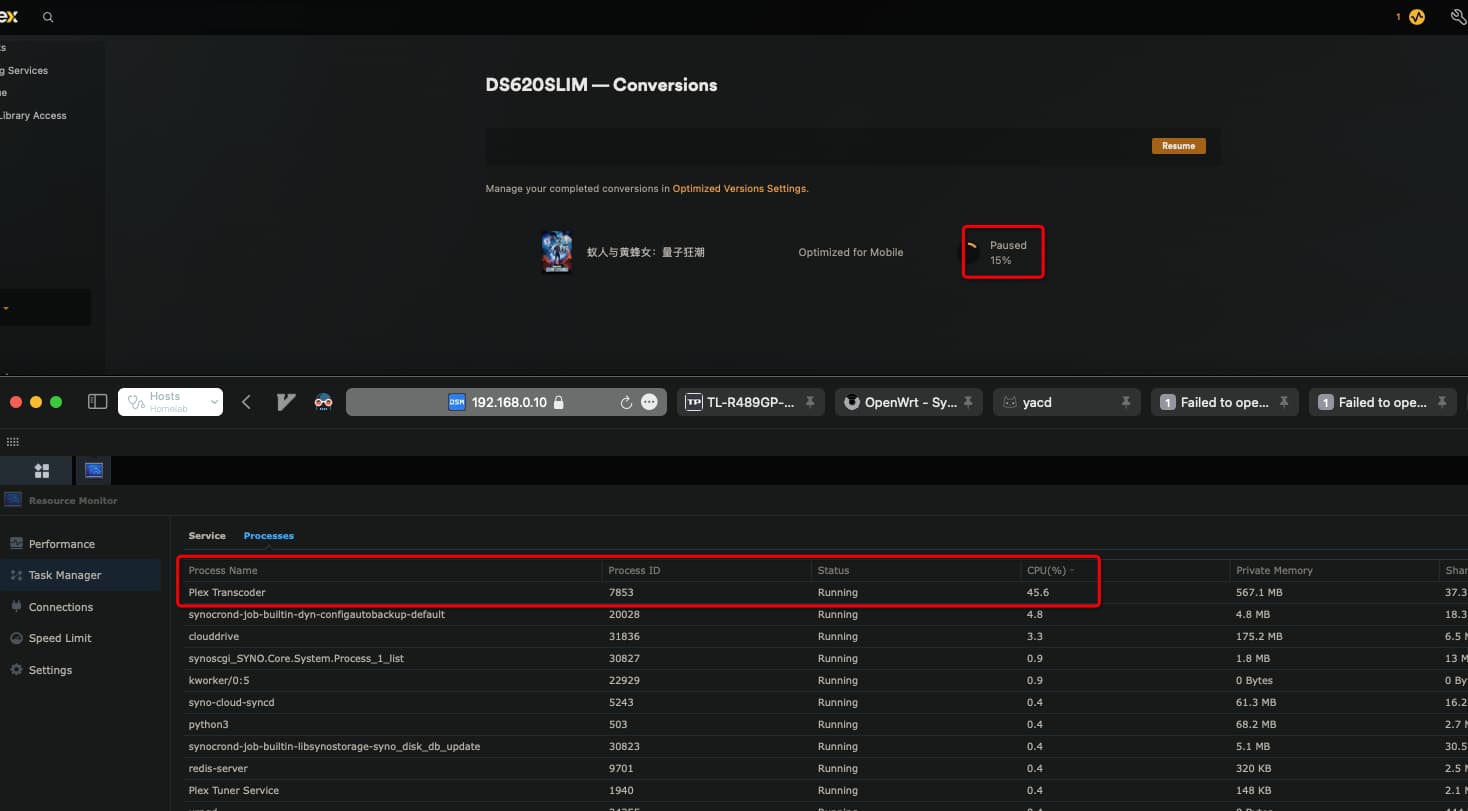
Are you certain that this transcoder process is indeed the paused optimization?
I have paused my test optimization again, for 15 minutes and I don’t see the CPU load creeping up again.
Yes, sure
Looking at my previous reply, I put two browser pages together and took a screenshot of it

record the screen for it
pause the optimize task, the cpu usage do goes lower, but still in high percentage.
May I see the server DEBUG log files ZIP please?
Plex Media Server.log (2.7 MB)
Unfortunately, debug level logging has been disabled. Valuable information is missing from the log files.
-
Please re-enable debug, not verbose, level logs.
Settings → Server_Name → General + Show Advanced
-
Restart Plex Media Server.
-
When the problem re-occurs, download a new set of log files.
Settings → Troubleshooting. -
Upload the entire ZIP file to the thread.

Plex Media Server Logs_2024-03-04_14-56-06.zip (50.0 KB)
Could you please confirm if this log is correct?
