Server Version#: 1.18.0.1913
Player Version#: 4.10.1
Extreme Pixelated Video after 1.18.0.1913 Install on Synology, if i disable Subtitles, i can get Video.
what are the quality settings in the app set to?
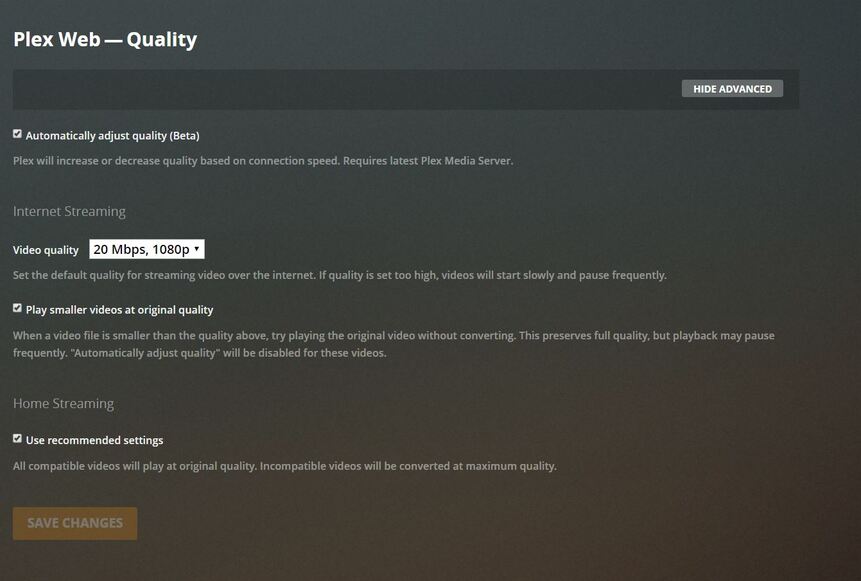
Try it with “use recommended settings” unchecked for Home Streaming and change it to “maximum”.
you can also turn off “auto adjust quality” if you are sure the network should be able to handle it. ( though you may want to have it on while remote).
I just tried those settings, same issue. I have tried watching in a Samsung TV, Android
Tablet, and a Windows PC. I attached what i see.
Oh. Thought you meant only in web app. transcoding issue it seems like then.
Which Synology model do you have?
what sort of subtitles are they?
In the web app , if they are SRTs in player settings>show advanced is burn subtitles set to “only image formats”
I have the DS218+, they are SRT and embedded Subtitles. Burn Subtitles is on Automatic.
Try changing to “only image formats” and see if it makes any difference. (Each separate app will have this settting")
Tried that, same problem
Do you have hardware transcoding enabled? Looks like may be same issue as this which is being worked on Hardware Transcoding broken when burning subtitles ApolloLake-based Synology NASes
1 Like
That worked, I will wait on an update to fix the issue. Thanks for the help
This topic was automatically closed 90 days after the last reply. New replies are no longer allowed.
