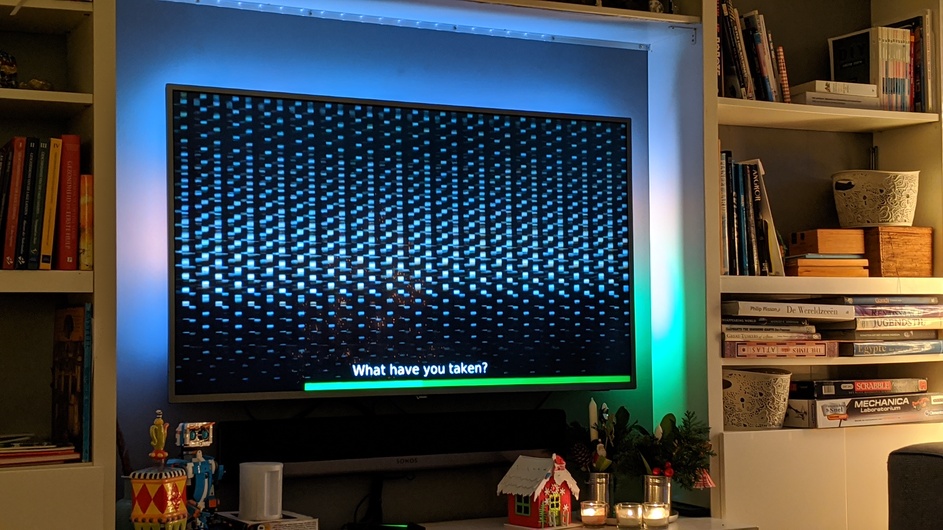
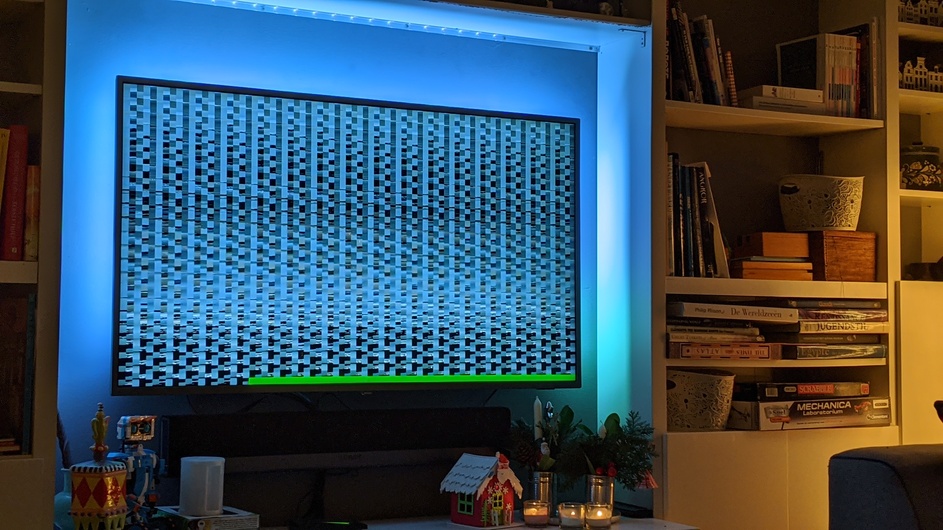
I have Plex running on a Synology server (ds918) and play it through a Nvidia shield on my TV
When I start a movie (I have it always automatically select Dutch subtitles) it plays with what looks like a codec issue (see attached pictures)
When I change subs nothing changes
Anybody am idea where this is coming from, what to do to do get to the bottom of the issue and how to solve it?
There are also two types of srt’s; internal and external. The external get the issue above, the others just don’t show any subs at all…
There is currently a problem with hardware accelerated transcoding and an Intel driver. Plex is working with Intel on a fix.
One workaround is to disable hardware accelerated transcoding.
Second workaround is to delete the offending Intel driver.
These threads have additional info:
There is a known problem with the Intel iHD_drv_video.so file on Intel ApolloLake CPUs.
The temporary work around (while we fix it ourselves) is to delete it.
Anyone wishing to delete from the Synology command line can:
Sign in
sudo sh
rm "/var/packages/Plex Media Server/target/lib/dri/iHD_drv_video.so"
Restart Plex
A one-time “task scheduler” job can also be setup to do the same.
Adapt the procedure below & substitute the rm command above for the shown script contents.
The alternativ…
Server Version#: 1.18.1.1973 on Synology 1019+ NAS
Player Version#: 6.4.3.5958 on Roku Streaming Stick
When I have Hardware Acceleration turned on with version 1.18.1.1973 I only get sound. The video quality is unrecognizable and pixelated. I’ve tried different videos but it was the same issue. When I turn off Hardware Acceleration the video is better. I also had issues with the previous version. It would be blurry for 30 seconds or so before the video quality would improve. Now it is much wor…
Why do you have Video Quality / Adjust Automatically = On?
That can result in transcoded video.
If you are streaming from a local server, you should not need it.
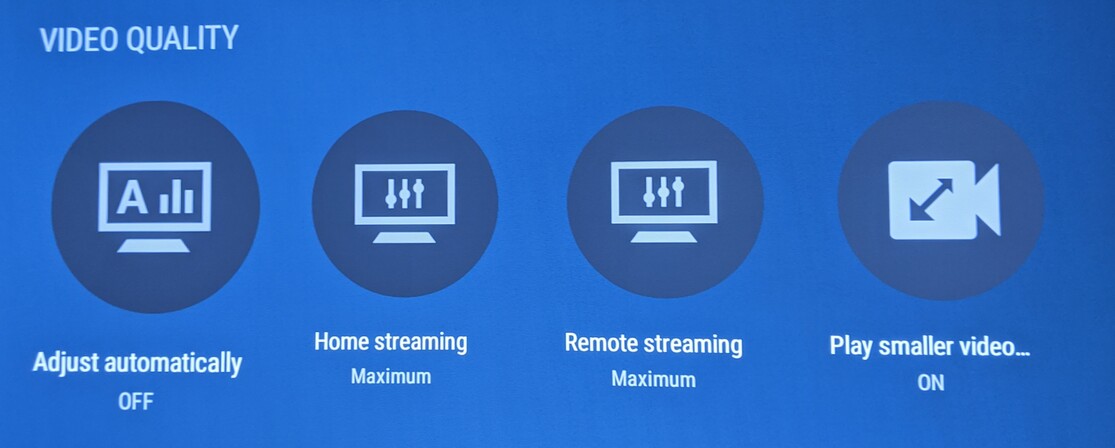
Try setting Adjust Automatically = Off and Home Streaming = Maximum.
That will give you a better chance of direct playing the movie/show, and less of a chance of running into the the transcoding bug.
Also, the video quality will be better if you direct play. Transcoding reduces video quality.
Unfortunately whatever I do it keeps on automatically transcoding. What settings and where do I change to ensure it does direct play?
Plex app on the Shield, Video Quality section:
Thanks. Solved it indeed for now!
system
March 14, 2020, 1:54pm
9
This topic was automatically closed 90 days after the last reply. New replies are no longer allowed.