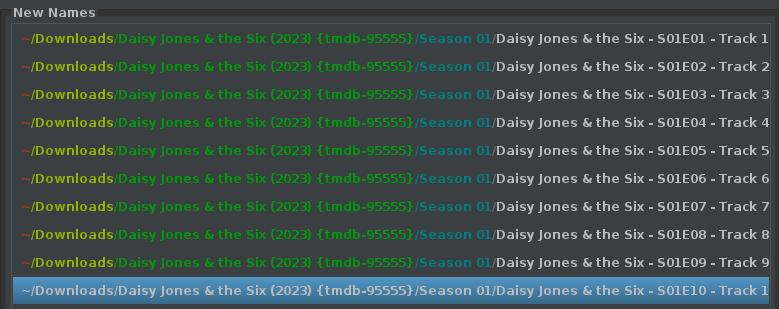
I am using filebot to rename files, they will be mamed as follows :.
[Date : mmm/dd/yyyy] [name of show/movie (ie:the flintstones)] [season: xx][episode : xx] [episode title: the flintstone flyer] [resolution][duration].
Can i use this on plex server?
Thank you in advance,
try a pattern that gives you a file name matching the official naming schema show name - sXXeYY - optional episode title.ext
or show name (year the show first aired) - sXXeYY - optional episode title.ext Where XX is the season number and YY is the episode number.
if you want/need to keep technical data in the file names (raising the question “why?”), add them in a single set of square brackets.
\Daisy Jones & the Six (2023) {tmdb-95555}\Season 01\Daisy Jones & the Six - S01E01 - Track 1: Come and Get It.mp4
I like to have year in () and match tmdb id {} for all top level show folders which is what the * {" ($y) {tmdb-$id}"} above does, otherwise just use the { plex } naming from filebot if you don’t want it. Another useful one is { plex.name }. Nice and simple for episode only renames.
Anyhow, I’d suggest using them as a starting point and then customise to what you exactly want.