What is the folder structure for Music Videos?
Option 1: You can add them to the music directory. https://support.plex.tv/articles/205568377-adding-local-artist-and-music-videos/
Option 2: You can add them as a personal video.
https://support.plex.tv/articles/200265246-personal-media-movies/
Option 3: You can add them as home series.
https://support.plex.tv/articles/200265256-naming-home-series-media/
If you only use Plexamp for music and don’t stream via SMB to Sonos or use another DLNA player I would use option 1.
For using a Sonos or DLNA player I would use option 2 because some player like Sonos detect .mp4 files a music files and plays them if you are listening to a music album. For sorting you could use smart collections based on title. Go to “Filter>extended filter” and select “title>contains>Metallica” (or any other criteria)
If you listen to different music videos you could add them as series. Something like this:
/media/concerts/Live Concerts/2015/Live Concerts - s2015e01 - Iron Maiden live at Sonisphere.mp4
/media/concerts/Live Concerts/2015/Live Concerts - s2015e02 - Green Day live at Public Hall, Cleveland Ohio.mp4
/media/concerts/Live Concerts/2016/Metal - s2016e01 - Metallica unplugged in New York.mkv
Hope this helps! 
Thanks,but you lost me at Option 1
I have TV Shows, Music and Movies mastered but not Music Video’s
Can you please give me an example of a Music Video
James Blunt
Bonfire Heart.mp4
Thanks
- Rename to
James Blunt - Bonfire Heart.mp4 - Place in a folder with all your other music videos (named the same way,
artist - song.ext). - Point Plex to that folder as the music video folder under Settings → Extras → “Global music videos path”.
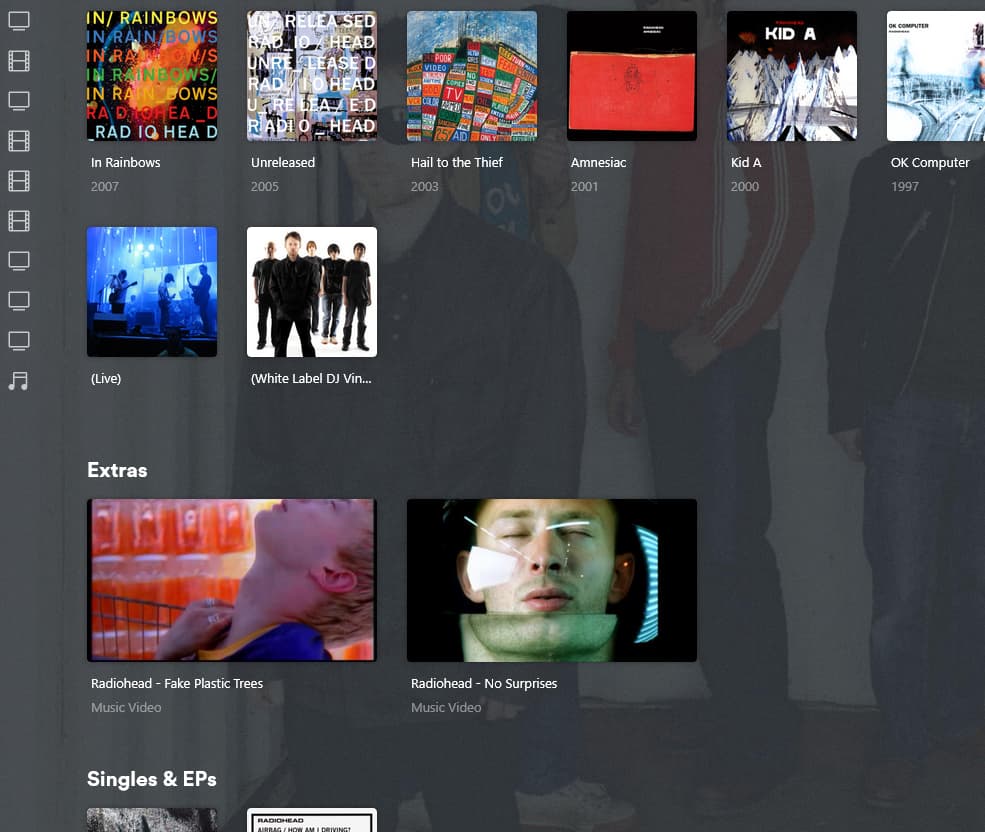
- The videos will appear on the artist’s pages in your Plex Music library after you refresh the metadata for that artist.
–Or–
You can also put each video in the music files for the album it goes with.
So if the song is named 03 - Bonfire Heart.mp3 you want to name the video 03 - Bonfire Heart-video.mp4 and put it in the Moon Landing folder where the song files are.

If you’re adding them the way I described (the first part of my post I mean), you’re not supposed to make a new library for them. You’re just storing the actual files for the videos all together in one folder. After you set the location in the server settings you just need to refresh the metadata on your normal Music library. The videos appear as Extras on the artist’s page: