You need to change the subtitle files to look like the following (using your example from above).
The Crown - 3x04 - Bubbikins.eng.forced.srt
After you do that, refresh the metadata for the episode and you should see the options on the 3rd screen change to show English Forced (SRT External). Something I just remembered while typing this, once you have the external subtitles named as I mentioned, forced subtitles should get automatically selected. I know the settings in the 2nd screenshot will not work retroactively, but I believe once subtitles are set to be recognized as forced subtitles, unless the subtitle had already been changed (and not to the file that is being updated), they will actually update.
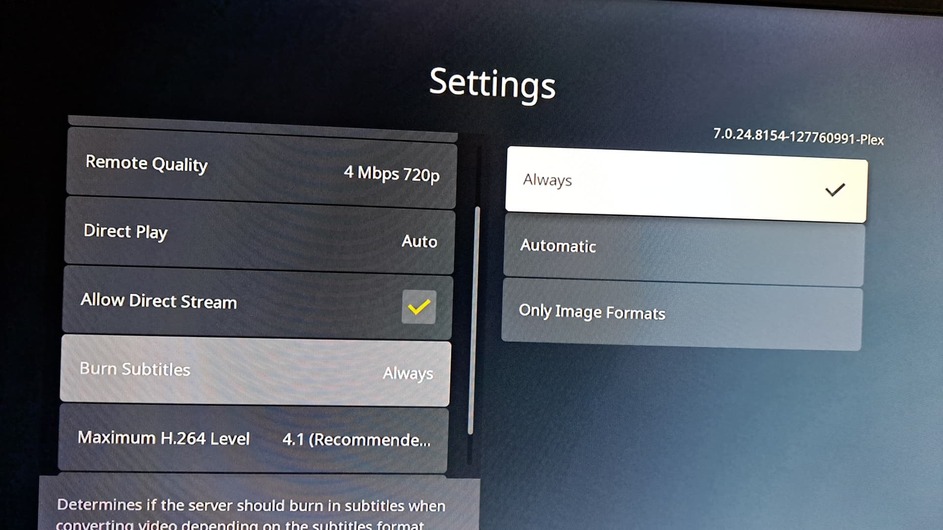
Looking at your 1st and 2nd screenshots, the way you currently have it should always show subtitles when the audio language is English and when the subtitle language is “Unknown.”
However, your second screenshot does not have a preferred subtitle language, which is probably part of your problem (I’m not sure where the 1st screenshot is from).
After you make the change to your external subtitle I mentioned above, you should set the “Preferred Subtitle Language” in the 2nd screenshot to English and change the “Auto-Select Subtitle Mode” to “Manually selected” or “Shown with foreign audio” unless you actually want subtitles on all the time.
Also, you should look at this support page regarding naming your media
https://support.plex.tv/articles/naming-and-organizing-your-tv-show-files/
Again, using your example above, the recommended naming is
The Crown - s03e04 - Bubbikins.mp4
The Crown - s03e04 - Bubbikins.eng.forced.srt
The way you are naming it is obviously working now, but there is no guarantee that an update to Plex in the future won’t cause it to stop working or not match properly. While the format you are using might be fine, just something to keep in mind.
Dang it @OttoKerner for beating me while I was typing this (probably overly long) reply  .
.
-Shark2k