Server Version#: 4.47.1
Player Version#:
Hello, in the web player (via plex.tv) the ability to arrange podcast in ‘Grid View’ is now unavailable when the ‘My Podcasts’ tab is in use,
and the sorting column is set to “Episodes.”

The only filters then available to arrange episodes are ‘List View’ and ‘Summary View’, but not ‘Grid View.’

Also missing is the artwork (icons/badges) normally associated with shows.
How does the ‘Grid View’ option become available once more?
Thanks.
Hit the icon all the way on the right side. It will allow you to change to grid view.
This is probably because you’re browsing in list view. Artwork should return when you are back in grid view.
Thanks for the answer.
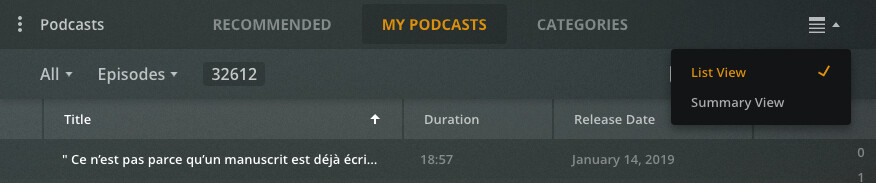
I looked for grid view by clicking the icon on the right side, but it is still unavailable. The only options available are ‘List View’ and ‘Summary View’, as you can see from this screenshot:
Is there another icon hiding?
Thanks.
I missed it earlier, but you have your My Podcasts sorted by episodes and not shows. It looks like the grid view is only available when displayed by show.

Yes, though there once was the option to sort Episodes in Grid View. It’s now not available. Sorting episodes by ‘newest one first’ is not feasible when displaying podcasts by Shows.
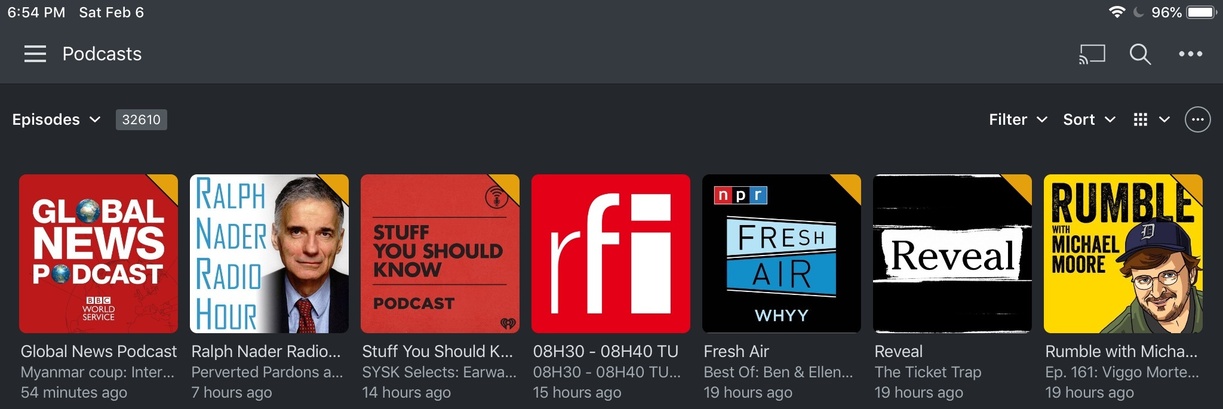
The Grid view for episodes in the iOS Plex interface alongside the artwork is vitally helpful, as seen here (and sortable by ‘latest one first’):
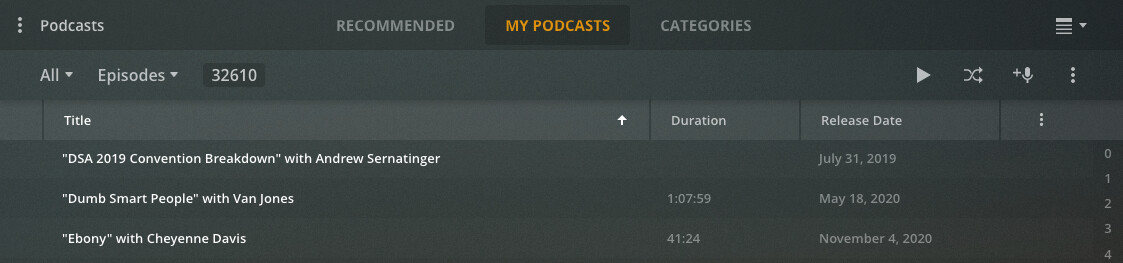
Both the List View and Summary View without artwork in the web interface are rather unhelpful, as seen here (List View featured here):
Without a Grid View option featuring artwork in Episodes view alongside sorting by date, usability is severely impaired.
I hope a Grid View option reappears in the Episodes view if it was removed.