Server Version#: 1.21.4.4079
Player Version#: 4.51.3"
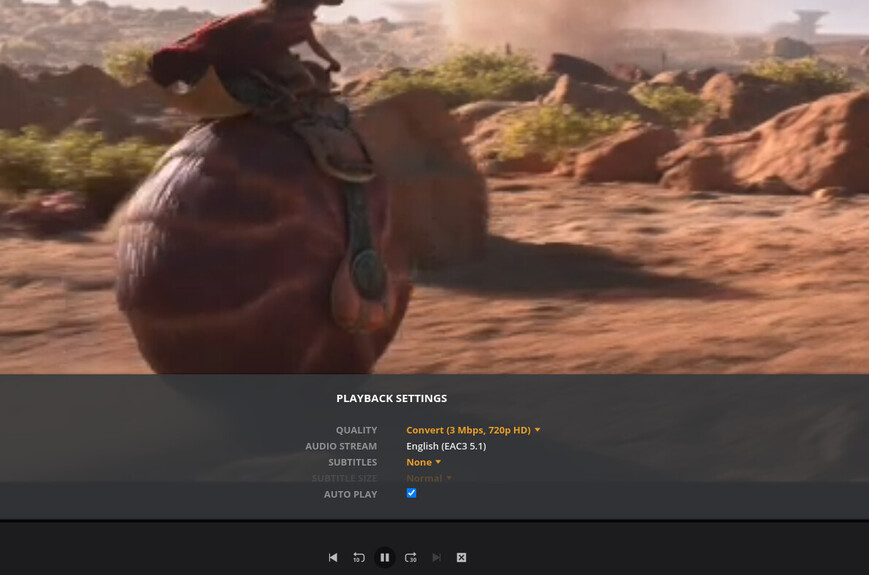
I have run into an issue where I am not able to load hardware transcoded streams on the webclient, however when I start them on ios app (by setting quality down to something low) it plays fine and I can see the nvidia-smi show me that transcoded playback.
But when I play “origianl stream” everything works fine.
chunk-11-4a22b0e9c2e….51.3-6ef4412.js:19 GET http://192.168.100.2:32400/video/:/transcode/universal/dash/n05ft8t7xokh4yoa3udogr1m/0/280.m4s 404 (Not Found)
chunk-11-4a22b0e9c2e….51.3-6ef4412.js:19 GET http://192.168.100.2:32400/video/:/transcode/universal/dash/n05ft8t7xokh4yoa3udogr1m/1/280.m4s 404 (Not Found)
chunk-11-4a22b0e9c2e….51.3-6ef4412.js:19 GET http://192.168.100.2:32400/video/:/transcode/universal/dash/n05ft8t7xokh4yoa3udogr1m/0/280.m4s 404 (Not Found)
chunk-11-4a22b0e9c2e….51.3-6ef4412.js:19 GET http://192.168.100.2:32400/video/:/transcode/universal/dash/n05ft8t7xokh4yoa3udogr1m/1/280.m4s 404 (Not Found)
I first thought it was issue with my reverse proxy, so I instead going directly to a docker forwarded port. However same video plays fine properly being transcoded on the ios device.. is this something to with a failing transcode?
Turning off hardware acceleration , all transcoding works. So I think its something to do with transcode not starting up when requested from plex web, but works when transcoding to the requirement from iphone. any one have any ideas?
I need a full proper DEBUG ON, VERBOSE OFF logs ZIP file
Set the logging as indicated (PLEASE leave it that way – which is the default)
Start Playback
Play for 20 seconds
Stop Playback
wait 20 seconds
Download logs ZIP file
Attach it here for me to review.
Secondarily, those 404 errors will frequently occur if the transcoder temporary directory is on a network storage device where file locking is not mandatory. (Most network share locks are advisory only because they cannot enforce locking across multiple hosts )
@ChuckPa. Thanks for the pointers, I moved the transcode to somewhere local as well.
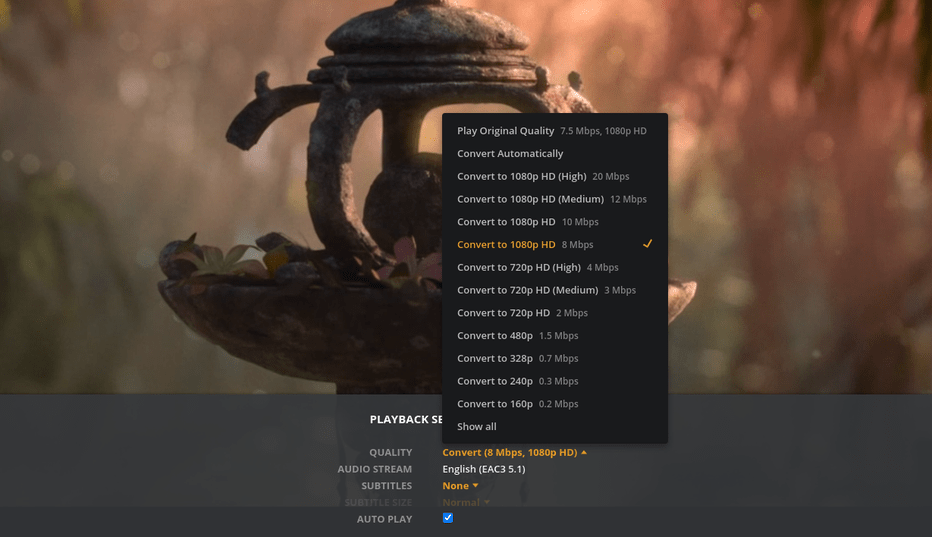
If in the player settings i set the quality to the desired transcoded quality that is less than the quality of the file. it starts up with the hw transcoded stream and plays okay. however it seems to struggle when I change it on the fly. Is this a supported use case? changing hw transcode profiles on the fly? (I presume the “auto” mode does this on its own?)
found some things but still trying to make sense of it all.
I also had some local hardware issues jump up as priority 1 so that set me back a full day. sorry about that.
I am on you issue now. I’ll keep this open and post again when i have something to test / reply
Mar 02, 2021 23:52:50.978 [0x7f7419ffb700] DEBUG - [Transcode] Bolivia Special - video.bitrate limitation applies: 7978 > 2000
Mar 02, 2021 23:52:50.978 [0x7f7419ffb700] DEBUG - [Transcode] Bolivia Special - video.bitrate limitation applies: 7978 > 2000
One thing happening is:
iOS app has its own ‘thick client’ decoder built in. The web app doesn’t.
That’s what I’m trying to resolve. Why can iOS work but not main FFMPEG & Nvidia.
But here is what doesn’t work. I know you have context switching. So here is the issue. Changing qualities from the Web client doesn’t seem to work when using hw transcoding
On the web client if I start it with 2Mbps it works (hw transcode), but If I change to 4 or any other profile, it results in a bunch of 404s and doesn’t continue. Same happens when switching from direct play to different hardware transcode profile.
However same use case if disable hardware decoding, it its able to switch resolutions without any 404s.
Like you said since the iOS client is different it explains that it works.