Hardware Transcoding Issue on Ubuntu 22.04 Server running inside Proxmox

Server Version#: 1.40.0.7998
Player Version#: Any

I have a Proxmox host with an Nvidia Quadro P2200 installed in it, I have all the passthrough mappings in place and working. I have a VM running Ubuntu 22.04 with Plex Server loaded, and all the Nvidia drivers loaded, and they appear to be working and used to work just fine.

I had this running well for a while here, many months of wonderful hardware transcoding working perfectly. This is why I am perplexed and am not sure if this is just a plex server update or what, so wanted to see if anyone could offer any help.

So in the above configuration, this has been working for a while now, no problem at all. I did the update to the most current Plex Server for Ubuntu and happened to see someone running a movie that was transcoding but it didn’t show (hw) on the video stream. So I checked CPU usage, and sure enough it was much higher than predicted, so clearly a problem.

I went back and made sure the host was passing the GPU, it was fine. I then went into the VM for Plex and verified it was working, all seemed OK, in fact I even updated to what seems to be the current recommended driver for the setup. I am running Nvidia Version 535.154.05.

So in the Ubuntu/Plex server if I go in and query with nvidia-smi I see the following when running a video that would transcode:

+---------------------------------------------------------------------------------------+
| NVIDIA-SMI 535.154.05             Driver Version: 535.154.05   CUDA Version: 12.2     |
|-----------------------------------------+----------------------+----------------------+
| GPU  Name                 Persistence-M | Bus-Id        Disp.A | Volatile Uncorr. ECC |
| Fan  Temp   Perf          Pwr:Usage/Cap |         Memory-Usage | GPU-Util  Compute M. |
|                                         |                      |               MIG M. |
|=========================================+======================+======================|
|   0  Quadro P2200                   Off | 00000000:01:00.0 Off |                  N/A |
| 44%   31C    P8               4W /  75W |     66MiB /  5120MiB |      0%      Default |
|                                         |                      |                  N/A |
+-----------------------------------------+----------------------+----------------------+
                                                                                         
+---------------------------------------------------------------------------------------+
| Processes:                                                                            |
|  GPU   GI   CI        PID   Type   Process name                            GPU Memory |
|        ID   ID                                                             Usage      |
|=======================================================================================|
|    0   N/A  N/A      4048      C   ...lib/plexmediaserver/Plex Transcoder       62MiB |
+---------------------------------------------------------------------------------------+

So the OS sees the Quadro card, in fact if you look it even shows the Plex Transcoder is using the card. Yet if I look on the server status screen the movie shows it’s not doing hardware transcode. The nvtop command is also happy and sees the Nvidia card, so I swear it seems like it’s all working, and it sure used to be.

I did check the transcoder settings, it was on Auto, but did the pull down selection and selected the P2200 which the Plex server did see. Could this be an issue with the newest Plex server version? I was going to try and roll back to the prior version, but I didn’t see any easy way to do that. I saw posts about how to install the prior versions, but it was not still present on my system, and didn’t see any easy place to get it from Plex.

Any ideas, or suggestions on how to figure out what is up?
When you see 62 MB in use, be suspicious .
Transcoding should be at least 100 MB for any substantial 1080p content.

Please re-capture the session (DEBUG logging enabled).
Playback of 30 seconds in the logs is all that’s needed.

Attach the ZIP file

I just ran a movie from the Plex app on my phone, so will attach the downloaded zip file here. As you said you only needed like 30 seconds, I deleted all the rotated log info from the file, and only kept the most current stuff. Let me know if what is needed, I am new to debugging this stuff for sure, as well it’s always just worked…

Plex_Debug.zip (1.0 MB)

Your transcode:

Feb 19, 2024 02:54:07.620 [140099243907896] DEBUG - [Req#399/Transcode] MDE: 2001: A Space Odyssey (1968): Audio Direct Streaming is disabled, so video's audio stream will be transcoded
Feb 19, 2024 02:54:07.620 [140099243907896] DEBUG - [Req#399/Transcode] MDE: Cannot direct stream audio stream due to profile or setting limitations
Feb 19, 2024 02:54:07.621 [140099243907896] DEBUG - [Req#399/Transcode] MDE: 2001: A Space Odyssey (1968): selected media 0 / 118254
Feb 19, 2024 02:54:07.621 [140099243907896] DEBUG - [Req#399/Transcode] Streaming Resource: Reached Decision id=64819 codes=(General=1001,Direct play not available; Conversion OK. Direct Play=3000,App cannot direct play this item. Direct play is disabled. Transcode=1001,Direct play not available; Conversion OK.) media=(id=118254 part=(id=138558 decision=transcode container=mkv protocol=http streams=(Video=(id=344308 decision=transcode bitrate=1710 encoder=libx264 width=720 height=326) Audio=(id=344309 decision=transcode bitrate=193 encoder=libopus channels=2 rate=48000))))
Feb 19, 2024 02:54:07.621 [140099243907896] DEBUG - [Req#399/Transcode] Cleaning directory for session hp7t0gnevjaloztutrtmy230 ()
Feb 19, 2024 02:54:07.621 [140099243907896] DEBUG - [Req#399/Transcode] Starting a transcode session hp7t0gnevjaloztutrtmy230 at offset -1.0 (state=3)
Feb 19, 2024 02:54:07.622 [140099243907896] DEBUG - [Req#399/Transcode] TPU: hardware transcoding: enabled, but no hardware decode accelerator found
Feb 19, 2024 02:54:07.622 [140099243907896] DEBUG - [Req#399/Transcode] [Universal] Using local file path instead of URL: /PlexMedia/Video/Movies/4K/2001 A Space Odyssey/2001 A Space Odyssey (1968) [2160p].mkv
Feb 19, 2024 02:54:07.622 [140099243907896] DEBUG - [Req#399/Transcode] TPU: hardware transcoding: final decoder: , final encoder: 
Feb 19, 2024 02:54:07.622 [140099243907896] DEBUG - [Req#399/Transcode/JobRunner] Job running: FFMPEG_EXTERNAL_LIBS='/var/lib/plexmediaserver/Library/Application\ Support/Plex\ Media\ Server/Codecs/ad47460-4670-linux-x86_64/' X_PLEX_TOKEN=xxxxxxxxxxxxxxxxxxxxxxxxxxxxxxxxxxxxxxxxxx "/usr/lib/plexmediaserver/Plex Transcoder" -codec:0 hevc -codec:1 dca -analyzeduration 20000000 -probesize 20000000 -i "/PlexMedia/Video/Movies/4K/2001 A Space Odyssey/2001 A Space Odyssey (1968) [2160p].mkv" -filter_complex "[0:0]scale=w=720:h=326:force_divisible_by=4[0];[0]format=p010,tonemap=mobius[1];[1]format=pix_fmts=yuv420p|nv12[2]" -map "[2]" -metadata:s:0 language=eng -codec:0 libx264 -crf:0 19 -maxrate:0 1710k -bufsize:0 3420k -r:0 23.975999999999999 -preset:0 veryfast -x264opts:0 subme=3:me_range=4:rc_lookahead=10:me=hex -filter_complex "[0:1] aresample=async=1:ochl='stereo':rematrix_maxval=0.000000dB:osr=48000[3]" -map "[3]" -metadata:s:1 language=eng -codec:1 libopus -b:1 193k -f segment -segment_format matroska -segment_format_options live=1 -segment_time 1 -segment_header_filename header -segment_start_number 0 -segment_list "http://127.0.0.1:32400/video/:/transcode/session/hp7t0gnevjaloztutrtmy230/dd5be5a7-6fc7-44ac-b8ad-99410f6b69ce/manifest?X-Plex-Http-Pipeline=infinite" -segment_list_type csv -segment_list_unfinished 1 -segment_list_size 5 -segment_list_separate_stream_times 1 -avoid_negative_ts disabled -map_metadata:g -1 -map_metadata:c -1 -map_chapters -1 "chunk-%05d" -start_at_zero -copyts -y -nostats -loglevel quiet -loglevel_plex error -progressurl http://127.0.0.1:32400/video/:/transcode/session/hp7t0gnevjaloztutrtmy230/dd5be5a7-6fc7-44ac-b8ad-99410f6b69ce/progress
Feb 19, 2024 02:54:07.622 [140099243907896] DEBUG - [Req#399/Transcode/JobRunner] In directory: "/dev/shm/Transcode/Sessions/plex-transcode-hp7t0gnevjaloztutrtmy230-dd5be5a7-6fc7-44ac-b8ad-99410f6b69ce"
Feb 19, 2024 02:54:07.624 [140099243907896] DEBUG - [Req#399/Transcode/JobRunner] Jobs: Starting child process with pid 1792

---- Same 4K movie file (ripped from the bluray)

My nvidia-smi output

[chuck@glockner ~.2000]$ nvidia-smi
Mon Feb 19 18:40:12 2024       
+---------------------------------------------------------------------------------------+
| NVIDIA-SMI 535.154.05             Driver Version: 535.154.05   CUDA Version: 12.2     |
|-----------------------------------------+----------------------+----------------------+
| GPU  Name                 Persistence-M | Bus-Id        Disp.A | Volatile Uncorr. ECC |
| Fan  Temp   Perf          Pwr:Usage/Cap |         Memory-Usage | GPU-Util  Compute M. |
|                                         |                      |               MIG M. |
|=========================================+======================+======================|
|   0  Quadro P2200                   On  | 00000000:07:00.0 Off |                  N/A |
| 50%   45C    P0              42W /  75W |    576MiB /  5120MiB |     30%      Default |
|                                         |                      |                  N/A |
+-----------------------------------------+----------------------+----------------------+
                                                                                         
+---------------------------------------------------------------------------------------+
| Processes:                                                                            |
|  GPU   GI   CI        PID   Type   Process name                            GPU Memory |
|        ID   ID                                                             Usage      |
|=======================================================================================|
|    0   N/A  N/A   2097940      C   ...lib/plexmediaserver/Plex Transcoder      572MiB |
+---------------------------------------------------------------------------------------+
[chuck@glockner ~.2001]$

My Transcode:

Feb 19, 2024 18:40:17.051 [140077709384504] DEBUG - [Req#423/Transcode/yqgal4babc8ehmsngyngtmtb] [Universal] Using local file path instead of URL: /vol/media/uhd/2001: A Space Odyssey (1968)/2001: A Space Odyssey (1968).mkv
Feb 19, 2024 18:40:17.051 [140077709384504] DEBUG - [Req#423/Transcode/yqgal4babc8ehmsngyngtmtb] TPU: hardware transcoding: final decoder: nvdec, final encoder: nvenc
Feb 19, 2024 18:40:17.051 [140077709384504] DEBUG - [Req#423/Transcode/yqgal4babc8ehmsngyngtmtb/JobRunner] Job running: CUDA_CACHE_PATH="/vol/plexmediaserver/Plex Media Server/Cache/Shaders/CUDA" FFMPEG_EXTERNAL_LIBS='/vol/plexmediaserver/Plex\ Media\ Server/Codecs/ad47460-4670-linux-x86_64/' X_PLEX_TOKEN=xxxxxxxxxxxxxxxxxxxxxxxxxxxxxxxxxxxxxxxxxx "/usr/lib/plexmediaserver/Plex Transcoder" -codec:0 hevc -hwaccel:0 nvdec -hwaccel_fallback_threshold:0 10 -threads:0 1 -hwaccel_output_format:0 cuda -hwaccel_device:0 cuda -codec:1 dca -ss 942 -analyzeduration 20000000 -probesize 20000000 -i "/vol/media/uhd/2001: A Space Odyssey (1968)/2001: A Space Odyssey (1968).mkv" -filter_complex "[0:0]hwupload[0];[0]scale_cuda=w=2276:h=1280:format=p010[1];[1]tonemap_cuda=mobius:nv12[2]" -map "[2]" -metadata:s:0 language=eng -codec:0 h264_nvenc -b:0 14124k -maxrate:0 18833k -bufsize:0 37666k -forced-idr:0 1 -r:0 23.975999999999999 -force_key_frames:0 "expr:gte(t,n_forced*1)" -filter_complex "[0:1] aresample=async=1:ochl='stereo':rematrix_maxval=0.000000dB:osr=48000[3]" -map "[3]" -metadata:s:1 language=eng -codec:1 aac -b:1 175k -f dash -seg_duration 1 -dash_segment_type mp4 -init_seg_name 'init-stream$RepresentationID$.m4s' -media_seg_name 'chunk-stream$RepresentationID$-$Number%05d$.m4s' -window_size 5 -delete_removed false -skip_to_segment 943 -time_delta 0.0625 -manifest_name "http://127.0.0.1:32400/video/:/transcode/session/yqgal4babc8ehmsngyngtmtb/a4c27011-908a-4f30-ac5c-9f4551af2923/manifest?X-Plex-Http-Pipeline=infinite" -avoid_negative_ts disabled -map_metadata -1 -map_chapters -1 dash -start_at_zero -copyts -init_hw_device cuda=cuda:pci:0000:07:00.0 -filter_hw_device cuda -y -nostats -loglevel quiet -loglevel_plex error -progressurl http://127.0.0.1:32400/video/:/transcode/session/yqgal4babc8ehmsngyngtmtb/a4c27011-908a-4f30-ac5c-9f4551af2923/progress
Feb 19, 2024 18:40:17.051 [140077709384504] DEBUG - [Req#423/Transcode/yqgal4babc8ehmsngyngtmtb/JobRunner] In directory: "/dev/shm/Transcode/Sessions/plex-transcode-yqgal4babc8ehmsngyngtmtb-a4c27011-908a-4f30-ac5c-9f4551af2923"
Feb 19, 2024 18:40:17.051 [140077709384504] DEBUG - [Req#423/Transcode/yqgal4babc8ehmsngyngtmtb/JobRunner] Jobs: Starting child process with pid 2098155
Feb 19, 2024 18:40:17.051 [140077709384504] DEBUG - [Req#423/Transcode/yqgal4babc8ehmsngyngtmtb] Started session successfully: yqgal4babc8ehmsngyngtmtb
Feb 19, 2024 18:40:17.056 [140077620304696] DEBUG - Request: [127.0.0.1:53934 (Loopback)] PUT /video/:/transcode/session/yqgal4babc8ehmsngyngtmtb/a4c27011-908a-4f30-ac5c-9f4551af2923/progress?status=startup (22 live) #42c Signed-in Token (ChuckPA) (range: bytes=0-) 

I’m running Ubuntu Server 22.04 E5-2690v4 P2200
Kernel on the machine is the stock 5.15.0-94

If you play it in Plex/web (1080p - 20 Mbps) you should be able to get the same memory utilization as I do,

Q: Is all of /dev/dri coming through?

From what I see in your logs, The nvidia drivers see it but user plex isn’t.
Is it a member of the group which owns the GPU ?

I was stewing on this, as I wanted to give a decent answer. I have been in the Unix world since back in the days of the DEC Vax’s, so a little background. That said, I follow the idea it’s not using enough ram so it’s not processing, but am miffed as to why this worked for a long while and is now broken.

So we are both using Ubuntu 22.04, and we both have the same Nvidia card, and the same driver version loaded. I am running the newer HWE kernel, so am up to 6.5, but that also was never a problem. I did try the prior kernel, and even the default 5.15 kernel, again no change, same effect.

What I am running is:

Linux version 6.5.0-18-generic (buildd@lcy02-amd64-070) (x86_64-linux-gnu-gcc-12 (Ubuntu 12.3.0-1
ubuntu1~22.04) 12.3.0, GNU ld (GNU Binutils for Ubuntu) 2.38) #18~22.04.1-Ubuntu SMP PREEMPT_DYNAMIC Wed Feb  7 11:40:03
 UTC 2 (Ubuntu 6.5.0-18.18~22.04.1-generic 6.5.8)

As to processors, and it should make little difference, but I have a pair of Intel(R) Xeon(R) CPU E5-2697A v4 @ 2.60GHz processors, so luckally lots of CPU to play with, granted software transcoding can sure beat them up hard.

On the issue of /dev/dri, when you say coming through, if you mean do I see the devices, and if so yes, this is what I am showing:

plex-1:~$ ls -lR /dev/dri
/dev/dri:
total 0
drwxr-xr-x 2 root root       100 Feb 19 02:48 by-path
crw-rw---- 1 root video 226,   0 Feb 19 02:48 card0
crw-rw---- 1 root video 226,   1 Feb 19 02:48 card1
crw-rw---- 1 root video 226, 128 Feb 19 02:48 renderD128

/dev/dri/by-path:
total 0
lrwxrwxrwx 1 root root  8 Feb 19 02:48 pci-0000:00:01.0-card -> ../card0
lrwxrwxrwx 1 root root  8 Feb 19 02:48 pci-0000:01:00.0-card -> ../card1
lrwxrwxrwx 1 root root 13 Feb 19 02:48 pci-0000:01:00.0-render -> ../renderD128

I am wondering if I should see card0 and card1, as I only have one card in the server. What do you see if you look at your /dev/dri?

On permissions, I don’t see any group for the dri, or rendering stuff. If I look plex is in:

video:x:44:plex
render:x:109:plex
plex:x:998:

So it seems like all should be OK, and with plex being in the video group, you would think it should be OK. Again, is what your seeing on your end the same?

Also many thanks for the effort to try and help me figure this out, looks like your on the east coast as well, so at least same timezones, granted I keep some wacky hours…

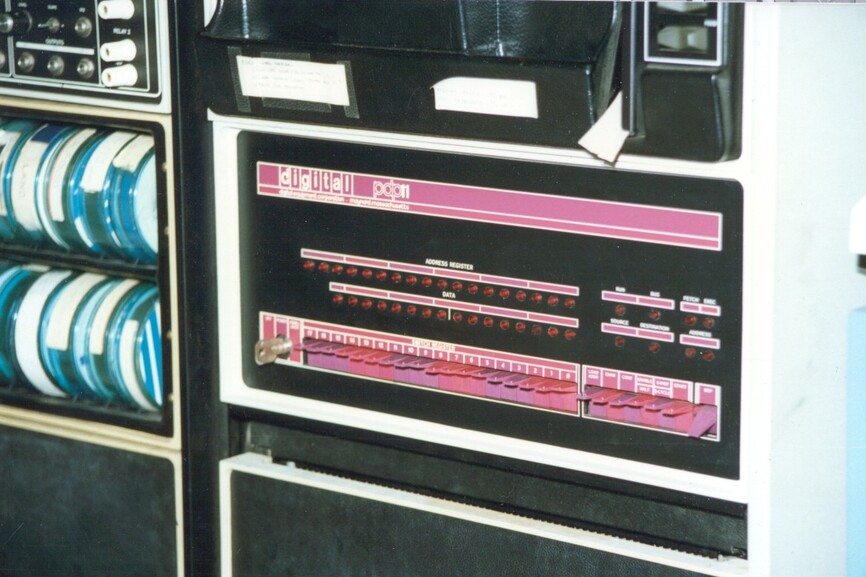
  1. I started with P200’s and P300’s then went to PDP-8’s and 11/70’s.

  2. Then Sun systems in the 1980s and Linux as of 1998.

  3. This is what I see in the hardware ( I have native host install )

[chuck@glockner ~.2006]$ ls -la /sys/module/nvidia/drivers/
total 0
drwxr-xr-x 2 root root 0 Feb 21 21:24 ./
drwxr-xr-x 6 root root 0 Feb 15 05:40 ../
lrwxrwxrwx 1 root root 0 Feb 21 21:24 pci:nvidia -> ../../../bus/pci/drivers/nvidia/
lrwxrwxrwx 1 root root 0 Feb 21 21:24 pci:nvidia-nvswitch -> ../../../bus/pci/drivers/nvidia-nvswitch/
[chuck@glockner ~.2007]$ ls -la /sys/module/nvidia/drivers/pci:nvidia/
total 0
drwxr-xr-x  2 root root    0 Feb 15 05:40 ./
drwxr-xr-x 37 root root    0 Feb 15 05:40 ../
lrwxrwxrwx  1 root root    0 Feb 21 21:27 0000:07:00.0 -> ../../../../devices/pci0000:00/0000:00:03.0/0000:07:00.0/
--w-------  1 root root 4096 Feb 21 21:27 bind
lrwxrwxrwx  1 root root    0 Feb 15 05:40 module -> ../../../../module/nvidia/
--w-------  1 root root 4096 Feb 21 21:27 new_id
--w-------  1 root root 4096 Feb 21 21:27 remove_id
--w-------  1 root root 4096 Feb 16 15:41 uevent
--w-------  1 root root 4096 Feb 21 21:27 unbind
[chuck@glockner ~.2008]$

You can see the card is seen and is in slot 7

I’m trying to think… there’s soemthing to do

Have you seen this?

Also remember, nvidia drivers install on the host and the CLIENT drivers (which are the runtime) install in the VM/container.

I do this for LXC

[chuck@lizum lxc.2003]$ cat add-gpu 

#
# Argument #1 is LXC container to add

[ -z "$1" ] && "Error: missing container name" && exit 1

if [ "$(lxc list | grep "$1")" == "" ]; then
  echo "Error: Unknown container name '$1'"
  exit 2
fi

# Make certain /dev/dri/renderD128 exists
if [ ! -e /dev/dri/renderD128 ]; then
  echo Error:  This host does not have hardware transcoding ability /dev/dri/renderD128
  exit 3
fi

Gid="$(stat -c %g /dev/dri/renderD128)"

# Add it


 lxc config device add "$1" gpu gpu gid=$Gid
[chuck@lizum lxc.2004]$

Hello Chuck,

Good to know I am not the only old guy around here. Here is an old memory I will share from long ago.

I think one of my last big Sun’s was an E4500, man did that sucker eat some power, but it was a pretty cool server. Also had some UltraSPARC’s but they are long gone.

I saw your info on LXC, but as I am running in a full VM, I for sure need the IOMMU support. I was using this site to get it going, and damn it ran fine for many months, I wish I knew what broke it. As I don’t, now I am chasing my tail as to what changed.

https://andrewferguson.net/2022/06/18/plex-proxmox-vm-with-nvidia-gpu-passthrough/

The directories on your LXC, it looks about right. here is what I am seeing in my directories as well:

# ls -la /sys/module/nvidia/drivers/
total 0
lrwxrwxrwx 1 root root 0 Feb 22 03:22 pci:nvidia -> ../../../bus/pci/drivers/nvidia
lrwxrwxrwx 1 root root 0 Feb 22 03:22 pci:nvidia-nvswitch -> ../../../bus/pci/drivers/nvidia-nvswitch


# ls -la /sys/module/nvidia/drivers/pci:nvidia/
total 0
lrwxrwxrwx  1 root root    0 Feb 22 02:43 0000:01:00.0 -> ../../../../devices/pci0000:00/0000:00:1c.0/0000:01:00.0
--w-------  1 root root 4096 Feb 22 03:22 bind
lrwxrwxrwx  1 root root    0 Feb 22 03:22 module -> ../../../../module/nvidia
--w-------  1 root root 4096 Feb 22 03:22 new_id
--w-------  1 root root 4096 Feb 22 03:22 remove_id
--w-------  1 root root 4096 Feb 22 02:42 uevent
--w-------  1 root root 4096 Feb 22 03:22 unbind

Looking at DMESG I see the Nvidia Hardware for sure, and as you saw from earlier messages both nvidia-smi and nvtop say it’s fine. Proxmox even pushed out a new kernel today, so I loaded it to see if any diff, but none.

[    4.985871] NVRM: loading NVIDIA UNIX x86_64 Kernel Module  535.154.05  Thu Dec 28 15:37:48 UTC 2023
[    5.031593] nvidia-modeset: Loading NVIDIA Kernel Mode Setting Driver for UNIX platforms  535.154.05  Thu Dec 28 15:51:29 UTC 2023

Is there a way to get the prior Plex Server version? I didn’t see an easy way, wondering if a rollback might change anything..

Looky what I found ----

Feb 19, 2024 02:54:03.693 [140099081669432] ERROR - [Req#469/Transcode] [FFMPEG] - Cannot load libnvidia-encode.so.1
Feb 19, 2024 02:54:03.693 [140099081669432] ERROR - [Req#469/Transcode] [FFMPEG] - The minimum required Nvidia driver for nvenc is 455.28 or newer
Feb 19, 2024 02:54:03.728 [140099081669432] WARN - [Req#469/Transcode] Codecs: avcodec_open2 returned -1 for encoder 'h264_nvenc'
Feb 19, 2024 02:54:03.728 [140099081669432] DEBUG - [Req#469/Transcode] Codecs: testing hevc (decoder) with hwdevice nvdec
Feb 19, 2024 02:54:03.729 [140099081669432] DEBUG - [Req#469/Transcode] Codecs: hardware transcoding: testing API nvdec for device 'pci:0000:01:00.0' (GP106GL [Quadro P2200])
Feb 19, 2024 02:54:03.729 [140099081669432] DEBUG - [Req#469/Transcode] [FFMPEG] - Loaded lib: libcuda.so.1
Feb 19, 2024 02:54:03.729 [140099081669432] DEBUG - [Req#469/Transcode] [FFMPEG] - Loaded sym: cuInit

dpkg -l time :slight_smile:

Did you forget the encode and decode packages? :roll_eyes:

OK, now that was the magic I needed to figure this out… Thanks for the clue. I looked at ffmpeg and it showed I had the encoders, but it still didn’t work, so I went digging on google and found someone saying they added the following and it resolved issues:

apt install libnvidia-decode-535-server libnvidia-encode-535-server

Adding the following libs got it working. I have no idea why this worked before, but it did for months. Maybe updating the driver to 535 from 525 removed something, but as of now I am running a movie and I am seeing the (hw) on video which is super, also like you mentioned at the start, the memory usage looks better:

+---------------------------------------------------------------------------------------+
| NVIDIA-SMI 535.154.05             Driver Version: 535.154.05   CUDA Version: 12.2     |
|-----------------------------------------+----------------------+----------------------+
| GPU  Name                 Persistence-M | Bus-Id        Disp.A | Volatile Uncorr. ECC |
| Fan  Temp   Perf          Pwr:Usage/Cap |         Memory-Usage | GPU-Util  Compute M. |
|                                         |                      |               MIG M. |
|=========================================+======================+======================|
|   0  Quadro P2200                   Off | 00000000:01:00.0 Off |                  N/A |
| 53%   47C    P0              31W /  75W |    368MiB /  5120MiB |      8%      Default |
|                                         |                      |                  N/A |
+-----------------------------------------+----------------------+----------------------+
                                                                                         
+---------------------------------------------------------------------------------------+
| Processes:                                                                            |
|  GPU   GI   CI        PID   Type   Process name                            GPU Memory |
|        ID   ID                                                             Usage      |
|=======================================================================================|
|    0   N/A  N/A      3413      C   ...lib/plexmediaserver/Plex Transcoder      364MiB |
+---------------------------------------------------------------------------------------+

I think I may have a winner, will keep an eye on it for a few while friends and family watch programs. Chuck, many thanks for sure…

The ubuntu group (macro) definition changed.

nvidia-drivers doesn’t include the decoder+encoder anymore.

That would explain why it stopped working after an update…

Again many thanks for lending a hand…

This topic was automatically closed 90 days after the last reply. New replies are no longer allowed.
