Transcoding crashing on Nvidia T4 GPU

Server Version#: Version 1.41.6.9685
Player Version#: Version 4.145.1

Proxmox passtrough is activated.
I’m using Ubuntu 24.04.2, nvidia drivers installed as I can see with nvidia-smi.
When tried to force transcode on content (4k-1080p-720p-480p) content crashes.
I can see on nvidia-smi that plex launch a session but disapear in seconds.
Transcoding crashing on Nvidia T4 GPU

May I please see the Plex server DEBUG logs ZIP file which captures this failure?

(DEBUG logging is required here – WARN/INFO is not sufficient)

Plex Media Server Logs_2025-05-04_18-18-05.zip (621.7 KB)
Yes sorry, here the logs

Do you have libnvidia-decode and libnvidia-encode installed?

Depending on how you installed the nvidia drivers, you might not get the video modules.

May 04, 2025 18:16:31.364 [133338989853496] DEBUG - [Req#23f/Transcode] TPU: hardware transcoding: enabled, but no hardware decode accelerator found
May 04, 2025 18:16:31.364 [133338989853496] INFO - [Req#23f/Transcode] CodecManager: starting EAE at "/tmp/pms-3bbe7d22-0222-46e5-b8e6-cf4967954754/EasyAudioEncoder"
May 04, 2025 18:16:31.364 [133338989853496] DEBUG - [Req#23f/Transcode/JobRunner] Job running: "/var/lib/plexmediaserver/Library/Application Support/Plex Media Server/Codecs/EasyAudioEncoder-8f4ca5ead7783c54a4930420-linux-x86_64/EasyAudioEncoder/EasyAudioEncoder"
May 04, 2025 18:16:31.364 [133338989853496] DEBUG - [Req#23f/Transcode/JobRunner] In directory: "/tmp/pms-3bbe7d22-0222-46e5-b8e6-cf4967954754/EasyAudioEncoder"
May 04, 2025 18:16:31.365 [133338989853496] DEBUG - [Req#23f/Transcode/JobRunner] Jobs: Starting child process with pid 16958
May 04, 2025 18:16:31.365 [133338989853496] DEBUG - [Req#23f/Transcode] [Universal] Using local file path instead of URL: /mnt/allhdd/PMS/Séries/1883/Season 1/1883 - S01E01 - 1883.mkv
May 04, 2025 18:16:31.365 [133338989853496] DEBUG - [Req#23f/Transcode/HCl#44] HTTP requesting GET http://127.0.0.1:32400/library/streams/935?X-Plex-Token=xxxxxxxxxxxxxxxxxxxx&autoAdjustSubtitle=1
May 04, 2025 18:16:31.365 [133338922416952] DEBUG - Request: [127.0.0.1:51118 (Loopback)] GET /library/streams/935?autoAdjustSubtitle=1 (37 live) #1a6 GZIP Signed-in Token (Vizionn) (Chrome)
May 04, 2025 18:16:31.366 [133338922416952] DEBUG - [Req#1a6] Calculated media file path for path [file:///mnt/allhdd/PMS/Séries/1883/Season%201/1883%20-%20S01E01%20-%201883.fr.srt]: ["/mnt/allhdd/PMS/Séries/1883/Season 1/1883 - S01E01 - 1883.fr.srt"]
May 04, 2025 18:16:31.394 [133339179731768] DEBUG - Completed: [127.0.0.1:51118] 200 GET /library/streams/935?autoAdjustSubtitle=1 (37 live) #1a6 GZIP 28ms 16875 bytes (pipelined: 1)
May 04, 2025 18:16:31.396 [133339022601016] DEBUG - [HttpClient/HCl#44] HTTP/1.1 (0.0s) 200 response from GET http://127.0.0.1:32400/library/streams/935?X-Plex-Token=xxxxxxxxxxxxxxxxxxxx&autoAdjustSubtitle=1
May 04, 2025 18:16:31.396 [133338989853496] DEBUG - [Req#23f/Transcode] Detected character set of UTF-8.
May 04, 2025 18:16:31.397 [133338989853496] DEBUG - [Req#23f/Transcode] Downloaded stream from [http://127.0.0.1:32400/library/streams/935?X-Plex-Token=xxxxxxxxxxxxxxxxxxxx&autoAdjustSubtitle=1] (codec: srt) to temporary file [/var/lib/plexmediaserver/Library/Application Support/Plex Media Server/Cache/Transcode/Sessions/plex-transcode-w8b1z6qj1hz8ti95nkadsk28-65c7d844-174a-4de1-968f-08d3d33afd64/temp-0.srt]
May 04, 2025 18:16:31.397 [133338989853496] DEBUG - [Req#23f/Transcode] TPU: hardware transcoding: final decoder: , final encoder: 
May 04, 2025 18:16:31.397 [133338989853496] DEBUG - [Req#23f/Transcode/JobRunner] Job running: EAE_ROOT=/tmp/pms-3bbe7d22-0222-46e5-b8e6-cf4967954754/EasyAudioEncoder FFMPEG_EXTERNAL_LIBS='/var/lib/plexmediaserver/Library/Application\ Support/Plex\ Media\ Server/Codecs/3e1b2b0-942daf2dc73f6618466d358d-linux-x86_64/' X_PLEX_TOKEN=xxxxxxxxxxxxxxxxxxxxxxxxxxxxxxxxxxxxxxxxxx "/usr/lib/plexmediaserver/Plex Transcoder" -codec:0 hevc -codec:1 eac3_eae -eae_prefix:1 w8b1z6qj1hz8ti95nkadsk28_ -ss 0 -noaccurate_seek -analyzeduration 20000000 -probesize 20000000 -i '/mnt/allhdd/PMS/Séries/1883/Season 1/1883 - S01E01 - 1883.mkv' -ss 0 -noaccurate_seek -analyzeduration 20000000 -probesize 20000000 -i "/var/lib/plexmediaserver/Library/Application Support/Plex Media Server/Cache/Transcode/Sessions/plex-transcode-w8b1z6qj1hz8ti95nkadsk28-65c7d844-174a-4de1-968f-08d3d33afd64/temp-0.srt" -map 0:0 -codec:0 copy -filter_complex "[0:1] aresample=async=1:ochl='stereo':rematrix_maxval=0.000000dB:osr=48000[0]" -map "[0]" -metadata:s:1 language=eng -codec:1 aac -b:1 256k -f dash -seg_duration 5 -dash_segment_type mp4 -init_seg_name 'init-stream$RepresentationID$.m4s' -media_seg_name 'chunk-stream$RepresentationID$-$Number%05d$.m4s' -window_size 5 -delete_removed false -skip_to_segment 1 -time_delta 0.0625 -manifest_name "http://127.0.0.1:32400/video/:/transcode/session/w8b1z6qj1hz8ti95nkadsk28/65c7d844-174a-4de1-968f-08d3d33afd64/manifest?X-Plex-Http-Pipeline=infinite" -avoid_negative_ts disabled -map_metadata -1 -map_chapters -1 dash -map 1:s:0 -metadata:s:0 language=fra -codec:0 ass -strict_ts:0 0 -f segment -segment_format ass -segment_time 1 -segment_header_filename sub-header -segment_start_number 0 -segment_list "http://127.0.0.1:32400/video/:/transcode/session/w8b1z6qj1hz8ti95nkadsk28/65c7d844-174a-4de1-968f-08d3d33afd64/manifest?stream=subtitles&X-Plex-Http-Pipeline=infinite" -segment_list_type csv -segment_list_size 5 -segment_list_separate_stream_times 1 -segment_format_options ignore_readorder=1 -segment_list_unfinished 1 -fflags +flush_packets "sub-chunk-%05d" -start_at_zero -copyts -vsync cfr -y -nostats -loglevel quiet -loglevel_plex error -progressurl http://127.0.0.1:32400/video/:/transcode/session/w8b1z6qj1hz8ti95nkadsk28/65c7d844-174a-4de1-968f-08d3d33afd64/progress

Next question

Did this previously work and then stop working after a proxmox upgrade ?
(I previously had a customer who had this happen. reverting the proxmox kernel resolved his issue – which might / might not be related to yours… Just an FYI )

Same issue.
Install is fresh (no upgrade).
I just installed nvidia using sudo apt install nvidia-driver-535-server and libnvidia-decode-535-server same for encode.
Plex Media Server Logs_2025-05-04_19-53-43.zip (1.5 MB)

When you install ‘server’ , I don’t think you get everything

Would you please dpkg -l | grep nvidia and share that console output?

This is my machine:

[chuck@lizum ~.2009]$ dpkg -l | grep nvidia | awk '{print $2}'
libnvidia-cfg1-565:amd64
libnvidia-common-565
libnvidia-compute-535:amd64
libnvidia-compute-565:amd64
libnvidia-decode-565:amd64
libnvidia-egl-wayland1:amd64
libnvidia-encode-565:amd64
libnvidia-extra-565:amd64
libnvidia-fbc1-565:amd64
libnvidia-gl-565:amd64
nvidia-compute-utils-565
nvidia-dkms-565-open
nvidia-driver-565-open
nvidia-firmware-565-565.77
nvidia-kernel-common-565
nvidia-kernel-source-565-open
nvidia-prime
nvidia-settings
nvidia-utils-565
screen-resolution-extra
xserver-xorg-video-nvidia-565
[chuck@lizum ~.2010]$ 
ubuntu@ubuntu-24:~$ dpkg -l | grep nvidia
ii  gpustat                                       1.1.1-1                                  all          pretty nvidia device monitor
ii  libnvidia-cfg1-535-server:amd64               535.247.01-0ubuntu0.24.04.1              amd64        NVIDIA binary OpenGL/GLX configuration library
ii  libnvidia-common-535-server                   535.247.01-0ubuntu0.24.04.1              all          Shared files used by the NVIDIA libraries
rc  libnvidia-compute-535:amd64                   535.230.02-0ubuntu0.24.04.1              amd64        NVIDIA libcompute package
ii  libnvidia-compute-535-server:amd64            535.247.01-0ubuntu0.24.04.1              amd64        NVIDIA libcompute package
ii  libnvidia-container-tools                     1.17.6-1                                 amd64        NVIDIA container runtime library (command-line tools)
ii  libnvidia-container1:amd64                    1.17.6-1                                 amd64        NVIDIA container runtime library
ii  libnvidia-decode-535-server:amd64             535.247.01-0ubuntu0.24.04.1              amd64        NVIDIA Video Decoding runtime libraries
ii  libnvidia-egl-wayland1:amd64                  1:1.1.13-1build1                         amd64        Wayland EGL External Platform library -- shared library
ii  libnvidia-encode-535-server:amd64             535.247.01-0ubuntu0.24.04.1              amd64        NVENC Video Encoding runtime library
ii  libnvidia-extra-535-server:amd64              535.247.01-0ubuntu0.24.04.1              amd64        Extra libraries for the NVIDIA Server Driver
ii  libnvidia-fbc1-535-server:amd64               535.247.01-0ubuntu0.24.04.1              amd64        NVIDIA OpenGL-based Framebuffer Capture runtime library
ii  libnvidia-gl-535-server:amd64                 535.247.01-0ubuntu0.24.04.1              amd64        NVIDIA OpenGL/GLX/EGL/GLES GLVND libraries and Vulkan ICD
rc  linux-modules-nvidia-535-6.11.0-25-generic    6.11.0-25.25~24.04.1+1                   amd64        Linux kernel nvidia modules for version 6.11.0-25
ii  linux-objects-nvidia-535-6.11.0-25-generic    6.11.0-25.25~24.04.1+1                   amd64        Linux kernel nvidia modules for version 6.11.0-25 (objects)
ii  linux-signatures-nvidia-6.11.0-25-generic     6.11.0-25.25~24.04.1+1                   amd64        Linux kernel signatures for nvidia modules for version 6.11.0-25-generic
rc  nvidia-compute-utils-535                      535.230.02-0ubuntu0.24.04.1              amd64        NVIDIA compute utilities
ii  nvidia-compute-utils-535-server               535.247.01-0ubuntu0.24.04.1              amd64        NVIDIA compute utilities
ii  nvidia-container-toolkit                      1.17.6-1                                 amd64        NVIDIA Container toolkit
ii  nvidia-container-toolkit-base                 1.17.6-1                                 amd64        NVIDIA Container Toolkit Base
rc  nvidia-dkms-535                               535.230.02-0ubuntu0.24.04.1              amd64        NVIDIA DKMS package
ii  nvidia-dkms-535-server                        535.247.01-0ubuntu0.24.04.1              amd64        NVIDIA DKMS package
ii  nvidia-driver-535-server                      535.247.01-0ubuntu0.24.04.1              amd64        NVIDIA Server Driver metapackage
ii  nvidia-firmware-535-server-535.247.01         535.247.01-0ubuntu0.24.04.1              amd64        Firmware files used by the kernel module
rc  nvidia-kernel-common-535                      535.230.02-0ubuntu0.24.04.1              amd64        Shared files used with the kernel module
ii  nvidia-kernel-common-535-server               535.247.01-0ubuntu0.24.04.1              amd64        Shared files used with the kernel module
ii  nvidia-kernel-source-535-server               535.247.01-0ubuntu0.24.04.1              amd64        NVIDIA kernel source package
ii  nvidia-prime                                  0.8.17.2                                 all          Tools to enable NVIDIA's Prime
ii  nvidia-settings                               510.47.03-0ubuntu4                       amd64        Tool for configuring the NVIDIA graphics driver
ii  nvidia-utils-535-server                       535.247.01-0ubuntu0.24.04.1              amd64        NVIDIA Server Driver support binaries
ii  screen-resolution-extra                       0.18.3                                   all          Extension for the nvidia-settings control panel
ii  xserver-xorg-video-nvidia-535-server          535.247.01-0ubuntu0.24.04.1              amd64        NVIDIA binary Xorg driver

Seems ok

ok, next on our quest :slight_smile:

Is the Plex UID a member of the group which owns renderD128 and card0 ?

PMS reads /proc/pci to look for cards but does a final probe of /dev/dri for the inodes it’s been granted access to

ubuntu-24:# ls -l /dev/dri
total 0
drwxr-xr-x  2 root root        100 May  4 17:46 by-path
crw-rw----+ 1 root render 226,   0 May  4 18:53 card0
crw-rw----+ 1 root render 226,   1 May  4 18:53 card1
crw-rw----+ 1 root render 226, 128 May  4 18:53 renderD128
ubuntu-24:# ps aux | grep -i plex
plex       68184  0.7  0.0 4778536 98076 ?       Ssl  May04   2:51 /usr/lib/plexmediaserver/Plex Media Server
plex       68211  0.0  0.0  65176 43412 ?        SNl  May04   0:09 Plex Plug-in [com.plexapp.system] /usr/lib/plexmediaserver/Resources/Plug-ins-d301f511a/Framework.bundle/Contents/Resources/Versions/2/Python/bootstrap.py --server-version 1.41.6.9685-d301f511a /usr/lib/plexmediaserver/Resources/Plug-ins-d301f511a/System.bundle
plex       68270  0.0  0.0  43936 13060 ?        Sl   May04   0:16 /usr/lib/plexmediaserver/Plex Tuner Service /usr/libplexmediaserver/Resources/Tuner/Private /usr/lib/plexmediaserver/Resources/Tuner/Shared 1.41.6.9685-d301f511a 32600
plex       68384  0.1  0.0   2592  1348 ?        S    May04   0:23 Plex EAE Service
root      235455  0.0  0.0  17812  2332 pts/3    S+   01:45   0:00 grep --color=auto -i plex
ubuntu-24:# id plex
uid=997(plex) gid=984(plex) groups=984(plex),44(video),992(render)

Yes it’s a member of

Can you look at this thread to see if any of it might be applicable ?

I don’t think it’s applicable as Plex can see the GPU (I can select it on Plex and see activity when transcode is launched) and I’m already on 6.8.12-9-pve on my Proxmox.

I deleted proxmox and installed ubuntu 24.04 server on the machine.
Fresh install, updated ubunutu, installed nvidia-driver-535 (not server), same issue :
Plex Media Server Logs_2025-05-05_22-11-45.zip (1.3 MB)

I was able to run a transcoding session without issues after reinstalling drivers and utils :
Plex Media Server Logs_2025-05-05_22-31-56.zip (1.6 MB)
Trying again to transcode make the transcoding crash as before.

Why are you using 535 drivers in 24.04 ?


I’m using 550 drivers in 22.04 with a P2200

====================================

Which drivers did you reinstall / more info please ?

1 Like

OK I was installing 535 didn’t see the 550.
I tried the 550 drivers :
Convert Automatically on Plex make the content crash instant, selecting another option (ex : 1080p 20Mbps) make the transcoding launch but with the issues :
Actually transcoding is “working” but it sometimes crashes (with Plex error and/or transcoding session nvidia-smi being stopped and started again) or buffer and never starting again.
Plex Media Server Logs_2025-05-05_22-54-15.zip (893.2 KB)

Edit : PMS crashed completly after trying to transcode another content

May I ask a rather direct question?

Are you trying to crash it by overloading it?

I ask because I’m seeing multiple, overlapping and back-to-back transcodes of a 2278 second video

I also see this – End of file.

I’m trying to understand what’s happening here because everything I see indicates the transcoder and GPU are working correctly.

Where is it failing ? In the player ?

Note:

Here, I can see the GPU has gotten far enough ahead that it can slow down and idle.

May 05, 2025 22:53:53.233 [134800183630648] DEBUG - Completed: [192.168.2.3:1504] 200 GET /video/:/transcode/universal/session/s156nk826kpk86wx8i2yg9mn/0/2299.m4s (11 live) #2015 TLS GZIP 6ms 1922695 bytes (pipelined: 102)
May 05, 2025 22:53:53.252 [134799970782008] DEBUG - [Req#2001/Transcode/s156nk826kpk86wx8i2yg9mn/33ad83c4-3ff9-4812-87fa-bc66d975b990] Session s156nk826kpk86wx8i2yg9mn (4) is throttling
May 05, 2025 22:53:53.252 [134799603141432] DEBUG - [Req#2019/Transcode/s156nk826kpk86wx8i2yg9mn/33ad83c4-3ff9-4812-87fa-bc66d975b990] Throttle - Going into sloth mode.
May 05, 2025 22:53:53.297 [134799655988024] DEBUG - Request: [192.168.2.3:1522 (WAN)] GET /statistics/resources?timespan=6 (10 live) #2010 TLS GZIP Signed-in Token (Vizionn) (Chrome)
May 05, 2025 22:53:53.299 [134800185740088] DEBUG - Completed: [192.168.2.3:1522] 200 GET /statistics/resources?timespan=6 (10 live) #2010 TLS GZIP 1ms 1026 bytes (pipelined: 67)

and here. Resume - transcode - Sleep

May 05, 2025 22:53:54.864 [134799655988024] DEBUG - [Req#202d/Transcode/s156nk826kpk86wx8i2yg9mn/33ad83c4-3ff9-4812-87fa-bc66d975b990] Session s156nk826kpk86wx8i2yg9mn (4) is unthrottling
May 05, 2025 22:53:54.864 [134799670754104] DEBUG - [Req#203a/Transcode/s156nk826kpk86wx8i2yg9mn/33ad83c4-3ff9-4812-87fa-bc66d975b990] Throttle - Getting back to work.
May 05, 2025 22:53:54.907 [134799619775288] DEBUG - Request: [192.168.2.3:1525 (WAN)] GET /status/sessions (10 live) #2035 TLS GZIP Signed-in Token (Vizionn) (Chrome)
May 05, 2025 22:53:54.907 [134799619775288] DEBUG - [Req#2035] [Now] Adding 1 sessions.
May 05, 2025 22:53:54.909 [134800185740088] DEBUG - Completed: [192.168.2.3:1525] 200 GET /status/sessions (10 live) #2035 TLS GZIP 2ms 5156 bytes (pipelined: 107)
May 05, 2025 22:53:54.917 [134799677082424] DEBUG - [Req#2024/Transcode/s156nk826kpk86wx8i2yg9mn/33ad83c4-3ff9-4812-87fa-bc66d975b990] Transcoder segment range: 2276 - 2365 (2365)
May 05, 2025 22:53:55.033 [134799970782008] DEBUG - Request: [192.168.2.3:1525 (WAN)] GET /statistics/bandwidth?timespan=6 (10 live) #203c TLS GZIP Signed-in Token (Vizionn) (Chrome)
May 05, 2025 22:53:55.035 [134799603141432] DEBUG - Request: [192.168.2.3:1504 (WAN)] OPTIONS /video/:/transcode/universal/session/s156nk826kpk86wx8i2yg9mn/0/2304.m4s (10 live) #2018 TLS GZIP Signed-in
May 05, 2025 22:53:55.035 [134800185740088] DEBUG - Completed: [192.168.2.3:1504] 200 OPTIONS /video/:/transcode/universal/session/s156nk826kpk86wx8i2yg9mn/0/2304.m4s (10 live) #2018 TLS GZIP 0ms 376 bytes (pipelined: 103)
May 05, 2025 22:53:55.036 [134800185740088] DEBUG - Completed: [192.168.2.3:1525] 200 GET /statistics/bandwidth?timespan=6 (10 live) #203c TLS GZIP 2ms 2075 bytes (pipelined: 108)
May 05, 2025 22:53:55.065 [134799655988024] DEBUG - Request: [192.168.2.3:1504 (WAN)] GET /video/:/transcode/universal/session/s156nk826kpk86wx8i2yg9mn/0/2304.m4s (10 live) #203f TLS GZIP Signed-in
May 05, 2025 22:53:55.066 [134799655988024] DEBUG - [Req#203f/Transcode/s156nk826kpk86wx8i2yg9mn] Asked for segment 2304 from session.
May 05, 2025 22:53:55.066 [134799655988024] DEBUG - [Req#203f/Transcode/s156nk826kpk86wx8i2yg9mn] Returning segment 2304 from session
May 05, 2025 22:53:55.066 [134799655988024] DEBUG - Content-Length of /var/lib/plexmediaserver/Library/Application Support/Plex Media Server/Cache/Transcode/Sessions/plex-transcode-s156nk826kpk86wx8i2yg9mn-33ad83c4-3ff9-4812-87fa-bc66d975b990/init-stream0.m4s,/var/lib/plexmediaserver/Library/Application Support/Plex Media Server/Cache/Transcode/Sessions/plex-transcode-s156nk826kpk86wx8i2yg9mn-33ad83c4-3ff9-4812-87fa-bc66d975b990/chunk-stream0-02305.m4s is 1592284 (of total: 1592284).
May 05, 2025 22:53:55.071 [134800185740088] DEBUG - Completed: [192.168.2.3:1504] 200 GET /video/:/transcode/universal/session/s156nk826kpk86wx8i2yg9mn/0/2304.m4s (10 live) #203f TLS GZIP 5ms 1592284 bytes (pipelined: 104)
May 05, 2025 22:53:55.083 [134799670754104] DEBUG - [Req#203d/Transcode/s156nk826kpk86wx8i2yg9mn/33ad83c4-3ff9-4812-87fa-bc66d975b990] Transcoder segment range: 2276 - 2366 (2366)
May 05, 2025 22:53:55.203 [134799619775288] DEBUG - [Req#2042/Transcode/s156nk826kpk86wx8i2yg9mn/33ad83c4-3ff9-4812-87fa-bc66d975b990] Transcoder segment range: 2276 - 2367 (2367)
May 05, 2025 22:53:55.276 [134799970782008] DEBUG - [Req#203b/Transcode/s156nk826kpk86wx8i2yg9mn/33ad83c4-3ff9-4812-87fa-bc66d975b990] Session s156nk826kpk86wx8i2yg9mn (4) is throttling
May 05, 2025 22:53:55.277 [134799655988024] DEBUG - [Req#204a/Transcode/s156nk826kpk86wx8i2yg9mn/33ad83c4-3ff9-4812-87fa-bc66d975b990] Throttle - Going into sloth mode.

Sorry I don’t understand what you’re asking me ?
I’m not trying to make it crash or overloading it at all, just trying to transcode a file as someone can do ?
Launching content, changing resolution to transcode, then watching, nothing else.
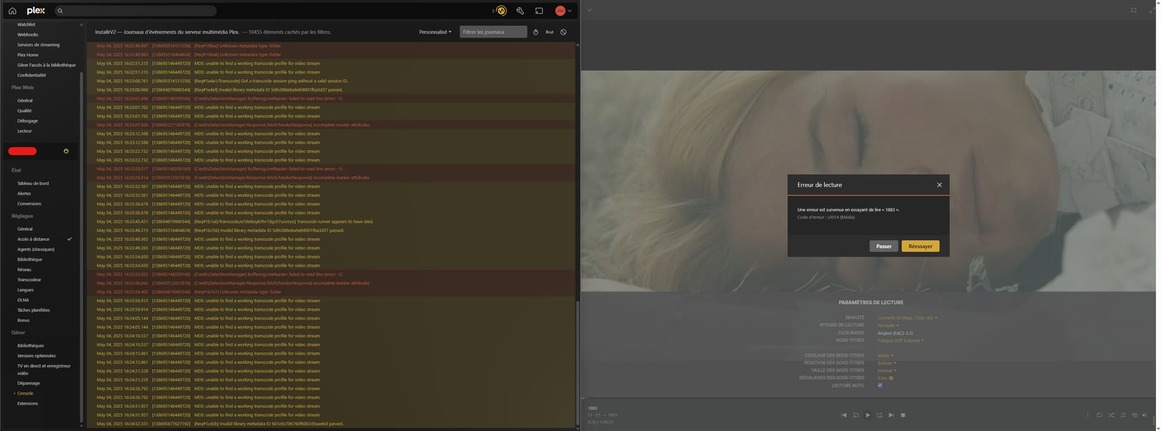
The player is crashing, like video cuts or not starting after changing resolution to transcode.

Edit : Just to be clear, I launch Plex on Brave, I open a CMD with nvidia-smi to see the transcoding session on the card, start playing content, changing resolution to transcode.
I can see that something is launching, it disapear, it comes back, stay here but content on Plex stuck or just cut and crash the video while direct stream is working great.

Thank you!

NOW I understand . I’m sorry for being slow on understanding the other part of this.

Plex/web has a known deficiency. If you change resolution (force transcode) after it’s started -or- lower the bitrate, it will crash.

The Engineering directed workaround, until they release the new player, is to preset the quality you want.

Settings - Plex/web - Quality

Here, I’ve set it to 8 Mbps (for when I’m testing the transcoder)

This avoids:

  1. PMS starting the transcode at full quality
  2. You changing the quality
  3. Plex/web crashing

This is a 2+ year old bug which has not / will not be fixed. They are going to replace the player engine in Plex/web entirely.

Your actions, and what I saw in the logs (all the overlaps and restarts) now make 100% sense.

Again, I’m sorry for being dense.

1 Like

Holy fuc**ng sh*t, you right on iOS app all good :skull:
Is this an issue with nvidia cards ? As I test all my Plex servers like this without any issues, this is my first one with nvidia card

Many thanks for the help !

It’s not an “issue”. It’s just that the Nvidia cards are THAT D**M FAST :slight_smile:

I have the new RTX2000 ada generation. In a word – “Blistering”.
(it’s a 2024 card. They have stuff WAY faster this year)

1 Like
