My movie files are on a NAS (PLEX Server, latest Version 1.25.2.5319). I play the movies on the LG Smart TV with the PLEX app. However, HDR movies will not play (“Ein unerwarteter Fehler ist aufgetreten / An unexpected error has occurred”. Does anyone know the reason?
Incidentally, Emby plays the same film with the same system configuration without any problems.
Thanks for the feedback. I don’t know exactly what you need, because I don’t know the app well enough. So I once took 2 screenshots of logs that I found.
Arno
The Synology D-1541 Xeon does not have hardware transcoding nor does it have a GPU which is needed for hardware tone mapping.
Simply stated, It is not strong enough to play HEVC HDR and tone map that video to H.264 SDR
Dec 29, 2021 21:38:55.304 [0x7f352b064b38] DEBUG - [Transcode] Codecs: hardware transcoding: testing API nvdec
Dec 29, 2021 21:38:55.304 [0x7f352b064b38] ERROR - [Transcode] [FFMPEG] - Cannot load libcuda.so.1
Dec 29, 2021 21:38:55.304 [0x7f352b064b38] ERROR - [Transcode] [FFMPEG] - Could not dynamically load CUDA
Dec 29, 2021 21:38:55.304 [0x7f352b064b38] DEBUG - [Transcode] Codecs: hardware transcoding: opening hw device failed - probably not supported by this system, error: Unknown error occurred
Dec 29, 2021 21:38:55.304 [0x7f352b064b38] DEBUG - [Transcode] Could not create hardware context for hevc
Dec 29, 2021 21:38:55.304 [0x7f352b064b38] DEBUG - [Transcode] Scaled up video bitrate to 268569Kbps based on 4.500000x fudge factor.
Dec 29, 2021 21:38:55.304 [0x7f352b064b38] DEBUG - [Transcode] MDE: Dune (2021): Audio Direct Streaming is disabled, so video's audio stream will be transcoded
Dec 29, 2021 21:38:55.304 [0x7f352b064b38] DEBUG - [Transcode] MDE: Cannot direct stream audio stream due to profile or setting limitations
Dec 29, 2021 21:38:55.304 [0x7f352b064b38] DEBUG - [Transcode] MDE: Dune (2021): selected media 0 / 67048
Dec 29, 2021 21:38:55.305 [0x7f352b064b38] DEBUG - [Transcode] Streaming Resource: Reached Decision id=43581 codes=(General=2000,Neither direct play nor conversion is available. Direct Play=3000,App cannot direct play this item. Direct play is disabled. Transcode=4002,Not enough CPU for conversion of this item.)
Dec 29, 2021 21:38:55.305 [0x7f352f20cb38] DEBUG - Completed: [192.168.1.119:55802] 200 GET /video/:/transcode/universal/decision?directPlay=0&directStream=0&directStreamAudio=0&protocol=hls&fastSeek=1&path=%2Flibrary%2Fmetadata%2F43581&session=53l3jejn1vf61639727x470n&mediaIndex=0&partIndex=0&mediaBufferSize=50000&hasMDE=1&subtitleSize=100&videoQuality=100&videoResolution=3840x2160&audioBoost=100&subtitles=burn&location=lan (10 live) GZIP 39ms 820 bytes (pipelined: 13)
Dec 29, 2021 21:38:57.595 [0x7f352b01fb38] DEBUG - Request: [192.168.1.119:55802 (Subnet)] GET /library/metadata/43581 (
OK, you’re talking about the app on the TV.
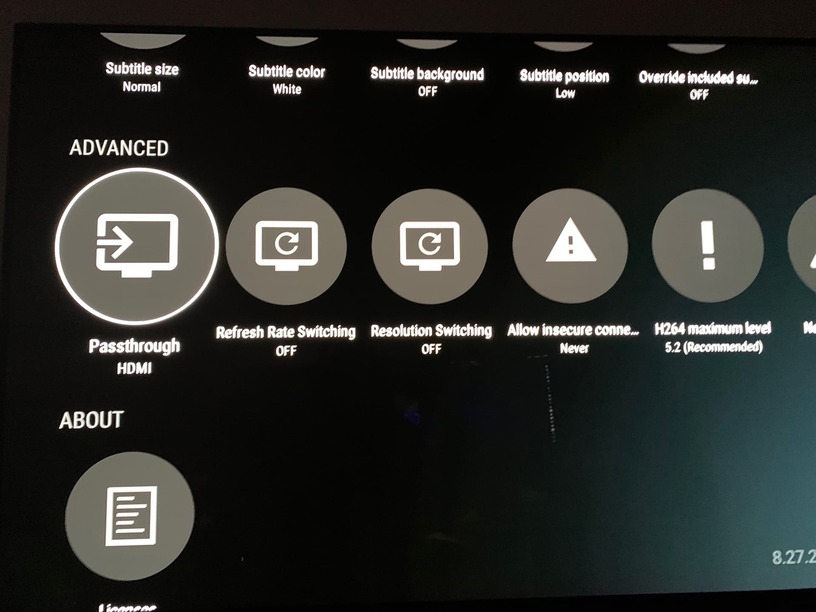
The German app on the LG TV has “Advanced Settings”. However, these concern other points such as “allow insecure connection”. Passthrough HDMI is missing.
Thank you very much for your patience. I will now switch to Emby.
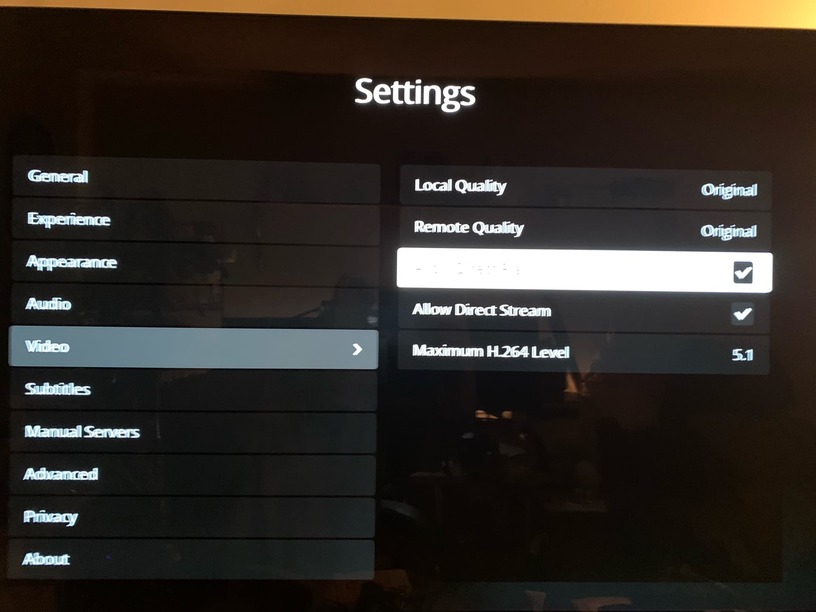
The Lg app is different than what @ChuckPa Shows (which looks like android).
I have an Lg CX with client version 5.29.1 and on it, go to the left hand margine and open settings>video and make sure local quality is original, allow direct play is ticked, and allow direct stream is also ticked.
HDMI pass through would not be relevant in your case.