Server Version#: 1.21.0.3616
Player Version#: 4.47.1
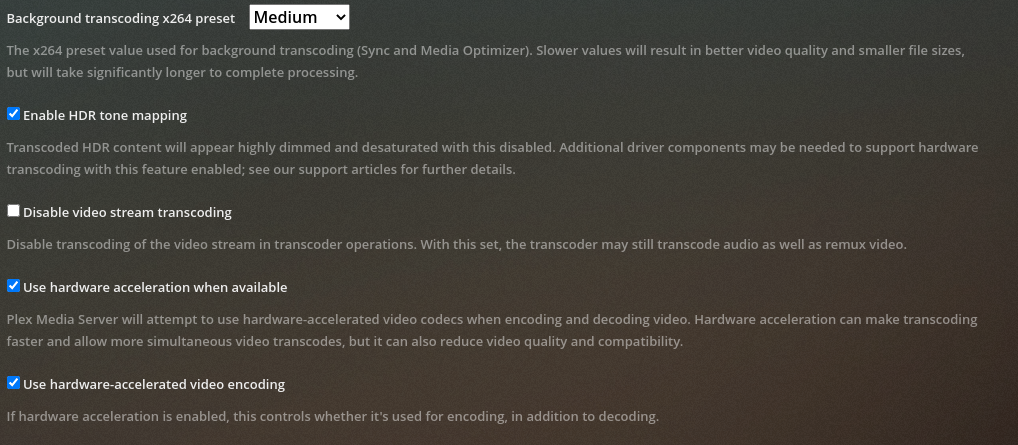
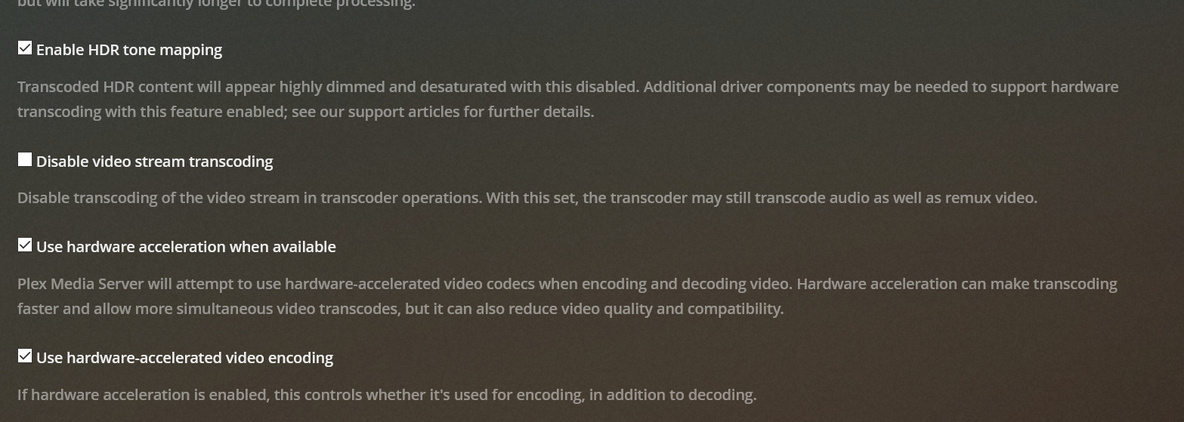
My problem is the new tone-mapping feature (which I’m super excited about) doesn’t seem use Intel HW encoding feature after installing the OpenCL driver directly to the host/master.
My setup is an Ubuntu 20.04 microkubernetes cluster on an Intel x86_64 Coffee Lake system, and I have exposed the Intel GPU resource to my cluster for HW transcoding - it works wonderfully for all content types, until now. When I try transcoding 4K HDR content now, it renders with the Software on the CPU instead. Looks great and is tone-mapped beautifully, but uses nearly 75% of the CPU! My guess is I need to expose the OpenCL driver resource to my cluster as well to get this feature working as intended on the support page for this (https://support.plex.tv/articles/hdr-to-sdr-tone-mapping/).
Is there anyone who would have any insight into what specific resource I would need to put in my manifest, or if this is the correct path to getting Plex to use my Intel GPU for tone-mapping 4k HDR content in k8s?
Please note, there’s no support for CPUs beyond (6th Gen) Sky Lake/Kaby Lake. If this is true, what I’m proposing would not be possible, not without including this specific commit that never made it to a release - Enable Coffee Lake support · intel/beignet@7e181af · GitHub
Also note, my hunch is now that the proper resource is already exposed to the k8s cluster (that being the Intel GPU), but the driver is simply not being used due to support for the iGPU on the CPU - meaning, my request should be considered serviceable.
The request is not serviceable because the distro isn’t supported. End of Line.
The request might be serviceable when these packages are moved internal to the package distribution.
Look at what this is: It’s software tone mapping which leverages OpenCL.
OpenCL is trivial for a long time now on any of the modern 64 bit CPUs.
Hardware tone mapping won’t be available until one of the upcoming generations of Intel CPUs. (I’m sorry but forget which one it is)
While I get that k8s isn’t supported, the official docker container also has a version (1.1.1-2) of beignet-opencl-icd that seems doesn’t include Coffee Lake support. It looks like the patches we need for Coffee Lake are in version 1.3.2-3 according to the Debian changelog , and Ubuntu seems to follow.
FWIW, I’m not running k8s, just a simple docker compose with the official container.
I get that k8s related requests go nowhere, Chuck. I’m trying to say that this most likely has little to do with it being a kubernetes setup.
From my PMS pod I actually get this lovely and helpful error message:
beignet-opencl-icd: no supported GPU found, this is probably the wrong opencl-icd package for this hardware
(If you have multiple ICDs installed and OpenCL works, you can ignore this message)
Anyone else seen this yet? Can confirm the pod/container can use the iGPU, too, Beignet is just not finding it.
Ubuntu 20.04
Intel NUC10i7FNH w/ i7-10710U using Intel Quick Sync ver 6 (Comet Lake)
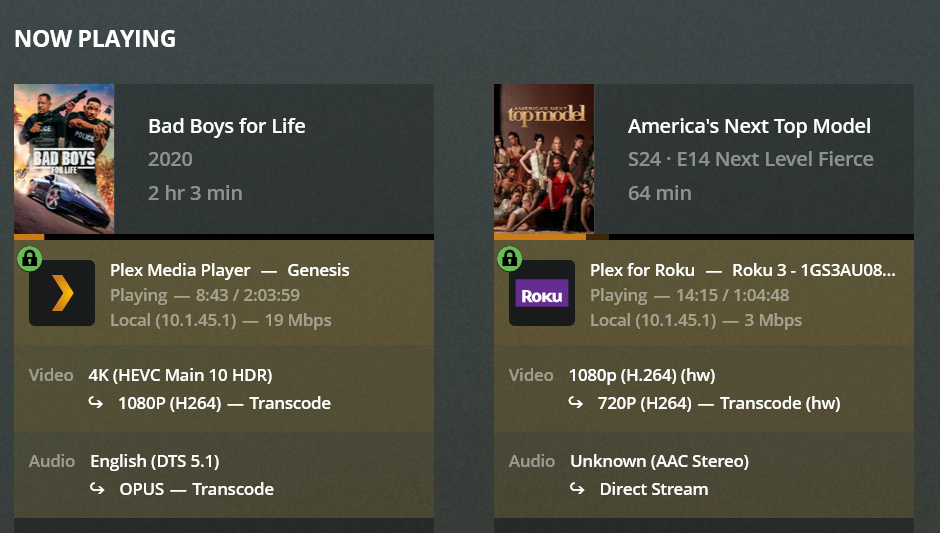
Transcoding 4k HDR to SDR only goes through CPU. If I disable HDR tone mapping, transcoding through hardware works fine for same file and all things being the same.
I do have both the dependencies from the support article installed:
No subtitles being used, as of yet. I’ll generate a pull a fresh log shortly.
Should I start a new thread when I get a log handy? This one seemed to be the closest match to what I am experiencing, but can post a new one if needed.
EDIT: Buh, so kinda new to pulling logs. Should I just be pulling the most recent “Plex Transcoder Statistics.log” from the zip?
As an update, the linuxserver.io team updated the Docker container that fixed my issue, and likely the others in this thread as well. I recommend everyone affected try updating.
However, I’m a little salty to have been a Plex customer since 2009 and have my first (and entirely legitimate) support request dismissed for a no good reason. Keep up the “good work”, Chuck.
What does the updated docker do? … it bundles everything into one distribution.
There is no current support for Redhat distros which don’t have the packages
There is no current support for NAS systems which don’t have the packages.
This might help a few of you. Don’t use this long term, rcombs branch is in active development (just updated 2 hours ago), and will be merged into intel/beignet eventually, and then it will make it down to OS packages after that.
Dockerfile:
FROM ubuntu:20.04

RUN DEBIAN_FRONTEND="noninteractive" TZ="America/Los_Angeles" apt update && apt -y install tzdata

RUN apt -y install cmake pkg-config python ocl-icd-dev libegl1-mesa-dev ocl-icd-opencl-dev libdrm-dev libxfixes-dev libxext-dev llvm-7-dev clang-7 libclang-7-dev libtinfo-dev libedit-dev zlib1g-dev build-essential git

RUN git clone --branch comet-lake https://github.com/rcombs/beignet.git
RUN mkdir /beignet/build/
RUN cd /beignet/build && cmake -DLLVM_INSTALL_DIR=/usr/lib/llvm-7/bin .. && make -j8 && make install

FROM plexinc/pms-docker
RUN apt update && apt -y install clinfo
COPY --from=0 /usr/local/include/CL /usr/local/include/CL
COPY --from=0 /usr/local/lib/beignet /usr/local/lib/beignet
COPY --from=0 /usr/local/lib/beignet /usr/lib/x86_64-linux-gnu/beignet
COPY --from=0 /usr/local/share/metainfo/com.intel.beignet.metainfo.xml /usr/share/metainfo/