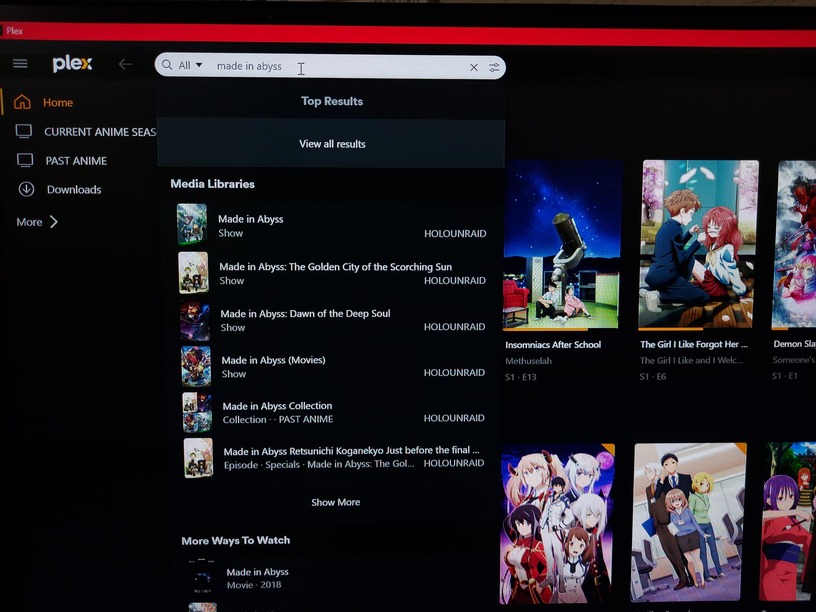
I was using previous Servers versions and search feature worked normally but search feature ceased to work, so I installed latest version, hoping to fix this problem but didn’t.
I’ve read some old post suggesting un-pinning library item and then pinning them again to side bar. That didn’t work for me. The problem might not seem big, but library is quite large now and creating collections or finding a particular movie is really a problem without search feature.
Has anyone experienced this problems? I’d be grateful for suggestions on solving this issue.
Thanks.
PS.- Is important to say that in cellphone App and AppleTV App, search feature works just fine, but you can’t manage movie library from those apps.
I might want to add to this, so on my main account I have plexpass and I can search media within the local server using the web-version of plex or desktop app. But when a manager user or friend try to search for a show it says no result were found for the search term.
But the manage user and friends can search shows on the android app or ios app.
On the far right of the search bar select the settings icon and ensure your media libraries are ticked enabled so they are included in search. I’ve seen this become disabled so could be a factor for you.
Doing database optimisation https://support.plex.tv/articles/226836308-help will rebuild the search index so that’s also worth a try. Otherwise plex server logs will be needed. Search is one of those things that breaks if there is database corruption so that would need to checked.
Your logs, generally, look okay to me. However, I do see this …
Aug 27, 2023 18:26:24.636 [22668168383288] WARN - [HttpClient/HCl#818] HTTP error requesting GET https://136-50-241-99.e1d946eb42be48a69509d0f22720ad86.plex.direct:16630/identity (7, Couldn’t connect to server) (Failed to connect to 136-50-241-99.e1d946eb42be48a69509d0f22720ad86.plex.direct port 16630 after 4 ms: Couldn’t connect to server)
… so I wonder if your server has some issue reporting its claimed status. Maybe reclaim your server and see if it helps.
BTW… if you are using the embedded web client (http://<-plex-server-ip->:32400/web) then you NEED to be signed in for search to work. I just tested this myself and it does not work when not signed in but does when signed in. However, as otto says you should use app.plex.tv (which redirects to your local plex server).