Server Version#: 1.41.4.9399
Player Version#: Samsung Tizen Plex 5.91.0
Last night I had a friend watch a movie, everything worked fine. However any other transcodes trying to start were met with “not enough space on disk”. I have 32GB of RAM for transcodes to go into and it hasnt ever been a problem before. However the movie being watched was a relatively small file.
- Size 6.77 GB
- Duration 1:30:32
- Bitrate 10698 kbps
- Width 1920
- Height 1080
- Aspect Ratio 1.78
- Video Resolution 1080p
- Container MKV
- Video Frame Rate 24p
This movie had been transcoded by Plex to use the entire 32GB RAM disk and had started deleting its earlier parts, I uploaded well over 60GB, for a 7GB movie??
Plex was transcoding HEVC to 80000 kbps!!!

Streamed on the left, thanks to tautulli.
His TV settings in this case are set to “Original” quality, which for this specific movie as above is 10Mbps.
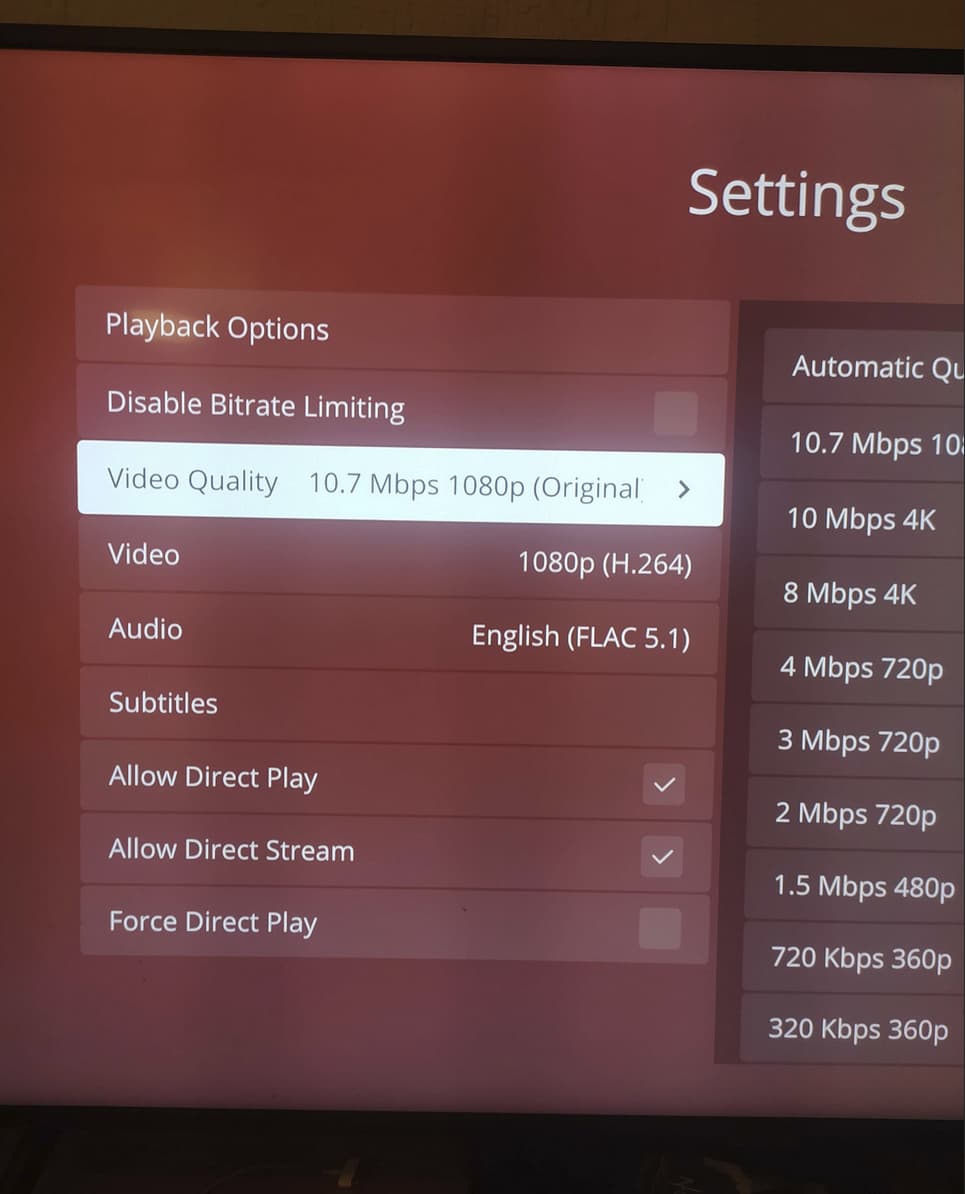
Today I had him rewatch the movie and the same occurred so now here are the transcoder stats and plex logs of the offending transcode. I asked him after to test without subs, and well surprising no one the movie direct plays.
It seems fairly likely that the sub burning is causing the transcoder to forget the original content bitrate? Plex is then somehow picking a number that should be way beyond its maximum for HEVC? Surely there should be a limit on the transcode bitrate, never more than the source material at the very least?
Transcode starts at 19:27:07ish in log, i cut a few days of previous events out before hand and it cuts off before the log file fills while transcoding
Plex Transcoder Statistics.2.log (775.5 KB)
Plex Media Server.1.log (1014.2 KB)
This is the only instance of this ive had, or noticed happening. But considering people are going to want to use HEVC for lower bandwidth in most cases, should this even have been possible? Tagging @chris_decker08 here because the work you’ve done on the transcoding is otherwise wonderful, but this seems like a bug to me.

