Hi I am not a techie so no clue how to troubleshoot this issue or exactly which forum to search. I am uploading my home video collection to PLEX. I name the files what I want them to be, put in a folder for upload, for viewing on PLEX. When I go to my PLEX account most every movie is renamed something completely different. Actually bizarre names. These are not published movies like on a DVD so why wouldn’t Plex just leave my movie names as is? Thanks for the help.
If your files are mp4 files then then likely have embedded metadata from when they were made this might be the original file name or whatever something like your camera put in it.
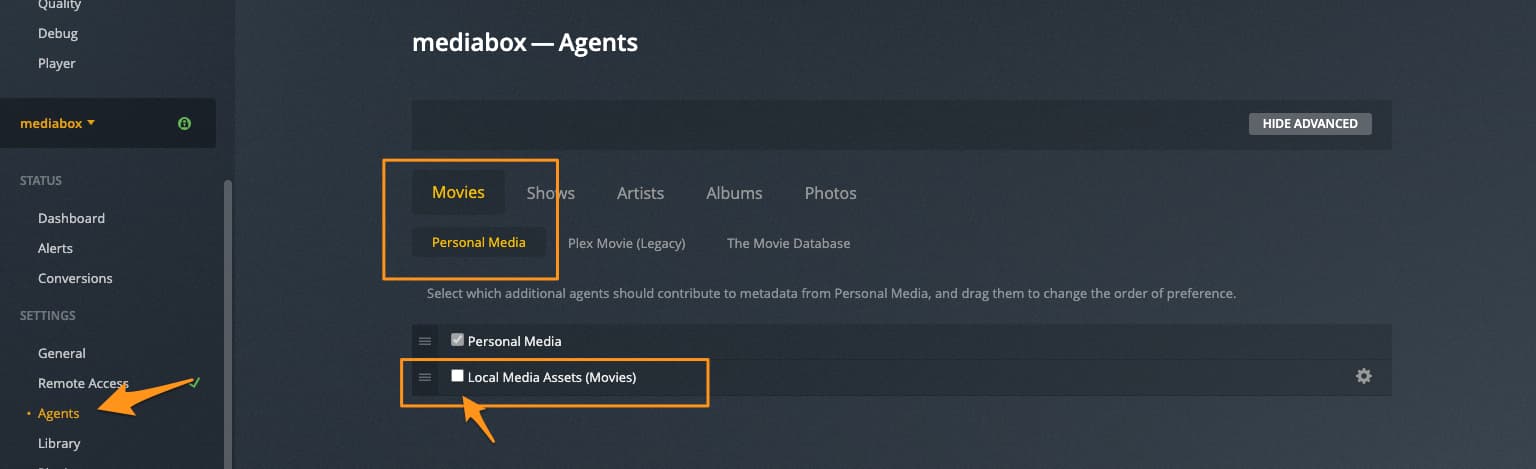
If the library is an “other videos” library type using the Personal Media Agent. go to the agent settings of your server. make sure Movies and Personal Media is highlighted with orange text like in image below and disable “Local Media Assets (Movies)”. then refresh metadata for the library.
Thanks much. I followed your instructions. The movies on my laptop are in the C drive → Roxio->Movies all named what I want. My IT guy set everything up for PLEX to go get those movies. I am not sure how to “refresh metadata from library” after disabling the local media assets. Will Plex overwrite the incorrect names?
Thanks for walking me through.
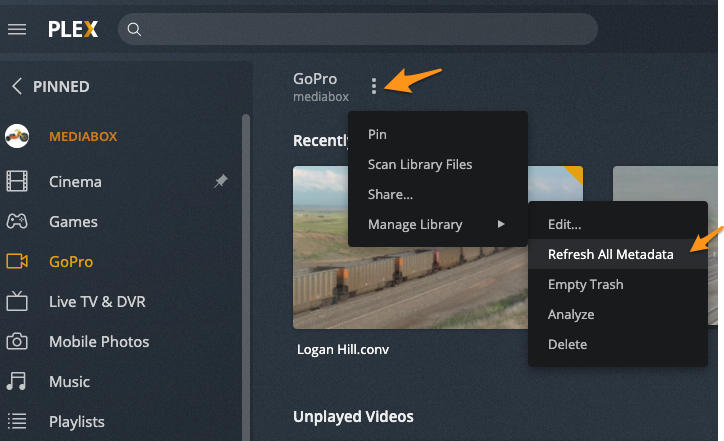
When llibrary selected hit the Three Dots to the right of the library name at the top to open menu go down to Manage Library then it should open a secondary menu with Refresh All Metadata.
It should clear out the names it got from embedded metadata.
Thanks, did that. So will the wrong file names go away and the correct ones appear?
Here is what they look like. Each one of these is a personal home movie, but look at what Plex has named them? Along with poster art!
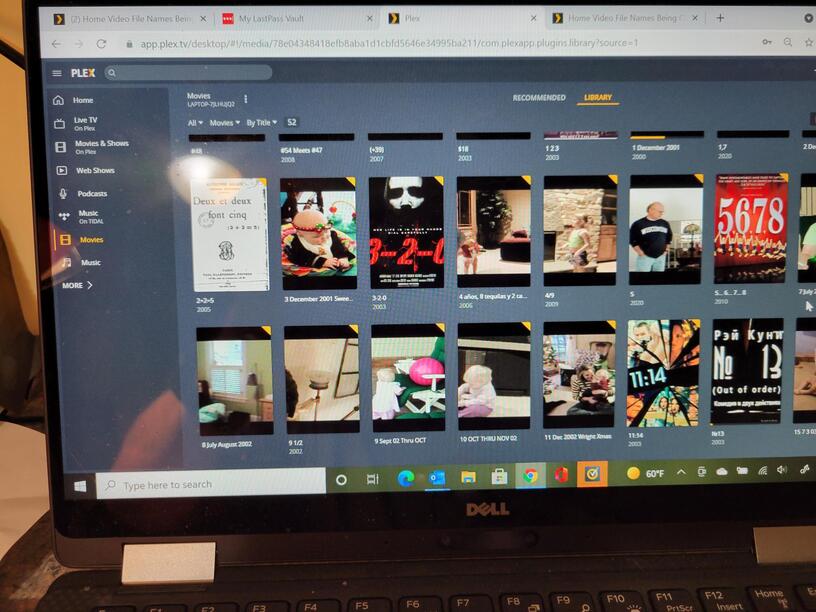
it’s just scraped metadata for them. You need to use the Personal Media metadata agent.
Oh You made a “Movies” library so it tries to match them with real movies.

You see in my image of my GoPro library it has a sort of Video Camera icon. That is an “other videos” library that does not try to match to real “hollywood” movies.
I would just delete that library and make new one but choose “other videos” library type when you do.

yeah that’d probably be even better.
I think this is working Big Wheel, WOW thanks for helping out!
Maybe this Forum thing can work!
1 Like
Any idea why my home movies in the “other videos” library stopped getting uploaded to that library? Since 9.10.2021 NONE of the videos I put in the folder on my laptop have uploaded. There are 15 that are sitting in the folder but not in the Plex library.
Thanks.
Even if you manually “scan library files” it does not detect the new files?

I don’t see how to get to the “Scan Library Files”. Your GoPro has three dots next to it. I don’t know where to go to see those on my end.
Actually found those dots and clicked “Scan”. We’ll see what happens.
I tried this and it did not work. The additional mpg videos are sitting in the same folder as all others that Plex successfully uploaded.
Any other ideas or things I can try?
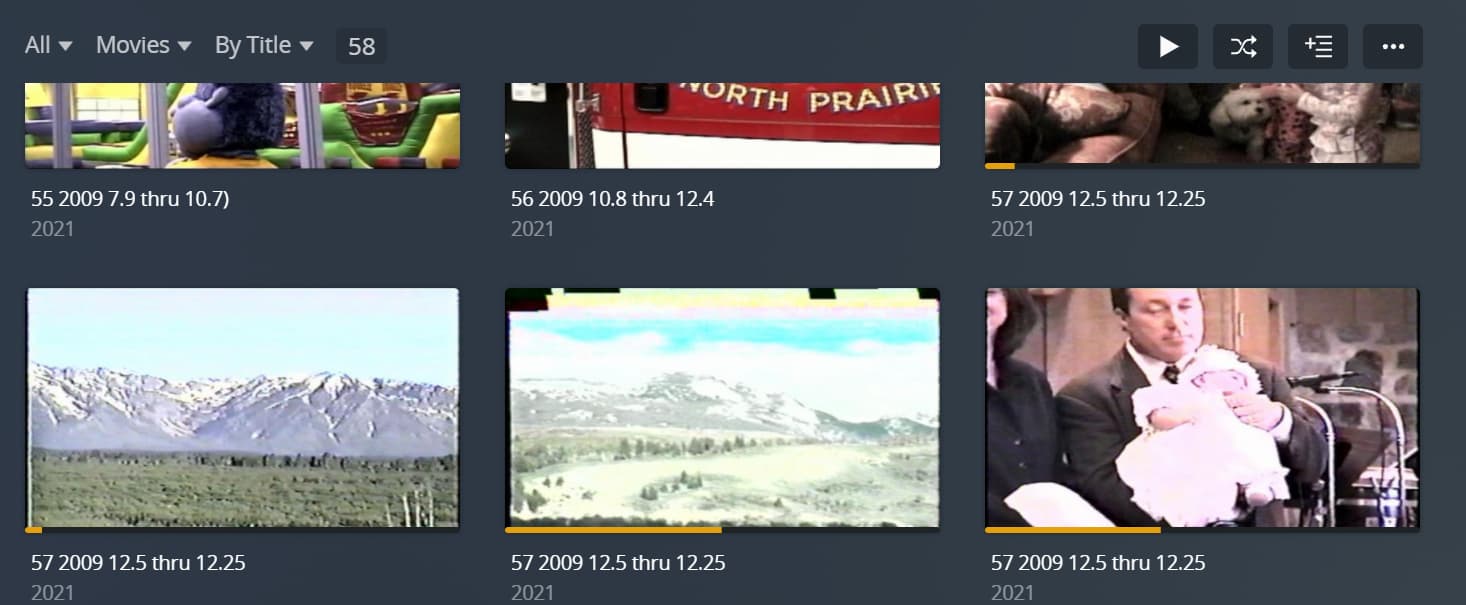
I do notice that the last video Plex grabbed, #57 is duplicated 3 times and the images for those duplicates are NOT part of the original video.
Does Plex offer remote support, driving the server to get the settings correct for these videos to be uploaded?
This topic was automatically closed 90 days after the last reply. New replies are no longer allowed.
