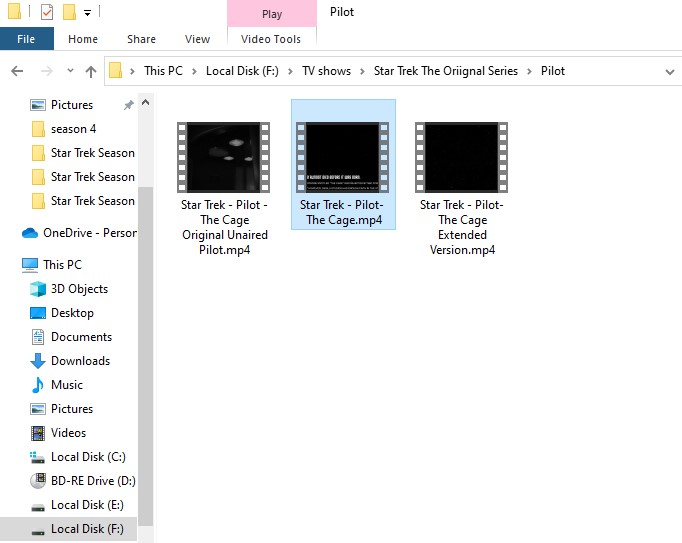
I’m Almost done Ripping my Blue ray Star Trek TOS collection. and I’m having an Issue getting plex to figure out What to do with 3 versions of the Series Pilot show The Cage.
The show came on the last disc of the 3rd series so I placed them in the season 3 folder first and refreshed meta data… no good, did not add the shows anywhere
I renamed them Star trek - pilot - {episode name}.mp4 same result
I made a folder in the shows folder called Pilot and placed the files there… no success
Anyone know how to handle this? The shows are not actually part of the 3 seasons so I don’t know how to deal with them other that what was tried so far.
I believe you can use a folder named Season 00 or Specials. Just change the folder name from Pilot to Specials.
Try Season 01, not Season01 for the other ones
Put the date in the main show folder like this
Star Trek (1966)
There’s so many other Star Trek series It may get confused if you don’t
I suspect a lot of your shorts and interviews will fit under the Specials folder too. Have a look through that list on the TMDB and see if you can match them up to the files you have by name.
In my experience, make the specials folder called whatever you want. I split up my specials into folders based on the type (anime “Movies” of an anime shows I don’t like to have near "OVA"s, etc), and Plex picks it up anyway. As long as the episode itself uses the correct “S00Exx” format in its name.
But you can’t go wrong with “Specials”. That is the recommended name and it SHOULD work, while my choice has a possibility of failure. It hasn’t failed YET, but if it does it’ll be my own fault.
I tried the specials directory inside my ‘Star Trek (1966)’ directory and renamed some of the video clips to match the titles on the movie database site Jaysplex posted. I changed the episode ordering to the movie database (aired).
That did not exactly work like I expected at all.
it added the specials to the end of season one.
Then I don’t see any of the files numbered less than 29.
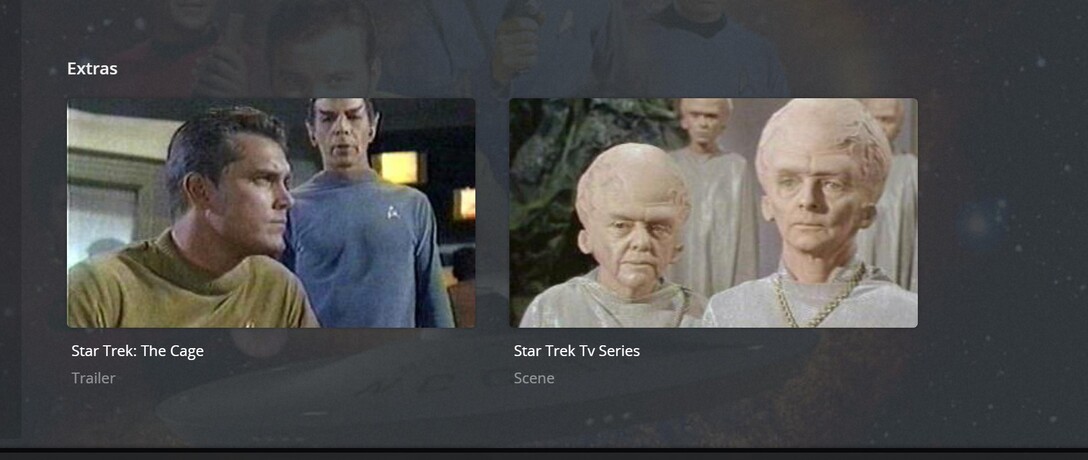
After thinking about this and rereading this page Local files fo TV show trailers and extras
I think maybe I will change the settings back and rename the specials directory to one of the names suggested there like "Featurettes’ or ‘other’ then just make sure all the video clips have a good descriptive file name based off the Movie Database page.
I’m fine if they all show up here.
Where they video clips were when I had them in separate folders named ‘interviews’ & ‘Shorts’ like the online trailers do as long as I can find them in the plex interface.
since I don’t have remote access to do all the renaming to test it now I’ll do it this evening and see how that works out .
Yes, that. Filebot solves almost every naming issue you can find in Plex, since it draws its references from basically the same areas Plex does. If you dig deep enough into it, you can change how it names things to match your preferred naming convention. I prefer “S01E01” over the default “1x01.”
If you’re getting lost trying to get it to match, I’ve found going to the Episodes area, searching for the show, and picking from the returned list of results helps a lot.
I agree with everyone else. A “Season00” folder or “Specials” folder does the trick.
Ok
I think some of my issue could be the file names for the special content
I name my standard shows like “Star Trek S1E06 Mudd’s Women.mkv”
So, should I name the special content like the is for example:
“Star Trek S00E09 Life Beyond Trek - William Shatner.mkv” ?
I’m putting getting 9 from TMDB as the episode number.
If what you’ve got isn’t listed here, Plex won’t match it to anything. For those cases, I manually number them above something like 100 and name them. That works well enough.
Also, Filebot gives you a quality match assessment, if the match is white you got it perfect. I also use the S01E01 over 1x, worth changing the default. After that Plex has always been able to curate the episode for me with no issues.
That name style should work. Plex REALLY only cares about the “SxxExx” numbers and ignores pretty much anything else about the file names. I leave out the show name in my files, so “S01E01 - Pilot.mkv” works, but so does “S01E01.mkv”. Plex doesn NOT take into account any info in the file name past the “SxxExx” part of the filename (for the most part. Plex does look after this if you have episode-specific featurettes or split episodes, but those are rare to me).
I’d like to know if you are doing the Plex Dance for these files whenever you rename them? Doing an in-place rename will not work. Copy the files out of where Plex is watching, scan the library, rename the files, add the files back, scan again.
Edit: Looking at TMDB vs TVDB, ifyou have a lot of DVD specials or alternate Pilot episodes, I’d suggest you set this show to TMDB (Aired), rather than TVDB. I like TVDB normally, but I’m shocked at how few specials it has compared to TMDB.
No I was not doing that dance, I guess that’s a new step with these files I need to take.
when I started to Rip this collection this was that first series I had cared about the special content at all. in fact I was half way done when Nichelle Died and I found a clip about her on a disc and then I had to get more, more. That added things I never did with plex before. It’s fun learning lol
I use a “staging” area outside of my Plex folders and such to make sure I’ve got naming down before transferring it into the media areas. I only ever have to do the dance for older things I’d put in there before I figured out a foolproof process.
LOL omg, I do the same, I have a staging folder and once Filebot has everything named per convention and then matched with metadata I move it to the live Plex folder. Never have to do the Plex dance then. Have always gotten good matches that way in Plex.
I have process. I rip to a folder with MakeMKv, rename manually, then encode to H.265 with handbrake to make it more efficient to store, then copy to the watched Tv shows directory.
Moving the specials back to one of the so called staging folders I have to rename should be perfect. Everything is on One PC with multiple drives so copy/cut/paste is fast.
Yeah, Plex gets kind of “sticky” when it first sees a file. Once it scans a folder, it remembers each file that was in there. It then does whatever work it needs to do to match that file against online databases to find the metadata. After this, it NEVER* checks the file against online databases again.
So if you name a file “S01E01.mkv”, Plex will match that file against the first season, first episode. If you made a mistake, and renamed the file in-place to “S00E01.mkv”, Plex will notice the rename, but it DOES NOT compare the new file name versus the online database. So it is still marked as season one episode one.
To fix this, you must:
Move the file out of the library (these “staging areas” people mention are good, because it’s locally on the computer and can be moved to the final spot instantly without waiting for network copy speeds).
Scan the library. This gets Plex to detect the file is gone.
Empty trash (depending on whether you set Plex to automatically clear trash elsewhere. Even if you do, it will NOT hurt Plex if you empty trash again). This makes it so Plex will “forget” the file ever existed. If you don’t do this, Plex might just think the file was “missing” for a short time, and it might see the file is back and stick the old incorrect information on it.
Rename file properly.
Place renamed file back into show folder.
Scan library, so Plex sees the “new” file.
That’s the basics of the Plex Dance. There can be a few other steps included (clean bundles, etc) but in my experience they rarely need to be done.