It appears the website was changed, I have updated the original post, but for those that didn’t see it the new site is
I love VPN Bypass, has worked great for me.
A FYI:
I recently changed VPN providers and found that the new provider was somehow not following the Automatic metric setting in the NIC. All routes were coming in as metric 5 (so the metric of the route was 6). In my case this meant that VPN Bypass was putting in routes with a metric of 16 and since the VPN was 6 everything was still trying to go over the VPN. I went into the NIC, IP4 settings and turned off Automatic Metric and manually set it to 5. Then the VPN and VPN Bypass were both putting in metric 6 routes which allowed everything to work properly.
Hi. I am the software creator and was just made aware of this post.
I just wanted to clarify that you don’t need to put anything in any startup folder. The client doesn’t need to run at all, it’s just a service management GUI to start/stop the service and see its log. The service handles reboots on its own by default. I’m sorry this isn’t more obvious.
I’ve since added a note for VPN providers that uses a low metric after being made aware of it by @crazyrusty. Thanks.
Hi, I can seem to get this to work with Privado VP.N. Will it work with this one?
sorry noob here. when setting up, it says
In the top one you need to individually add
my.plexapp.com
plexapp.com
plex.tv
app.plex.tv
when i click those they all open the same page. Do i need to alter or add data here?
When setting up for the first time, should i be disconnected from my vpn ? (i use PIA)
Adding to start menu can i just cut the folder from the desktop and paste into startup folder?
Please go easy on me im still learning
On a separate note PIA has a vpn bypass setting now, but it doesnt allow library updates to work or download of new metadata after adding files. Hoping to fix these issues…
Thanks i feel stupid asking such basic questions
Yes they all need added.
According to @ThirdBird, in the post above your’s, you don’t need to add to startup folder. There is a service running after install and the startup I originally added was just a GUI to access the service.
Also, it doesn’t matter if your VPN is off or on, as it changes the traffic route within the Operating System (Windows or Linux).
If your VPN has a bypass then I would suggest using it instead and fixing the problem with it. If it is not allowing updates of metadata then it is probably needing something else added to the bypass filter. For TV shows try adding thetvdb.com and movies adding themoviedb.org as it may just fix your problem.
Thankyou, i think adding them would be favourable however it only lets me add apps and not websites specificly so would plex use firefox to access those sites? I dont know know how it gets the metadata. Obviously icant add my browser to the exceptions list of my vpn.
Anyone else use PIA and have more information?
Thankyou so much for your input and best wishes for all…
What version of PIA app for windows are you using? I use the Mac version without issue, it gathers metadata as it should.
I believe it has been fixed for a while in beta v2.0, follow the link in this webpage and join the Beta Program. A good friend uses it on a Windows machine without issue.
Engaged and bypassing with Plex for the last 18 hours - without issue.
V1.8 standard - since Exclusions went live some months ago and I swapped out the then Beta Version with the new Public Version.
Thanks for chiming in with that update Juice.
Hello all,
After reading this post and comments i tried to download the VPN Bypass but it doesn’t show the authentication hint for me.
Any suggestions?
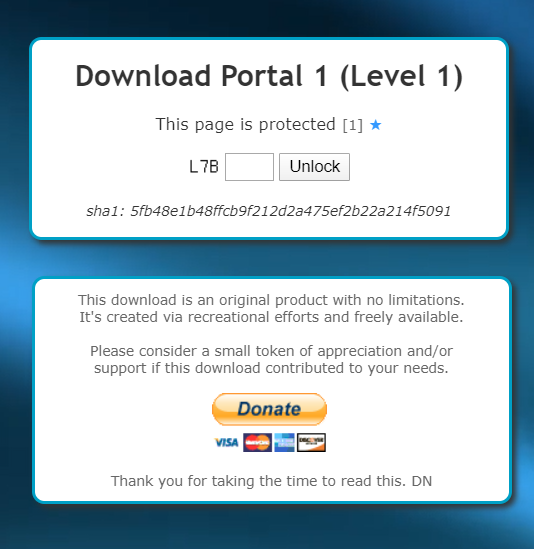
It’s not two questions anymore just type what is left of the box. In the pic it would be L7B.
That helps. Thank you!
Thanks @JuiceWSA @SE56 i am on windows, PIA v1.8 build 04193
I still cant reach my server with it bypassed. Was working intermittantly but not anymore.
I have it set connect at log on.
Ive tried selecting a region to connect to , and connect auto.
With / without adding the port number in the plex settings.
Cant see server outside home network. Very annoying
The point of Exclusions is so you can bypass the VPN with Plex - remote traffic to and from your server goes around the VPN - as designed.
If you can’t reach your server with the VPN off - exclusions won’t help you.
You have a remote access problem.
Fix that - then tackle exclusions - not the other way around.
- gain remote access with no VPN.
- make Plex go around the VPN - to maintain remote access - it’s a piece of cake - when remote access is working.

Chrome is my non Default Browser that I use for the likes of Plex Server and other Local Region sensitive media. Example: Pay TV
As my friend Juice said above, you must have a solid Remote access setup firstly. I’m gathering this is already the case, is that correct?

With port forwarding don’t rely on UPnP have it disabled and use manual port forwarding. UPnP can be unreliable with some consumer and ISP provided Routers.
So it seems the metadata issue may have been a red flag for another issue. In the past ive always had no problem sharing with the vpn disconnected.
Looking at it right now however, i cant share at all.
Im just gonna have a look at my router settings a min…
A lot of messing around, i removed all rules in the router, incase of conflicts. Forwarded port 32400 again only. checked windows firewall which all seemed correct. I came across this
and went through the CMD prompts at the end of the page. In the end it came back with 2 results both tcp 32400 so maybe for some reason its being blocked by my isp? doesnt seem logical…
Changed my router to bridged mode and got remote access straight away. 10 mins later not working again so i changed it back. Im really not sure whats causing this. Last time i had issues with remote access, it was solved by updating my plex server. No updates available right now though.
I guess ill start a new thread to fix the remote access issue, and then come back for the VPN bypass when im ready lol dont wanna hijack this one.
I did originally have that I didn’t own the software on the first post. But I guess I copy and paste it out changing the url. I didn’t think I needed to inform anyone I was sharing their software when I was linking to their page. If I should have, I apologize, I was trying to be helpful, not take credit. I put back the original text below the link.
I couldn’t get the remote access to work, until I manually added 72.143.237.65 to the list of IPs to split tunnel. Found it by monitoring the incoming connections on :32400.
This IP is not part of the Plex list. It appears to belong to a Canadian ISP. Any idea why are the connections required to this IP for the remote access to work?
