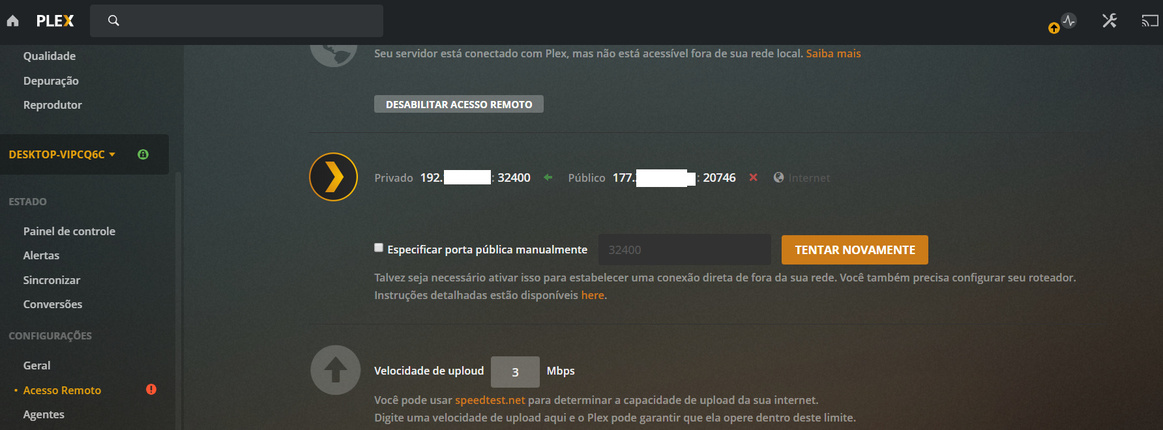
Server Version#: Newest
Player Version#: Newwst
What I have here at my house? Following scenario…
ISP Router: Arris TG-862 (1 unit)
Router Model: DIR-819 (3 units of them) with Firmware 1.06 UP to Date
Before you start, please be aware to know below concepts:
1- BRIDGE: Will do nothing then be a point of interconnection between your ROUTER and the elements ahead that you does not know and even has access, but they will give you access to Internet.
2- ROUTER: Element in your network that will make routing between origin to destination. Basically will take you to internet and bring you results from your solicitations.
3- AP / ACCESS POINT: A point of access that give you more option to connect devices far from ROUTER or far away in your network to the internet or only in your LAN (LOCAL AREA NETWORK).
4- REPEATER: Same as above but the main difference is the fact that you does not need to use CABLE to interconnect the ROUTER to the REPEATER. You use only WIFI signal, same as your own WIFI network that you are using there. For places where you have physical barriers to pass cable, is the best solution!
Said that, Im using REPEATERS (2) to solve BLACK HOLES in the coverage and also to give my PLEX SERVER connectivity to Internet.
This bring me issue as you all that are reading this probably have or will have if you are or will use PLEX SERVER behind this REPEATER.
Below there is my network design:

Showed that, you must pay attention in red circle because I have the ISP Router running in BRIDGE MODE. One unit (DIR-819) is running as ROUTER MODE and two units (DIR-819) are running as REPEATER MODE.
The PLEX SERVER is behind the REPEATER.
The result was no connectivity to internet!
So, you have some options to solve this, and I´ll share them with you for chose. They are:
Option 1- Put PLEX SERVER connected directly to ROUTER via CABLING or WIRELESS;
Option 2- Remove the REPEATER or ANY other ROUTER and replace them by an ACCESS POINT, than connect PLEX SERVER to the ROUTER or ACCESS POINT;
Option 3- IF you have no equipment from IPS, so you can do PORT FORWARDING between ACCESS POINT and ROUTER;
https://forums.plex.tv/t/how-do-i-enable-remote-access-on-a-double-nat-network/166312
Option 4- You also can connect PLEX SERVER directly to the ISP ROUTER;
Option 5- This option solved my issue: Turn off UPnP option from your ROUTER!
Before try any other step, just try first option 5
Even my PLEX SERVER saying that there is no connection to Internet, as you can see in the below pictures I can use my 4G connection to see movies, that mean, its working!
Hope this can help many people as possible!