Bump.
Bump.
Bump.
Are there no Poster or Background images generated (or available to select) when you edit in Plex? All of mine have 3 automatically generated options, and then one I manually create and add.
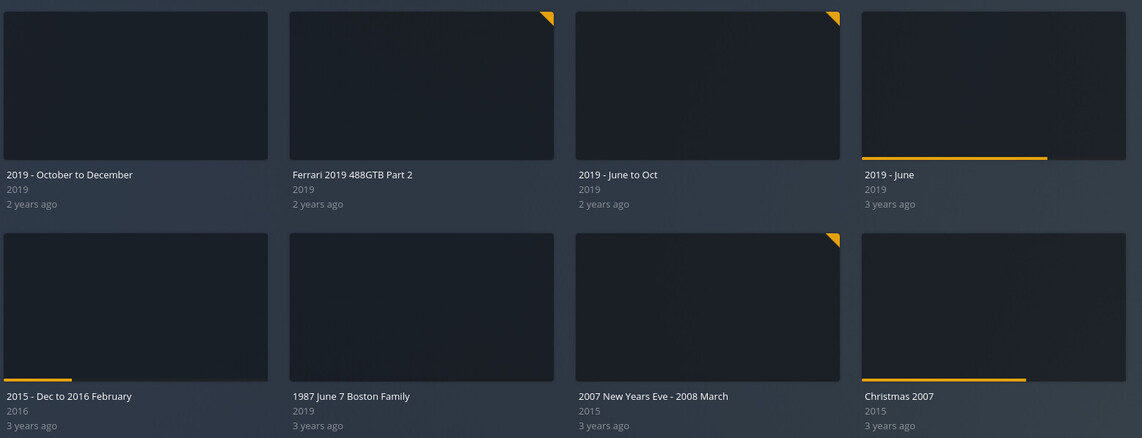


A few questions:
What is the library type? Is it Movies or Other Videos?
What is the Scanner? What is the Agent?
You indicate that your “Agent” is Plex Video Files Scanner, but that is a Scanner, not an Agent.
Good catch on the Agent/Scanner thing, whoops. 
This is what my home movies folder is set for:
Library type is ‘Other videos’
Scanner is ‘Plex Video Files Scanner’
Agent is ‘Personal Media’
In your Settings > Agents > Movies > Personal Media, what are the agents listed, what order are they in, and which are checked?
Here ya go:
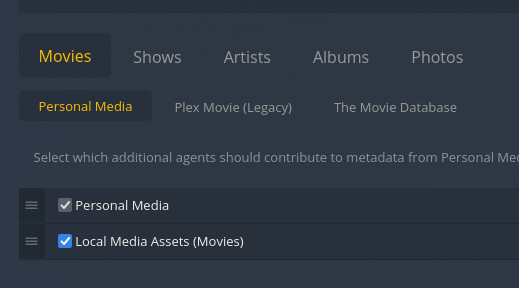
We’ll, it looks like all of your settings are correct.
Have you tried deleting the library, and creating again?
Have you tried Optimizing the Database or Cleaning the Bundles?
Yes, yes and yes. Nothing seems to help.
Well, I think you’ve nailed it with “Nothing seems to help” within Plex.
What type of files are these? Codecs, containers, etc. How are they generated? Is there any difference in file type (or file creation) between the files that generate Posters/Backgrounds, and the ones that do not?
Have you tried adding your own Poster and/or Background? Does that work?
There are just MT2S files (muxed into the MKV container) taken from my 1080p camcorder. Some files have thumbnails, some have none, others have duplicated thumbnails and about 80% have no thumbnails.
H264 codec, AC3 audio, MKV container. It’s all just totally random.
Bump.
Bump.
Bump.
Bump.
Bump.
Bump.
Bump. Really would like to have this fixed as well.
