Under the Movies > Collections section, I have single movies showing under there. How to get rid of those? I only want my movies to show up under ‘Collections’ if there’s more than 3.
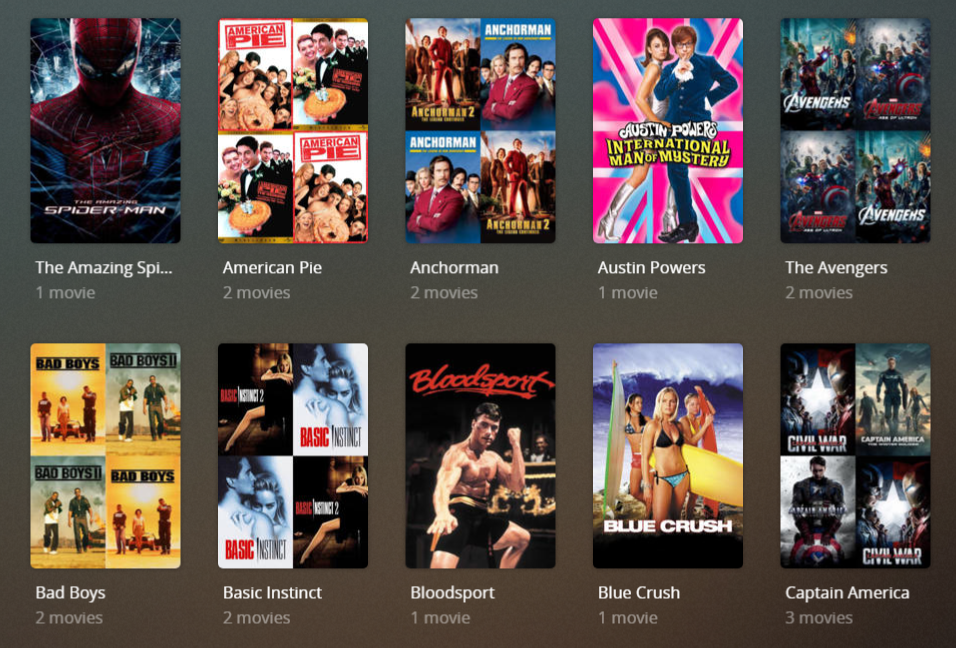
Under the Movies > Collections section, I have single movies showing under there. How to get rid of those? I only want my movies to show up under ‘Collections’ if there’s more than 3.
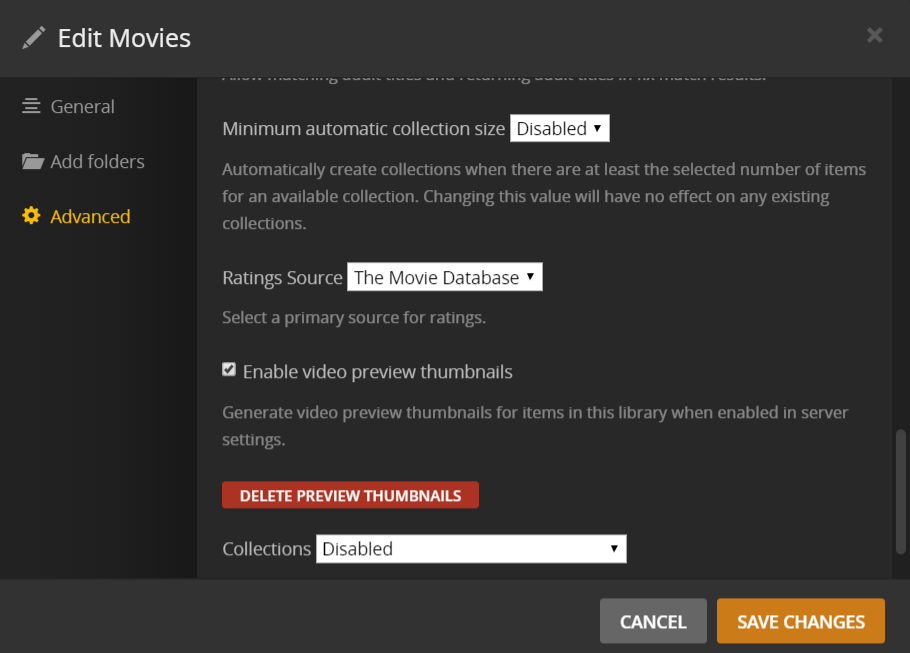
I don’t think there is a way to have the view be automatic based on the number of items in a collection. I believe the setting for that refers to collections automatically being created only if you have at least x amount of movies in that collection. This setting also doesn’t work on already existing collections but if you want to try it on new collections, click the 3 vertical dots for the library name then Manage Library → Edit. In the Edit [Library Name] dialog, click Advanced on the left side panel and then scroll down to almost the end and you’ll see the setting called “Minimum automatic collection size” which by default I believe is set to default. Again, don’t think this has anything to do with what you are asking about, but figured just let you know in case (I’m also on the new movie agent but I believe it existed in the legacy one as well).
That said, there is a setting that doesn’t look like it appears to be working anymore where you should be able tell the system to hide the collection but it should still show the movie. This is what I have done for movies in a collection with only one item. I used it for something like Beetlejuice because I also have the cartoon series and this allows them to be “linked” and appear on each other’s page.
My default library setting for collections is to hide items which are in collections so I make this change on a per collection basis. Based on your thread, I checked this out as I was going to suggest it to you, but from what I am seeing when I go to Beetlejuice is shows the 1 movie like you have in your screenshot which indicates it is showing the collection. I’m not actually sure when this might have broke.
Can you confirm your library collections setting and also if you were aware of that setting, if you changed anything for the individual collections?
Edit: Ignore me, I was on the collection tab and not the movie tab in my library. It’s working as expected.
-Shark2k
It’s been awhile, but here are my collections settings.
When hovering on a collection poster chose the menu on the bottom right and delete. There will be a popup window do confirm deletion of the collection (this will not delete the movies in the collection)
set it to 4 and it won’t create automatic collection until there are 4 items in it. (you can still manually create them with less)
Ah, sorry about that, I misread/didn’t completely comprehend what you had written at first.
After you showed your settings I went back as I was confused because you have collections set to disabled. I completely glossed over the fact that you said it was within the Collection tab of the library.
Based on that, then I actually don’t think there is a way to do what you are requesting.
I see @BigWheel is replying so let’s see what they say.
Edit: Actually ignore everything I said. After reading @BigWheel’s response, I see that for you the automatic collection may actually work, unless you are manually adding those movies to a collection.
-Shark2k
Thanks, I was hesitant to hit that “DELETE” button as I thought it would delete my actual movie. Glad to know there’s a way to manually delete a movie from your collection. But my question is how a single movie would show up under the Movies > Collections Tab? It makes no sense for it to appear under there. Perhaps a bug with the older version of PMS?
Anyhow, I will give your suggestion a try. Once I change the ‘Minimym automatic collection size to 4’ does that mean it will automatically remove any movies under Collections with 3 or less titles? Or do I have to go in and manually delete them one by one?
I tried manually adding one movie to a collection to see how it would work. But having it automated would be nice. So I will give this method a try.
Once the collection is created (manually or automatically) then it needs to be manually deleted.
You can select multiple by clicking the circle on top left of collection posters then delete them all at once from the menu at the top. ( there will be a confirmation window)
Thanks a lot for the help! I appreciate it!
It’s asking if I want to delete these movies from my filesystem though.
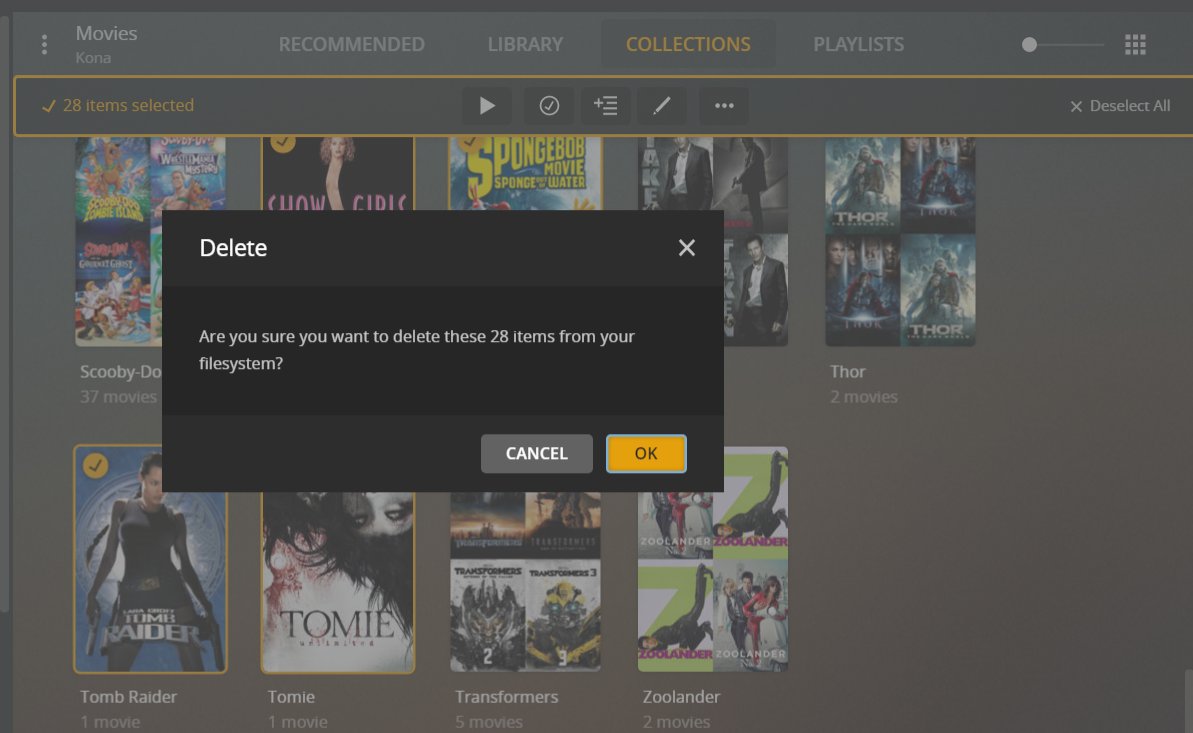
you are on the collection page and have 28 collections selected. collections are not movies.
Okay just wanted to make sure I don’t accidentally delete the actual movies. Perhaps that pop up message needs to be worded differently to let people know that it won’t delete their actual movie files. I was confused with that message.
yeah that confirmation window text should probably be clearer. I will make a report to ask to change that
And just to give a more direct answer to your question, based on the description for the minimum automatic collection size, it says changing the value will have no effect on any existing collections, so you would have to delete any existing collections for them to be recreated by that.
@BigWheel, not to hijack this thread, but could you confirm what I mentioned in my first post on here about overriding the library collection setting no longer appearing to work? If it does appear to be an actual issue I can create a new thread.
Edit: Ignore me, I was on the collection page not the regular movie page. I think I should go to bed before posting anymore. 
Thanks,
-Shark2k
To hide the collections and show the movies on the library tab you should have Collections set to disabled. Disabled only really means to hide them from the library tab. They will still show on collection tab
Yeah, sorry, see my edit while you were typing your reply. PEBKAC error.
I’m going to bed soon and going to stop posting tonight
Thanks,
Shark2k
This topic was automatically closed 90 days after the last reply. New replies are no longer allowed.



