I like to watch series with the English subtitles turned on. However, I have to navigate to the subtitles and pick one from OpenSubtitles each time I start a new episode. Is there a way to keep the subtitles on for all episodes in the series?
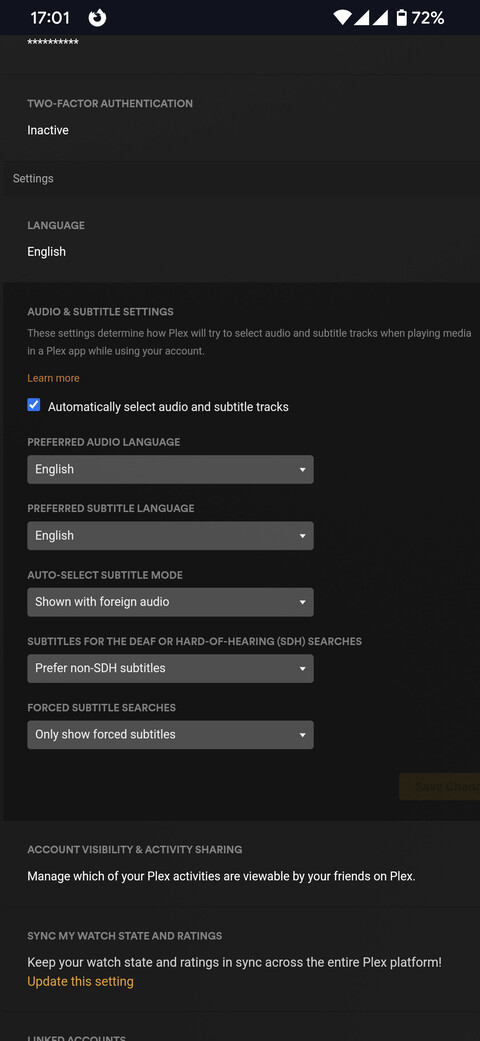
Yes. It’s under account - settings - audio and subtitle settings when you navigate using the Plex web app.
1 Like
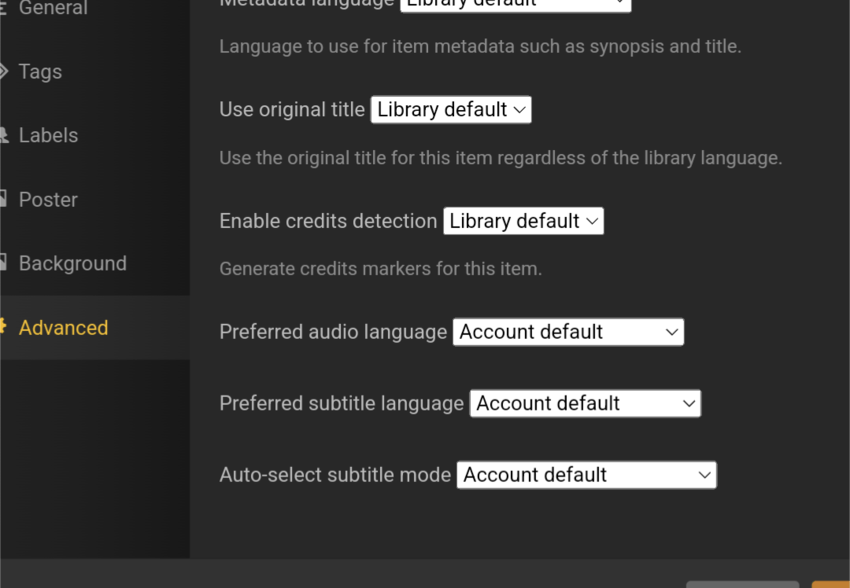
If it’s at the series level. Under advanced settings per the series settings, “Auto select subtitle mode”.
1 Like
Thanks. I set account settings for subtitle mode to be always enabled. However, I don’t know how to get to your second screen where you mention at the series level. How do I do that?
There’s a edit button sort of like a pencil icon on each individual series. Touch/click that to bring up the edit screen then navigate to advanced tab.
Got it. That worked great, and I learned something new! ![]()
1 Like
This topic was automatically closed 90 days after the last reply. New replies are no longer allowed.