Ok, pretty serious UI fail here… I can’t tell you how long I’ve been poking around in the Win10 app UI trying to figure out how to delete some content that was synced a while back. It should not be this hard. Only reason I waited until now was because I kept telling myself that Plex couldn’t have actually made it this obtuse and opaque, and that I must be missing something obvious. But I give up.
So… what’s the deep hidden secret? I go to “This device” and I see 4 movies that were synced a long time ago that I would like to remove. There’s no clear UI within each movie, nor any general UI widget to manage all synced content.
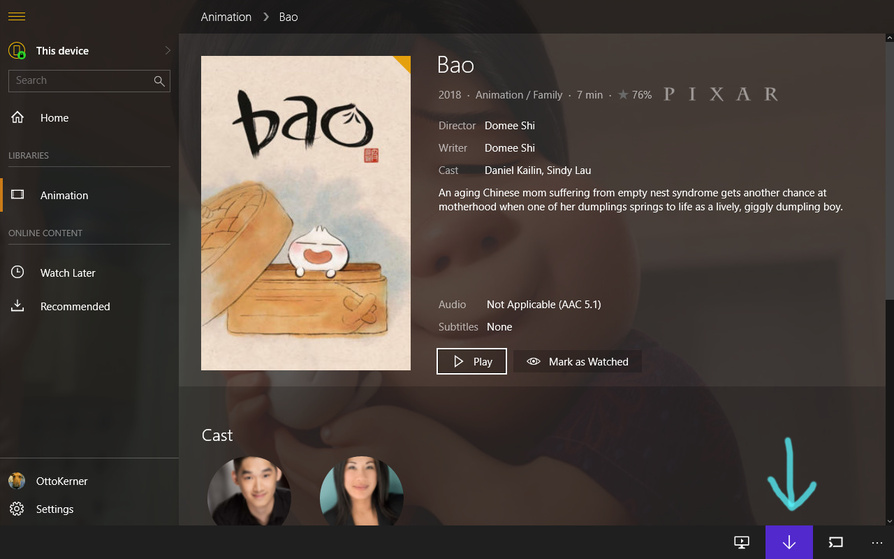
In the lower, right corner there is the ‘downward arrow’ which symbolizes the ‘Sync’ action.
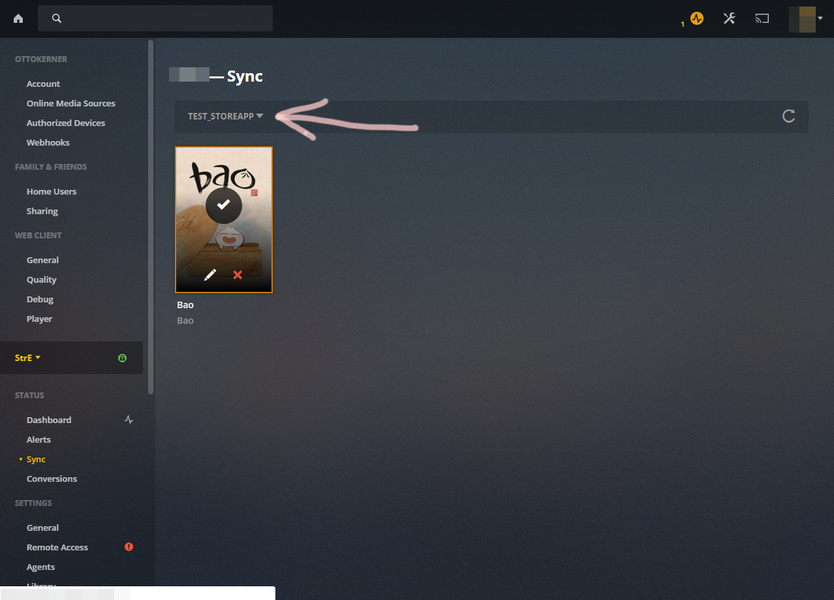
Tap/click on it, which then allows you to edit the synced item. There is also a ‘delete’ icon present:
Thanks for taking the time to try to assist, with screenshots and everything. However, I have no such button between the “Now Playing” and “Players” buttons, so there’s the roadblock. Also, the web app says “Nothing is synced to this device.” However 4 movies show up as locally installed on “This Device” in the Win10 app. So, how to proceed?