Server Version#: 1.19.5.3112
Player Version#: I don’t know how to find out this info
I have Plex Server running on my Mac with a movie library. Now I want to add my music library that is stored on an external drive and loaded in Apple Music.
In the media server, I added the iTunes plugin and left iTunes library XML path as default. I exported my library to an XML file and left it in the same folder as the Mac Music default folder.
I added my music folder to the libraries and pointing it to the master folder where all my music is stored on an external drive.
Plex server has been scanning my library for 5 full days and reached 60,000 tracks. It has been crawling very slowly over the last 2 days, barely going through 600 tracks. At this rate, the scan would take several weeks.
I’m not sure that I setup my music library correctly in Plex given the size of my music library.
Questions:
- Would you have suggestions for how I should configure my Plex server and music library in plex?
- My master music folder is on an external drive and I have about 30 different sub-folders by music type. Would it be better to create several music libraries in Plex as opposed to one main library with all of the music in the same library?
- I have playlists in my Mac Music library. Will these playlists be imported somehow and available in PlexAmp?
- As I add more music in my Mac Music library, how will Plex update itself? Is this automatically as it finds new music in the main music folder?
1 Like
large music library imports are very very slow.
- follow plex naming requirements, if your using itunes, should be fine @ https://support.plex.tv/articles/200265296-adding-music-media-from-folders/
- perhaps it would be better to add each sub path instead of the root type. IE instead of
/music/ add /music/rock and /music/soundtrack but honestly, I have mine divided up into multiple categories (by file type mostly) and I just use /music
- non-smart playlists should be imported (eventually) from itunes, assuming all the paths match between the itunes.xml and the file system
- whenever you ‘rescan library’ new content should be added. In the Plex Web > settings > library, you will find some relevant options to configure to your preference.
Thanks. I’m not clear what I need to do re: 3 non-smart playlists should be imported (eventually) from itunes, assuming all the paths match between the itunes.xml and the file system
All my playlists in Mac Music are regular playlists (non-smart). Would you expand on what I would need to do to get my playlists from Mac Music available somehow on PlexAmp?
I believe that the itunes/playlists import will happen after the initial scan is finally completed.
Also, once everything is scanned in, you can manually trigger an itunes import via playlists > 3 dot menu > import from itunes
ie, if you created new playlists in itunes after an earlier import and want them added to plex.

My library isn’t created in Plex format per se. Since I have 185,000, to rename all of these would take me considerable time. Is there a tool/utility that could perhaps go through my library and do the rename in a Plex friendly format?
It’s loaded 60,000 tracks so far although I don’t know what is the % of the tracks that it’s scanned that were in the appropriate format versus those that may not be and were bypassed.
How many tracks do you have in your library?
That does seem excessive, I have between 80-90k all in one folder and it takes about a day. What are the advanced settings on your library? Are you performing an analysis on import?
I use mediamonkey (and picard) for music file management/tagging
i’m 250k+ tracks.
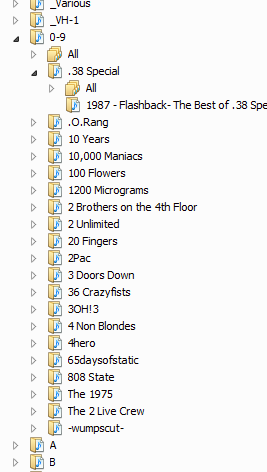
files/folders divided up like so
which is not without complications for plex, but mostly works when tagged with picard/musicbrainz.
problematic stuff is;
- folders with random files from not the same album
- any music which does not match to musicbrainz
- files with no album/track#
- files/folders with ‘non-plex-standard’
various artists (ie if you use v/a or various plex does not like that
- probably more I can’t think of, but there are a ton of threads about various music complaints already
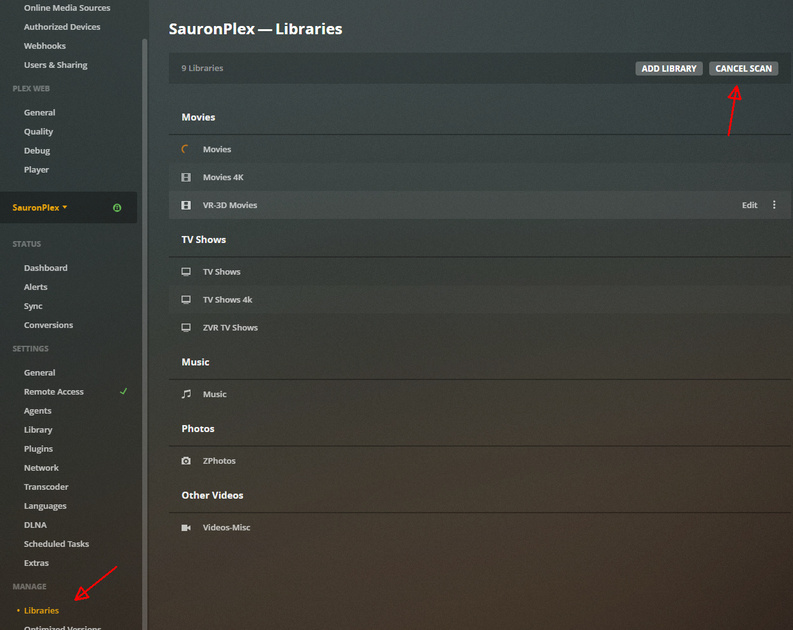
fwiw if the music scan has bogged down or stopped, you can try ‘cancelling’ the scan. then restarting the server and rescanning again, stuff that is already imported should go much faster
you can also monitor the logs real time to see if there are any obvious errors happening
I don’t see any parameters called “Analysis on import”. Is this a setting somewhere? If so, where do I find this?
Here are the Music Advanced settings in Plex:
Visibility: Include in home screen and global search
Album sorting; Library default
Prefer local metadata: unchecked
Store track progress: unchecked
Include related content from shared libraries: checked
Artist Bios: checked
Album reviews and critic ratings: checked
Popular tracks: checked
concerts: checked
Genres: Plex Music
Album Art: Both Plex Music and Local Files
Scanner: Plex Music
Agent: Plex Music
those are in the server settings.
some settings are library specific (3 dot menu > edit library > advanced)
others are in the server settings > Plex Web > settings
I set my settings exactly like the one in your screenshot. Most were already the same except the first one which was set to never.
The only one that seems to be related to audio is the last one for analyzing for loudness.
Looked in the Console and nothing stands out to me. My first time looking there so logs are unfamiliar to me.
Authenticated user is correct. There’s an entry: Content-Length is -1 (of total: -1). Don’t know what that means nor if it would be an issue.
right, I think what richard was suggesting, to disable the analysis on import (when you are adding huge amounts, so the computer isn’t bogged down trying to analyze them all), later you can re-enable for either scheduled tasks only, or both on add/scheduled.
as far as the log, I’d just be watching for anything that says error or especially ‘malformed database’ (which means your plex database got corrupted).
I had tried cancelling the scan and restarting. Didn’t make any difference.
The scan speed is excessively slow. Since I began this thread, it moved 30 tracks only. with 120,000 more to go it’ll take a month to finish!
Yeah, that’s the first thing I would try. You can stop the scan, change the setting and then rescan. It won’t redo the ones already scanned.
Which setting do you think might impact the scan? Tried that and doesn’t seem to make any difference.
Sorry, the loudness analysis in the server -> library settings.
it wouldn’t let me save and I tried shutting down the server. I wouldn’t let me so I went to Activity Monitor to force quit. Now I’m asked to sign in and after entering my Email address, it says No Servers. We couldn’t connect to any servers. This may indicate a network issue. I’ll restart the computer and see if this fixes it.
Ok, I restarted my computer and now I was able to turn off the loudness setting. I stopped/restarted the scan.
Would you have a recommendation for some sort of tool to delete duplicates?
I bought one called Gemini 2. It reports having deleted X Gigabytes although doesn’t tell me how many tracks. It doesn’t delete the index entries in Mac Music. I bought Doug’s Applescript to delete dead tracks though it only found 25 tracks so that doesn’t make sense as it should be more.
According to Apple Music, when I show duplicate items, it reports 51, 244.
So far I can’t find an easy way to delete duplicate, both on disk as well as in Apple Music.
Would appreciate your recommendation if you found a way to achieve a proper duplicate file cleanup.