windows can see the device and identify it from its pciid but it may not know what to do with it. I will see if this is a know issue anywhere.
does the nvidea card show up under display adapters in the device manager?

just double checking that this is the same machine you’ve been sending logs from
lol! I can assure you that it is. I only have two servers and the other is a Intel NUC dedicated for a cable TV DVR.
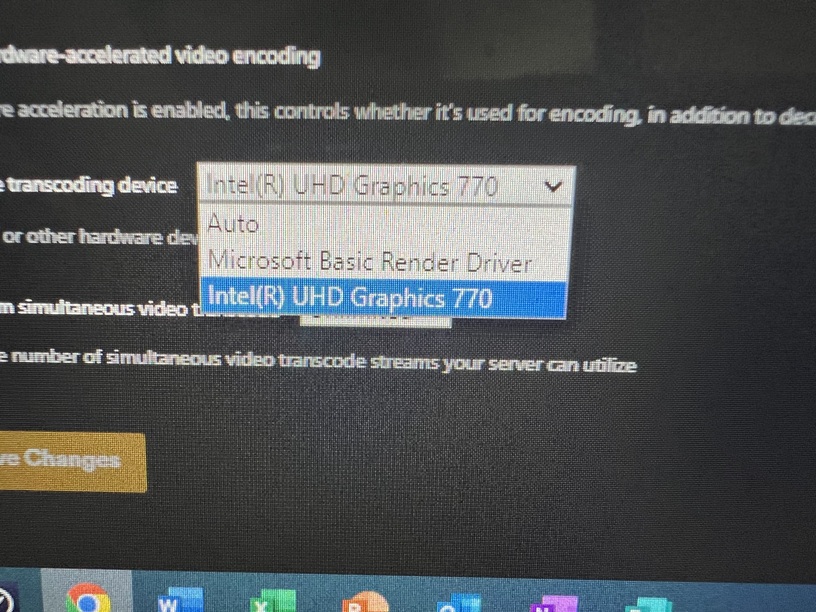
On windows we retrieve the list of graphics cards using the DXGI Windows API, I am trying to figure out why that is returning a “Microsoft Basic Render Driver” device instead of your nvidea card
That device could be the ASpeed 2600 chip. It’s a basic 2D graphics processor/out of band motherboard management controller for remote administration. Basically a remote monitor keyboard mouse (KVM).
I’ve never had a monitor or keyboard hooked up to this system. Even when I built it I simply put a thumb drive with Windows 10 image, Ethernet to the ASpeed Network Controller, and power. The rest I did through a virtual connection on my laptop.
can you please test this build? I’m wondering if it fixes the intel transcoding and if selecting “Microsoft Basic Render Driver” as your GPU will transcode using your nvidea. Also, what version of directx do you have installed?
DirectX version is 12. Just tested the new build and no change. Logs attached.
I will switch to Microsoft Basic and see what happens.
Plex Media Server Logs_2024-02-26_09-32-51.zip (6.4 MB)
Forgot the logs.
Tried the Microsoft Basic driver and it was still using the CPU. Then switched it back to UHD 770 just to see if that would kickstart it. Nothing. Logs log attached.
I just wanted to double check, your using the nvidia Data Center Driver correct? and do you see the card in dxdiag?
It sees it but under system devices and not under graphics. Attached is the system info from dxdiag.
DxDiag.txt (151.6 KB)
I checked on what the driver was labeled. It says Tesla / Data Center.
I have some theories as to what is going on, however the easiest way to debug/test is calling the transcoder directly from the command line. Would you mind if I DMed you some commands for you to run?
Not at all! I really want this working again.
can you check if this build fixes both your intel and nvidea isssues?
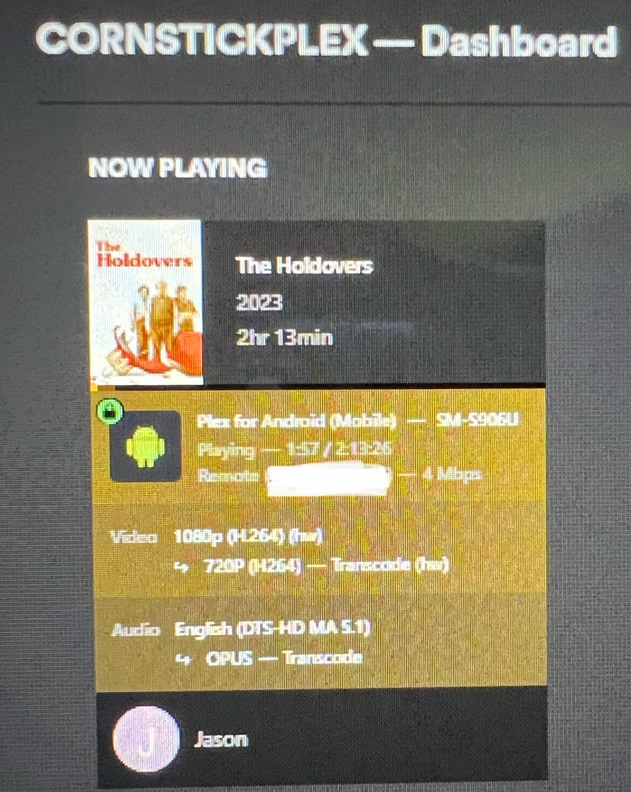
QSV is working!!! Still doesn’t detect the Nvidia card. Although I didn’t try the Microsoft setting or Auto. If I choose Auto maybe the Nvidia would be priority?
it should be finding the nvidia… can you send me your logs?
Selecting Auto still used the UHD 770. Selecting Microsoft used software transcoding.
