According to your screenshots, for the Plex Movie agent you have Plex Movie disabled. And for the The Movie Database agent you have The Movie Database disabled. Is that intentional? Those are the primary sources for those agents, respectively, and should be enabled.
Just popped out will check in a 10mins That screen is clunky as it doesn’t have a save button but don’t think you can disable those, may be my poor snapping
Do a few.
Refresh Metadata on just those.
You may need a Plex Dance to write new bundles, but let’s see what happens.
Here is my Movie String:
{n} ({y}) [{vf} {vc}]/{n} ({y}) [{vf} {vc}]
you can paste that right into ‘Edit Format’ for Movies
Here is my TV Show String:
{n} - {s00e00} - {t}
Same deal
Note: You WILL need to fix the TV Show String - it’s not Plex Ready right out of the gate.
Now that’s a foreign language to me
What is that for? Sorry
It is the String of Commands that tells Filebot what to do:
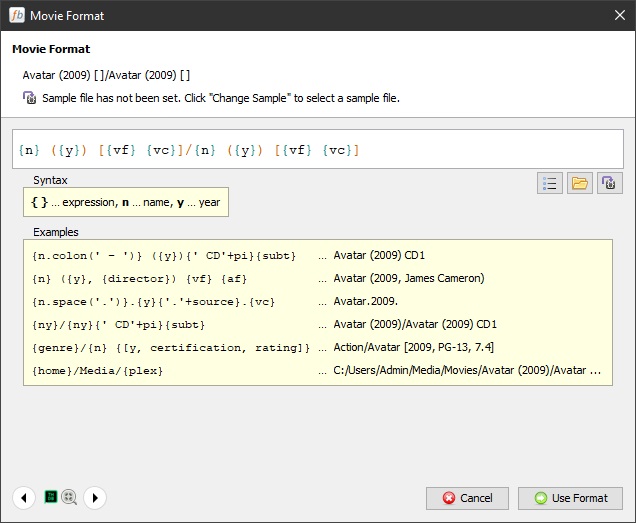
I have special commands in there. The Commands that do this:
A Monster Calls (2016) [1080p x265]
You will find all you need in the forums at Filebot.net - when you go find other neat commands, or find out how to make it do what YOU want.
Again - you DO NEED to paste my String into the TV Show Format.
Filebot uses 1x2 - or whatever when it comes, but when you paste in the new string - it’s Plex Ready with the SxxExx format.
There’s also a {Plex} standard profile - pasting that in is all that’s necessary, but I’m not really sure what all that does to be honest.
BTW - when looking for Argo I found mine was broken.
Got a new one, Fixed it, Filebot Named it and… it’s Baaaaack…lol
A beer in and it’s renamed a lot of files in “movie title (1999).meh” format but not the folder names
That’s A to E and a start I guess
Look at this tag:
{n} ({y}) [{vf} {vc}]/{n} ({y}) [{vf} {vc}]
See the ‘/’
Results in:
Movie (YEAR) [Rez Codec]/
......Movie (YEAR) [Rez Codec].xxx
Note:
If you have ‘other stuff’ in those Folders. When you drag the movie in Filebot and rename - it creates the folder on the Root and puts the movie in it. If ‘other stuff’ is in the original folder it won’t delete it. If nothing else is in the folder it will.
You may have to move it back to the library - unless it acts differently at your house.
At my house I shut down Plex - did a few hundred - Moved everything back and restarted Plex. You may not have to do that - depends on your structure I suppose.
I had this effect, ignore the film choice…
Not sure I know how to dabble with the tags above but all files under A to E now look in that format
It still won’t refresh in plex (opens a beer in frustration)
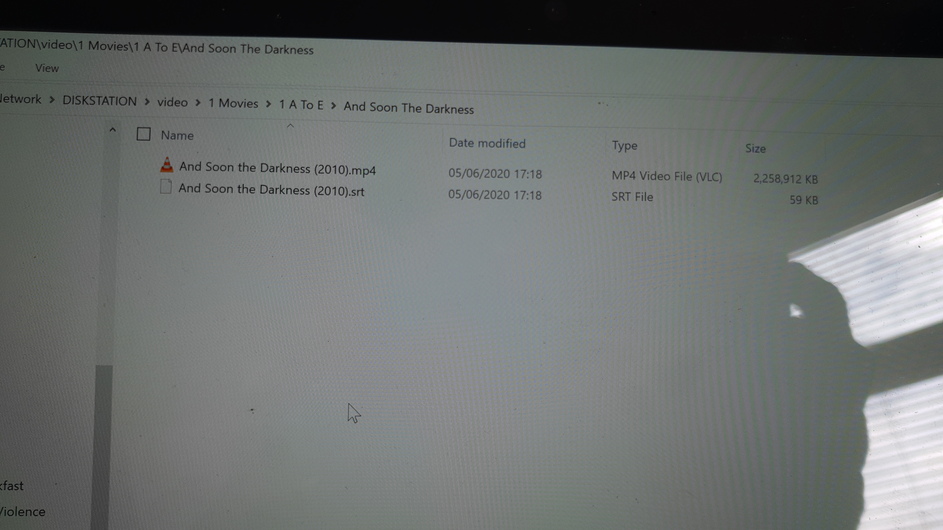
The folder and file need to be the same name. Figure it out now - while you’re young.
Add .eng to that srt file:
And Soon the Darkness (2010).eng.srt
If ‘Eng’ is, in fact your squawk-tone.
I mean… you want everything right, right?
I dragged em in, hit rename.
Clearly missed something to rename the folder too
Frick…
Getting there.. Have been using this format
But I am doing something wrong as its renaming on the folders in the existing directory but not the filenames
See my format
If I change {n} ({y}) to {n} ({y})/ {n} ({y}) that just adds another sub folder of the same name
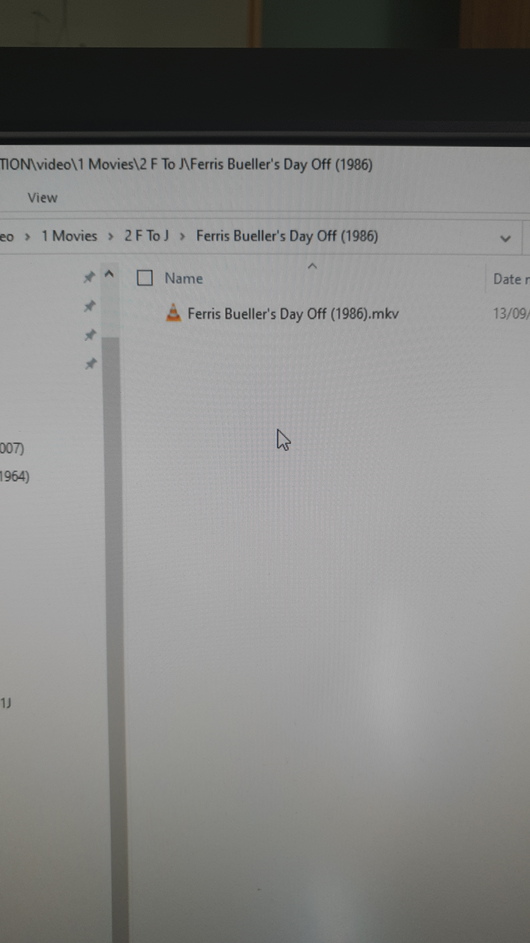
And it still doesn’t recognise ferris beuller’s day off?!
Even when I changed it manually
thanks all for the help folks - filebot is well worth the effort for multiple files
be careful with it , its not shy
plex has some lagging cache issues from what I can see , ace ventura correctly named and refreshed still shows a stick image but its looking better
cheers
This topic was automatically closed 90 days after the last reply. New replies are no longer allowed.

