Server Version#:2025.11.1
Player Version#:18.3.2
I am able to use another account on same phone and see my library. When using admin account it is perpetually loading. I have run out of things to try so I came here
Server Version#:2025.11.1
Player Version#:18.3.2
I am able to use another account on same phone and see my library. When using admin account it is perpetually loading. I have run out of things to try so I came here
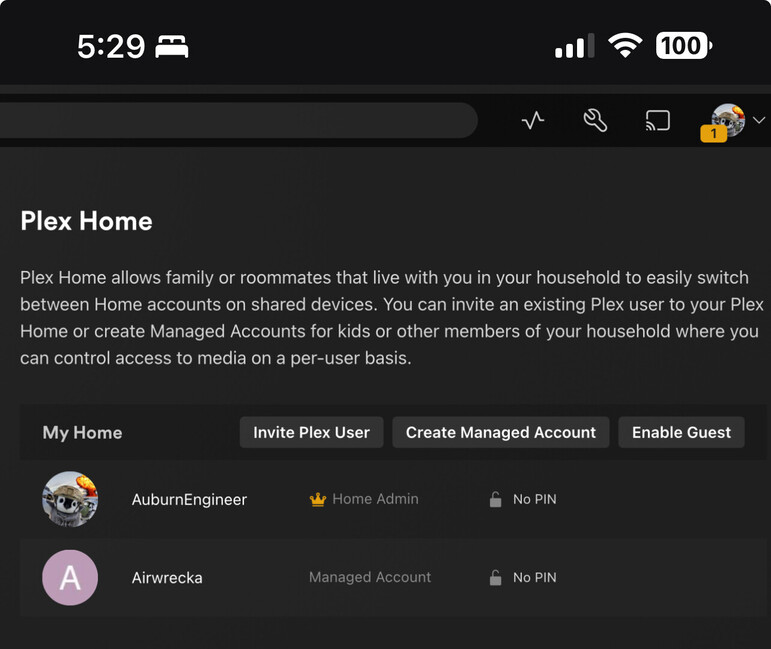
is your main account a member of someone else’s Plex Home
or might you have left your own?
I looked at the logs and see several join & leave of managed users
Your account should look like this (which I suspect is the problem)
This has started happening to me too. I was able to use the new UI until last night when it started crashing. My other managed users are okay for certain things, but I’m noticing that my TV library is making them crash too. Other libraries are fine.
I recently started getting crashed when trying to open my TV library as well. It appears to be related to the “Recommended” tab.
I was able to workaround by doing this:
The delay in Live TV loading seems to cause the app to slow down enough so you have a chance to switch from Recommended to Browse. However, if you do switch back to Recommended, it will crash immediately.
Seems to only affect TV libraries (at least for me).
Anyone have a fix? That doesn’t work for me
Is this being worked on?
This is a weird problem I’ve not seen before and cannot reproduce here.
That said, let’s start from the premise that it’s networking based.
The questions are:
EDIT: What is the LAN IP of your PMS server ?
Note I tried adding LAN 192.168.1.0/24 manually to LAN subnet, but did not fix anything and I guess wouldn’t matter remote.
Ignoring your phone for a minute,
Do you get the same results when using Plex/web (browser app) on your computer ?
I am able to login on web and Apple TV with no issues with the same account
If everything but the phone works,
Uninstall the phone app , restart phone, & start fresh.
I have seen it corrupt itself.
I did this:
Uninstall app - delete
Reboot phone
Turn off phone for 5 min
Turn on phone
Redownloaded Plex app
Signed in
Still not resolved- main account sees no library
Switch user - Library shows up instantly with no issues
Ok, Time for extreme testing 
Library → Library.oldSupplemental:
Which build of the iOS app are you using?
I just recreated the same problem on both iPad and iPhone
This has been submitted to the Personal Media team (the whole team)
to resolve.
It’s tagged “urgent” .
@ChuckPa Awesome, looking forward to the resolution!
@ChuckPa Any updates on this? Will it be in an IOS app update?
Have you updated?