So the thing is I have an ancient FreeNAS box for storage and put together a new computer for all the other things including the Plex server. Reasonable choice to go to Unraid and it lasted me well, but the 3080ti passthrough to run windows VM with a gfx card output is painful and is sketchy. Sometimes it works, other times it just doesn’t and we’ll of it ain’t reliable it ain’t mine.
I was thinking of going back to windows to run a server.
The last time I ran Plex on windows was on a XPS laptop back in 2013, just to stream everything on my hard disk to other devices. It was switched on as needed and did most of the part well and once the task was finished windows itself would be shut down.
Now I want to run a more reliable server and my only interaction with win 8.1/10 has been on laptop for work and I have encountered terminal errors on those. I have thought about Linux as well but now after the tiring experience of troubleshooting vm gfx passthrough on Unraid, i just wish to have something that’s simple to grasp and easy to use. I’m sure the linux side maybe better and Unraid as a pure Plex server with a Quadro card was good no doubt, but a lot of my softwares aren’t going to work and I’m done with video passthrough VMs for now.
I just want to know on average what is the downtime of a Plex server running on windows. How many times would it hang/REQUIRE a restart? On some occasions I’m not home for a few days at a stretch and if I get a bsod what’s the way to recover? I think I can manage getting Plex as a startup service no problems so that wouldn’t be an issue. Also is there a way that I choose how and when I can install updates? It’s fine if it keeps downloding them but i want to install them at a time of my choosing. Windows 7/8 had it, don’t think 10 has an option like that. I also believe that I can use Quadro for Plex and 3080ti for rest of the things on windows too?
Yes.
You mean 2 different GPU cards in one computer? Not sure that’ll work as you’d like.
I haven’t tested this method: How to set default GPU for apps on Windows 10 - Pureinfotech
Here’s another post regarding GPU selection. I don’t have a multi-GPU setup, so have not tried it.
I didn’t really read this thread but my post is still current and works with multiple gpus for Plex on Windows 10 and windows 11.
This is exactly what I was looking for. I was planning to use the Quadro P2200 for Plex and 3080ti for the rest of the stuff.
What about windows 10 pro as a OS for 24/7?
What about it?
It’s fine. My Plex server runs under Pro since years.
You might want to disable some of the desktop-oriented features, though.
Do you have a guide etc that I can follow?
I’ve got the win 10 pro up and running currently scanning files and metadata
. I was able to follow the guide and managed to HW transcode 4 streams simultaneously. It shows how transcode when I force conversion and all 4 could run simultaneously. Does this mean that my P2200 is currently active and exactly how it should be? What would have happened if the 3080ti or Amd R9 5900 would try to manually he transcode?
How to make sure that the transcoding is happening with the P2200 and not the 3080ti?
I have set transcoder and folder to P2200 under cuda, still I don’t see any load on p2200 while “downloading” stuff to my ipad/phone.
@bhootz This is what your settings should look like and then you restart your computer and it’s good to go. Here’s a picture of programs that are selected which is plex.exe and the transcoder.


Thanks for the reply. I had added the plex folder and plextranscoder.exe and changed the values of the 3 parameters for each. I am not able to locate plex.exe anywhere. Is it the same as plexmediaserver.exe?
Added that and restarted. Fingers crossed now.
edited
Update: no luck. Hopefully you can find something wrong I’m doing


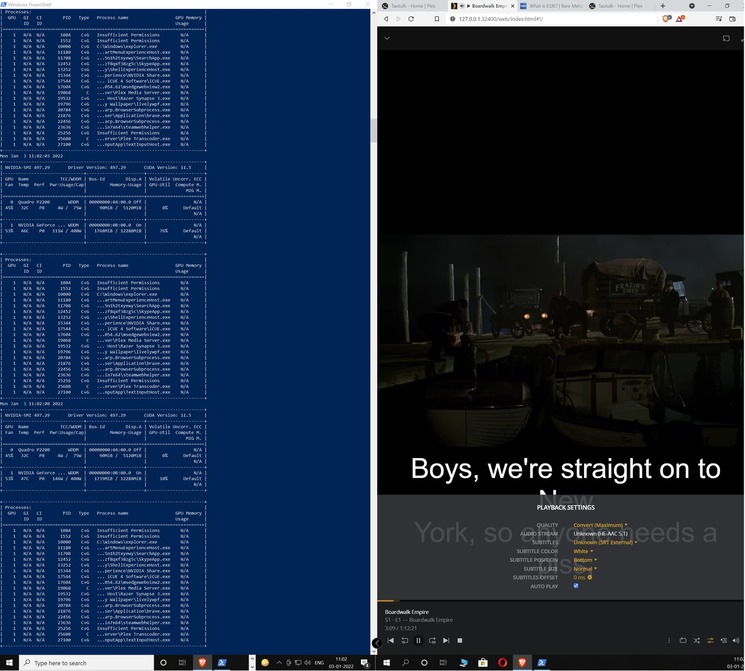

That’s irrelevant for the server.
The Plex.exe and the path you’re showing is part of the “Plex for Windows” client software.
The transcoder of the Plex Server can be found by default in this location: C:\Program Files (x86)\Plex\Plex Media Server
Correct, my bad that is true.
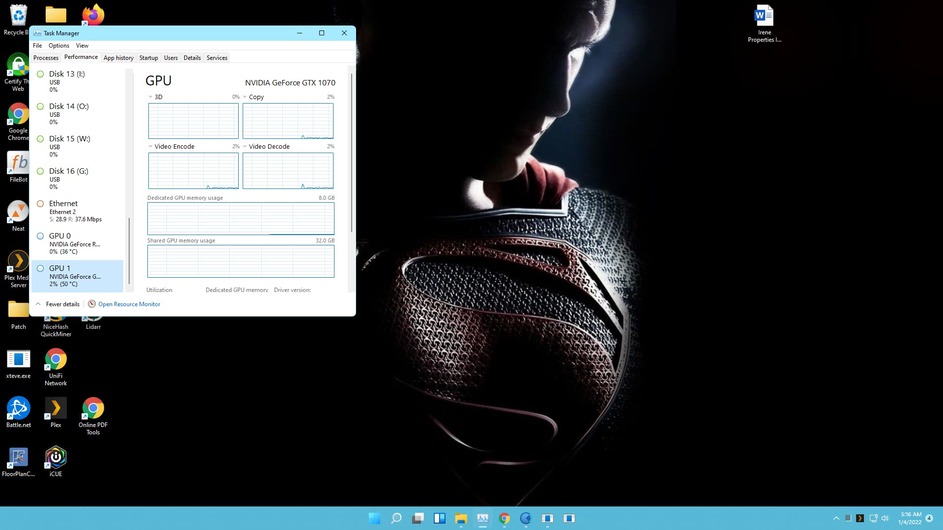
I just built a beta with unraid flash drive that I had lying around. I have shifted to unraid again. No offense but the performance of windows and unnecessary usage of 3080ti pushed me into it. The plex server runs much smoother and reliably on UNRAID for me. Thanks for all the help though.
