When I play the movie on my the server PC, the subtitles appear. When I play the movie on my phone’s Plex app, the subtitles appear. When I play the movie on my Sony Bravia, the subtitles do not appear. When I play other movies on my Sony Bravia, the subtitles appear. When I try to cast from the Plex app on my phone to the Sony Bravia, I get “Sorry, something went wrong”. I’ll save that for another topic. When I try to cast from the the web-version of Plex on my phone to the Sony Bravia, it hangs for 10-20 minutes before I have to stop it. I’ll save that for another topic.
Anything? Why are subtitles being blocked for just this one movie and just on this one device? I tried using ffmpeg to embed the subtitles. That worked as they are now selectable directly but … they still do not appear and only for the living room TV. Subtitles work on the server, my phone, the TV in the bedroom … but not the TV in the living room. Subtitles work in the living room for other movies but just not this one!!!
Have you run analyse on that Library via PMS before trying to watch TV?
Personally I use MKVToolNIx to flag subs and naming Subs correctly.
Example for forced: en.forced. (Works for me)
After Multiplexing complete and you have corrected the file name by removing (1) but before secure old file somewhere else in case. Put the corrected file in your Movie library
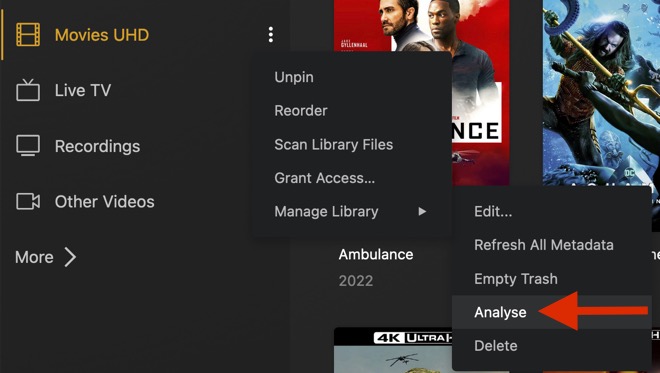
Run Empty Trash, Then run Analyse in PMS as attached.
I’m sure that MKVToolNIx is a fine product but I’d like to get to the bottom of why:
Subtitles for “It’s a Wonderful Life” work on other TVs (like Vizio or Samsung). Subtitles for other movies (like “Home Alone”) work on “SONY Bravia TV” Subtitles for “It’s a Wonderful Life” DO NOT WORK on “SONY Bravia TV”.
That’s great that it works for you and “Works for me” is actually the most popular forum phrase. Unfortunately, “Works for me” is not very help to the people it doesn’t work for.
My subs were named properly and they are now embedded. Embedded subs changed nothing as the subs work … either way … on all TVs except “SONY BRAVIA”?
When you are playing a movie on the Bravia and turn on the subtitles, when they don’t show up on screen is the Dashboard on the server indicating it’s displaying them?
Also, this may be be nothing, but do the subtitles that DO work on the Bravia have a language code in the file name? What you shared as an example isn’t the correct naming convention - but I know that you just used an example file name, so maybe you hand typed it and just omitted the language code. “ABC (2018).en.srt” would be the correct format. Maybe the Bravia app itself has an issue that it can’t detect “almost” correct file names that other apps are able to?
No disrespect intended, because you did state the file names were correct, but the example you gave was not correct. Like I said above, maybe your file names ARE correct and I’m way off base! But it can’t hurt to rename the movie and .srt files as above as an experiment.
Remember, this movie’s subtitles display on two other TVs in the house (Samsung and Vizio), three cell phones, and, of course the server. Subtitles do NOT display on the Sony but other movies do.
Do you mean all that “subnet” B.S.? I thought I addressed that months ago with some server settings.
Why do we need to “know” these specific nitty gritty things? Of course they are all on the same network … it’s my home. The Sony is connected to the router via ethernet but the Plex Server PC and the Vizio TV are connected via wi-fi to the same router.
WTF is your problem. He’s just helping you troubleshoot.
The problem is probably in the subtitle file. Open the file in a text editor or open it in Subtitle Edit, then save again; make sure to save without BOM. Rescan and refresh metadata, then check again.
Some clients can play malformed SRT files, but some clients can’t.
Are you using the program Subtitle Edit? There is an encoding option for UTF-8 with and without BOM. I don’t know what BOM is but I think it’s better to not have it. That’s how all of my subs are saved.
His first priority should be to resolve the network.
The subs likely have positioning for 1080p and when it is transcoded to 480 they appear somewhere off screen.
 When I play the movie on my the server PC, the subtitles appear.
 When I play the movie on my Sony Bravia, the subtitles do not appear.


 Subtitles for “It’s a Wonderful Life” work on other TVs (like Vizio or Samsung).
 Subtitles for “It’s a Wonderful Life” DO NOT WORK on “SONY Bravia TV”.


