My mom (who is 84 and basically incompetent when it comes to tech anything) has somehow managed to change the language being used by the Plex app on her LG WebOS TV. The TV is set to use English everywhere that I could find an option for language. Yet, even after unplugging the TV to ensure it has been totally reset, her Plex menu looks like this:
I have logged in to her user (she is in my Home group) and the menus are in English on all of my devices, including my LG WebOS TV (which is the same model but a couple years older.) Is there some way to fix this in the Plex app? Maybe removing the app and reinstalling will clear its cache and settings? Or must I reset the entire TV to factory settings and re-enter innumerable passwords to get everything working for her again?
Maybe check her account settings via Plex Web? https://app.plex.tv/desktop/#!/settings/account
It says: Language English
I configured it to ignore the system default, but it still shows as in the image I posted on her LG WebOS TV. Not on my LG or my PC Plex App or the Plex Web app, all of which show English, as expected.
It is a TV setting.
On my LG, if I change the menu language, then I see the same as your screenshot.
Settings → General → Language → Menu Language.
English → Spanish:
Changing the he menu language on the TV is the only way I could replicate the problem.
You might try deleting and reinstalling the Plex app.
Interestingly, the language Plex has selected does not appear to be English, French-Canadian, US- or Puerto Rican- Spanish, either, yet those are the only language options on her TV:
For anyone interested, I also tried changing the language to French and restarting the TV, but Plex was still in what Google Translate detected as Polish? There MUST be a way to tell PLEX itself what language to use on the local device, since it is CLEARLY NOT using the setting on the TV. Too bad it is not apparent in any of the settings I can find.
Tomorrow when I visit I will try removing the LG Plex app, telling the TV to optimize its memory (which is supposed to remove unused app data and things like that), then restarting the TV (with a power cycle) and then re-installing the LG Plex app. Hopefully that will clear any saved data that the app has on the TV. I will update this with the results, in case anyone cares.
@FordGuy61 , thanks for trying to help. 
I wish a Plex developer was watching and could provide the secret command sequence to choose a local language for the Plex app.
Definitely a weird one. Hopefully the uninstall/re-install fixes the problem.
Update the thread with the model and webOS version when you get a chance. Mine is a 2017 B7 OLED with webOS 3.9.0. Might be something specific to the webOS version.
Traded DMs with one of the developers.
Double check the language setting in the Plex app on your mom’s tv.
English: Settings (gear icon) → Account → Language.
Polish: Ustawienia (gear icon) → Konto (top of list on left) → Język (fourth choice on right, immediately below “Ratings & Review From” (in English)).
See if it is set to Polski.
If you change the setting, back out to the Plex home screen. After a couple of seconds, the Plex app should restart and have the new language settings.
If I change the Plex app to Polish on my TV, it looks like the screenshot in your first post.
If that does not work. an uninstall/re-install should resolve things.
You might also try resetting the Plex app to defaults (to save the trouble of uninstall/re-install).
Settings → Advanced → Reset App
Ustawienia → Zaawansowane → Zresetuj Aplikację
Thanks for the Polish menu info, if it is set that way (and I suspect you may be correct that it is) they will help greatly!
Your last screen shot is mentioning “voice recognition”.
I don’t think this is the language selector from the Plex app, but rather a global selector for, erm, spoken voice recognition.
The TV (or its remote control) may have a built-in microphone to use this.
But it isn’t related to the language of the user interface of the Plex app.
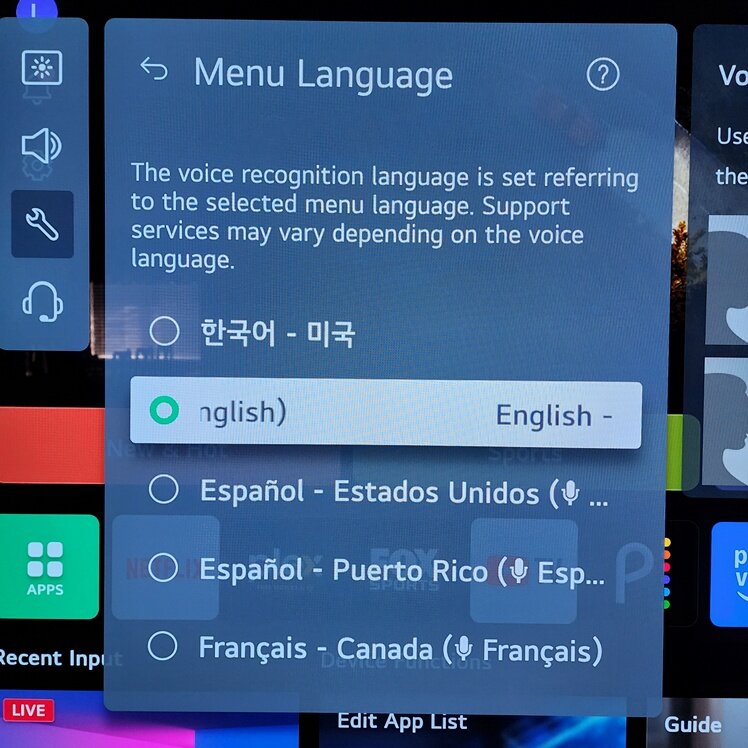
@OttoKerner The last screen shot I posted is the TV’s Menu Language setting (as shown in the setting panel title in the image.) The text below is reminding the user that the TV also uses the Menu Language setting for the TV’s voice recognition capability (which we never use.)
You need to enter the Plex app itself (on the TV), then go to the left side bar, scroll all the way down to the last item (gear/cog icon),
then under account settings (the first on the left side) you can change the Language on the right side, should be the 4th option from the top, third from the bottom
Thanks @OttoKerner , that’s also what @FordGuy61 told me (along with providing the Polish menu text to help me along) and that was indeed the problem.
I was surprised that an account setting was actually NOT really at the account level, since it only affects the local app. I had used her account on several other platforms and it was in English everywhere else. That is why I didn’t search through the settings (that I couldn’t read) in Polish.
Regardless, it is fixed now. Next time she randomly presses remote control buttons without paying any attention to what’s happening on screen, I might be able to figure it out.
I forgot to get the requested version info from her TV, and I will get it this afternoon, but I’m not sure it is relevant now that we know it was a setting she changed by accident.
Glad things are back to normal.
No need for the TV model, etc., since it was a setting, not a problem with the app.
This happened to me the first time I opened the LG app after the two latest server updates.